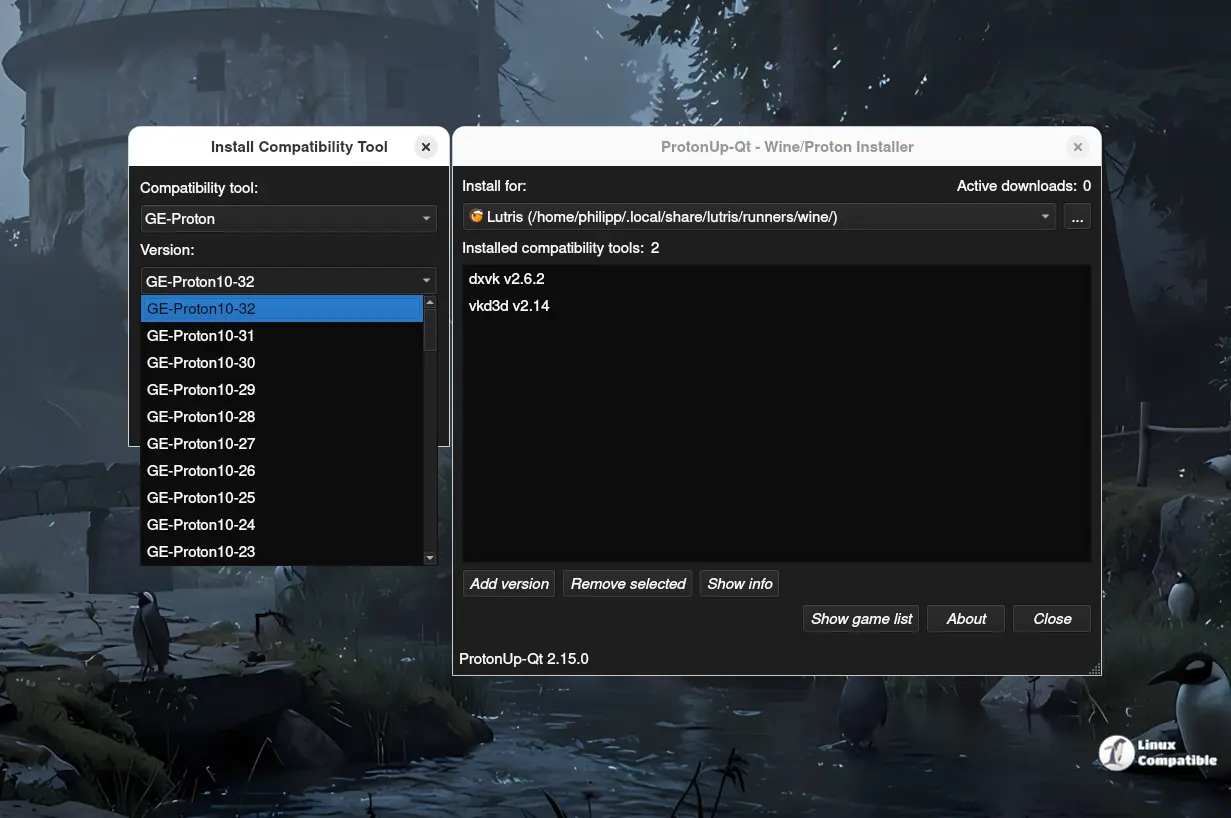
ProtonUp-Qt v2.15.0 is a user-friendly graphical interface designed to simplify the installation, updating, and configuration of Proton-GE and Wine-based compatibility tools for Linux gaming. The latest version introduces the dwproton compatibility tool and enhances Kron4ek functionality, allowing for smoother Proton management. Users can easily install ProtonUp-Qt via Flathub or by downloading an AppImage file, avoiding the complexities of command-line operations. This tool is particularly beneficial for those looking to streamline their gaming setup with optimized gamepad support and multiple gaming configurations
Streamline Your Linux Gaming Experience with ProtonUp-Qt v2.15.0
ProtonUp-Qt is a graphical user interface that allows users to easily install, update, and configure Proton-GE and Wine-based compatibility tools. This tool offers various key features, such as installing multiple gaming setups and optimized gamepad support for consoles and handhelds. The latest version, v2.15.0, includes new additions like the dwproton compatibility tool and improved Kron4ek functionality, making managing Proton even smoother. Users can install ProtonUp-Qt from Flathub or download an AppImage file and run it with a few simple steps, eliminating the need for cryptic terminal commands.
Streamline Your Linux Gaming Experience with ProtonUp-Qt v2.15.0 @ Linux Compatible