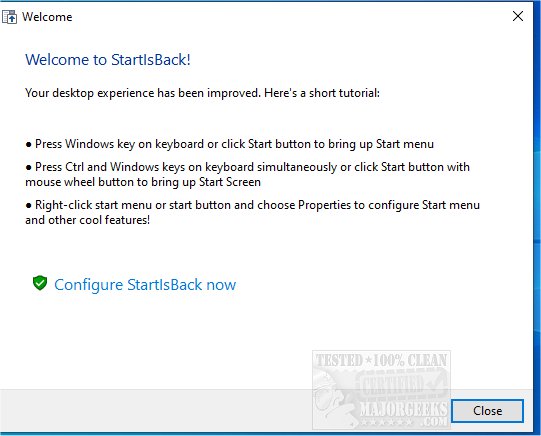
The latest releases of StartIsBack, versions 2.9.21, 3.9.20, 2.1.2, and 1.7.6, have been introduced to enhance the Start Menu experience for Windows users from versions 8 to 11. StartIsBack is designed to restore the familiar Start Menu layout that many users preferred before the changes made in Windows 8.
This application allows users to easily customize their Start Menu, offering a variety of configuration options ranging from appearance settings to tweaks for Windows functionalities. Key features include the ability to apply different skins to the taskbar, replace jump lists with more user-friendly context menus, center taskbar icons, increase the size of taskbar icons, and adjust the taskbar color for a personalized feel.
The interface is user-friendly, enabling immediate changes that enhance usability for those who missed the traditional Start Menu design.
In addition to its core functionalities, users may also find helpful resources on customizing their Start Menu experience in Windows 10 and 11, such as enabling or disabling the full-screen Start Menu, collapsing or hiding the apps list, and managing the display of most-used applications.
Overall, StartIsBack provides a valuable tool for users looking to regain control over their Start Menu experience in newer versions of Windows
This application allows users to easily customize their Start Menu, offering a variety of configuration options ranging from appearance settings to tweaks for Windows functionalities. Key features include the ability to apply different skins to the taskbar, replace jump lists with more user-friendly context menus, center taskbar icons, increase the size of taskbar icons, and adjust the taskbar color for a personalized feel.
The interface is user-friendly, enabling immediate changes that enhance usability for those who missed the traditional Start Menu design.
In addition to its core functionalities, users may also find helpful resources on customizing their Start Menu experience in Windows 10 and 11, such as enabling or disabling the full-screen Start Menu, collapsing or hiding the apps list, and managing the display of most-used applications.
Overall, StartIsBack provides a valuable tool for users looking to regain control over their Start Menu experience in newer versions of Windows
StartIsBack 2.9.21 / 3.9.20 / 2.1.2 / 1.7.6 released
StartIsBack brings back the Start Menu for Windows 8-11.
StartIsBack 2.9.21 / 3.9.20 / 2.1.2 / 1.7.6 released @ MajorGeeks