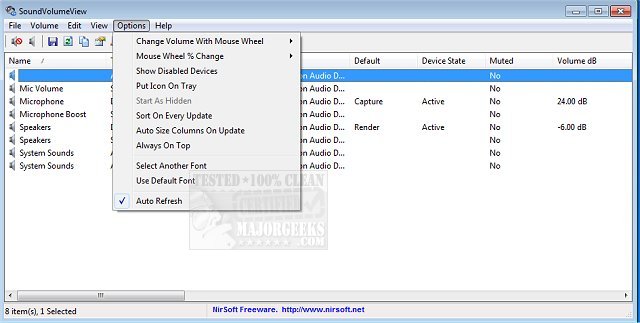
SoundVolumeView version 2.51 has been released, providing users with a quick and efficient way to view their PC's audio information. This tool displays the current volume levels for all active sound components, making it easy to monitor and adjust audio settings. Additionally, SoundVolumeView allows users to save their audio profiles, which include the current volume levels and the mute/unmute status of all sound components, along with the default sound devices. Users can later load these saved profiles to restore their previous settings effortlessly.
The software also features extensive command-line support, enabling users to save and load profiles, adjust the volume of sound components, and mute or unmute them without the need for a graphical user interface. This makes it a powerful tool for advanced users who prefer working with commands.
Moreover, users looking to enhance their audio experience can explore related topics, such as enabling Windows Sonic Surround Sound, toggling key sounds, renaming sound input or output devices, and troubleshooting low sound volume issues on Windows.
As audio capabilities continue to evolve, it's important for users to have versatile tools like SoundVolumeView to manage their sound settings efficiently. Future updates could potentially include features like integration with audio enhancement tools, additional customization options for sound profiles, and improved user interfaces for easier accessibility
The software also features extensive command-line support, enabling users to save and load profiles, adjust the volume of sound components, and mute or unmute them without the need for a graphical user interface. This makes it a powerful tool for advanced users who prefer working with commands.
Moreover, users looking to enhance their audio experience can explore related topics, such as enabling Windows Sonic Surround Sound, toggling key sounds, renaming sound input or output devices, and troubleshooting low sound volume issues on Windows.
As audio capabilities continue to evolve, it's important for users to have versatile tools like SoundVolumeView to manage their sound settings efficiently. Future updates could potentially include features like integration with audio enhancement tools, additional customization options for sound profiles, and improved user interfaces for easier accessibility
SoundVolumeView 2.51 released
SoundVolumeView will quickly display your PC's general audio information, including current volume levels for all active sound components.