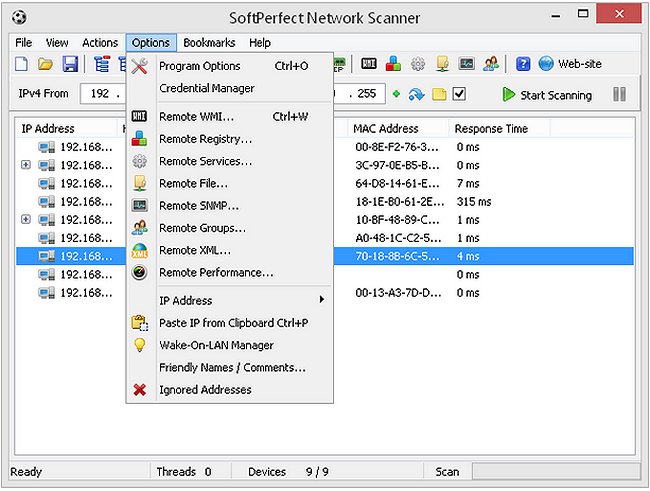
SoftPerfect Network Scanner has recently released version 25.12, enhancing its capabilities as a multi-threaded scanner for IP, NetBIOS, and SNMP protocols. With a user-friendly interface, it is designed for both system administrators and general users who are interested in improving computer security. The application performs various functions, including pinging computers to identify active devices, scanning for listening TCP ports, and displaying shared resources on the network, including hidden shares.
Key features of SoftPerfect Network Scanner include the ability to mount shared folders as network drives, browse them using Windows Explorer, and filter the results for better organization. It can check user-defined ports for open statuses, resolve hostnames, and automatically detect both local and external IP ranges. Additional functionalities include remote shutdown capabilities, Wake-On-LAN support, and the ability to retrieve hardware (MAC) addresses across routers.
Notably, the scanner does not require administrative privileges for operation, making it accessible to a wider range of users. It can also detect currently logged-on users and supports exporting results in various formats such as HTML, XML, CSV, and TXT. Moreover, it allows the launching of external applications and retrieves information via Windows Management Instrumentation (WMI). Importantly, SoftPerfect Network Scanner is completely free, requires no installation, and is free of adware, spyware, or malware.
In light of the increasing importance of network security and optimization, users may also explore additional topics such as improving wireless network performance, resetting network settings in Windows 10 and 11, resetting TCP/IP configurations, or flushing the Windows DNS cache to ensure a smoother and more secure networking experience. Overall, SoftPerfect Network Scanner serves as a valuable tool for anyone seeking to enhance their network management and security
Key features of SoftPerfect Network Scanner include the ability to mount shared folders as network drives, browse them using Windows Explorer, and filter the results for better organization. It can check user-defined ports for open statuses, resolve hostnames, and automatically detect both local and external IP ranges. Additional functionalities include remote shutdown capabilities, Wake-On-LAN support, and the ability to retrieve hardware (MAC) addresses across routers.
Notably, the scanner does not require administrative privileges for operation, making it accessible to a wider range of users. It can also detect currently logged-on users and supports exporting results in various formats such as HTML, XML, CSV, and TXT. Moreover, it allows the launching of external applications and retrieves information via Windows Management Instrumentation (WMI). Importantly, SoftPerfect Network Scanner is completely free, requires no installation, and is free of adware, spyware, or malware.
In light of the increasing importance of network security and optimization, users may also explore additional topics such as improving wireless network performance, resetting network settings in Windows 10 and 11, resetting TCP/IP configurations, or flushing the Windows DNS cache to ensure a smoother and more secure networking experience. Overall, SoftPerfect Network Scanner serves as a valuable tool for anyone seeking to enhance their network management and security
SoftPerfect Network Scanner 25.12 released
SoftPerfect Network Scanner is a multi-threaded IP, NetBIOS and SNMP scanner with a modern interface and several advanced features.