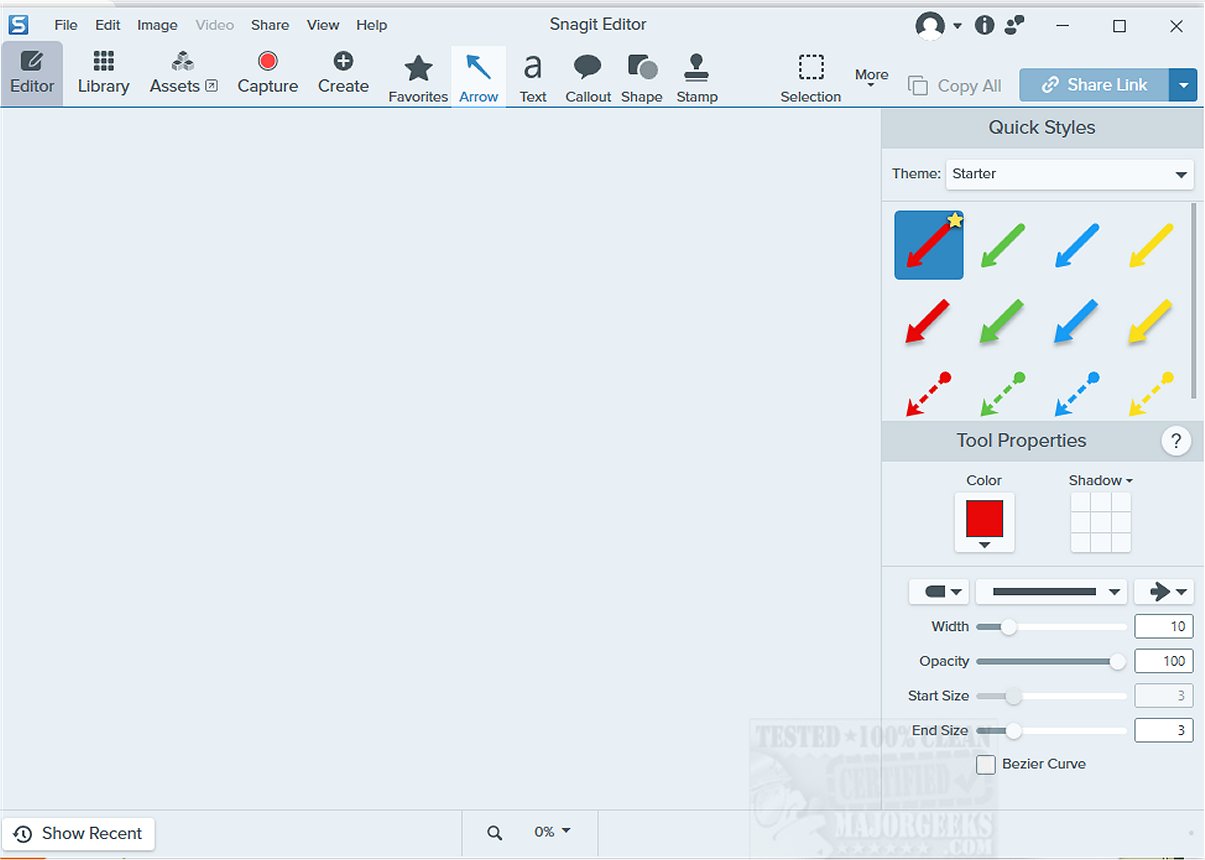
Snagit is an advanced screen capture and recording software designed to facilitate the creation of high-quality images and videos from your computer screen. This versatile tool is particularly useful for users looking to create visual documentation, tutorials, and various communication materials.
Features and Capabilities of Snagit
With Snagit, users can capture a wide range of content, thanks to its rich set of editing and annotation features. After capturing images or videos, users can enhance their visuals by highlighting key areas, adding arrows for clarity, and incorporating text for explanations. The software's user-friendly interface makes it accessible to both beginners and experienced users, making it an ideal choice for creating professional presentations, instructional content, and visual documentation.
Snagit includes several unique capturing methods such as scrolling capture, which allows users to take a single image of long web pages or documents without losing context. Additionally, its panoramic capture feature is perfect for capturing wide-angle screenshots, ideal for displaying extensive software interfaces or detailed workflows. The ability to record screen activity as video is particularly beneficial for producing in-depth tutorials, product demonstrations, or training sessions, providing a dynamic showcase of software functionalities.
Integration with TechSmith Products
One of Snagit's standout features is its seamless integration with other TechSmith products, such as Camtasia. This integration allows users to create a cohesive workflow, enabling them to edit and produce high-quality video content alongside their screenshots efficiently. The collaboration between Snagit and Camtasia enhances productivity, allowing users to craft engaging educational materials and compelling presentations effortlessly.
Conclusion: A Preferred Choice for Visual Communication
With its powerful combination of extensive functionality and an intuitive user experience, Snagit has established itself as a top choice for educators, corporate trainers, and professionals across various fields. This remarkable tool not only enhances visual communication, making complex ideas easier to understand, but also enriches the overall learning experience, captivating viewers throughout their journey.
Future Prospects
As technology continues to evolve, users can anticipate further enhancements and features in future Snagit updates, keeping it at the forefront of screen capture and recording software. This adaptability ensures that Snagit remains relevant and invaluable in a fast-paced digital landscape, catering to the needs of users who demand high-quality visual documentation and communication tools.
For those interested in mastering Snagit, additional resources and tutorials will likely emerge, providing users with the knowledge to maximize the software's capabilities in their professional or educational endeavors
Features and Capabilities of Snagit
With Snagit, users can capture a wide range of content, thanks to its rich set of editing and annotation features. After capturing images or videos, users can enhance their visuals by highlighting key areas, adding arrows for clarity, and incorporating text for explanations. The software's user-friendly interface makes it accessible to both beginners and experienced users, making it an ideal choice for creating professional presentations, instructional content, and visual documentation.
Snagit includes several unique capturing methods such as scrolling capture, which allows users to take a single image of long web pages or documents without losing context. Additionally, its panoramic capture feature is perfect for capturing wide-angle screenshots, ideal for displaying extensive software interfaces or detailed workflows. The ability to record screen activity as video is particularly beneficial for producing in-depth tutorials, product demonstrations, or training sessions, providing a dynamic showcase of software functionalities.
Integration with TechSmith Products
One of Snagit's standout features is its seamless integration with other TechSmith products, such as Camtasia. This integration allows users to create a cohesive workflow, enabling them to edit and produce high-quality video content alongside their screenshots efficiently. The collaboration between Snagit and Camtasia enhances productivity, allowing users to craft engaging educational materials and compelling presentations effortlessly.
Conclusion: A Preferred Choice for Visual Communication
With its powerful combination of extensive functionality and an intuitive user experience, Snagit has established itself as a top choice for educators, corporate trainers, and professionals across various fields. This remarkable tool not only enhances visual communication, making complex ideas easier to understand, but also enriches the overall learning experience, captivating viewers throughout their journey.
Future Prospects
As technology continues to evolve, users can anticipate further enhancements and features in future Snagit updates, keeping it at the forefront of screen capture and recording software. This adaptability ensures that Snagit remains relevant and invaluable in a fast-paced digital landscape, catering to the needs of users who demand high-quality visual documentation and communication tools.
For those interested in mastering Snagit, additional resources and tutorials will likely emerge, providing users with the knowledge to maximize the software's capabilities in their professional or educational endeavors
Snagit 2026.0.0.9483 released
Snagit is a powerful screen capture and screen recording software that enables you to capture high-quality images and videos of your computer screen.