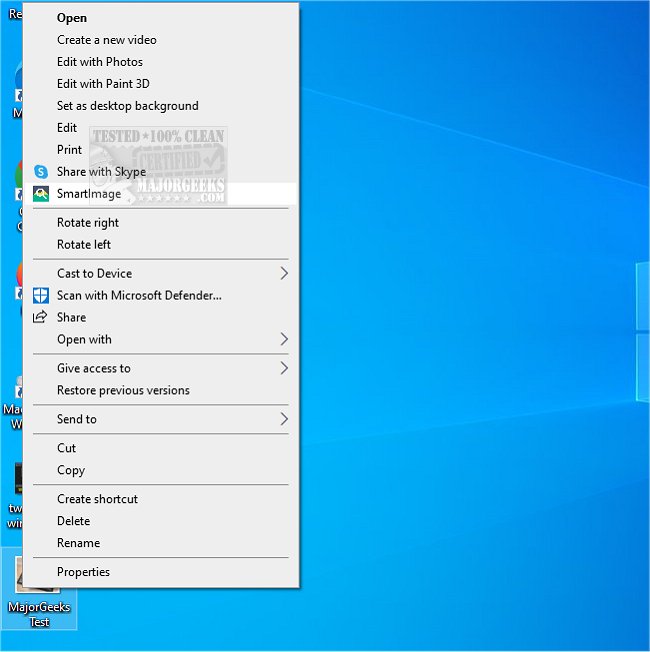
SmartImage has recently released version 1.2.1 for its Command Line Interface (CLI) and version 4.0.9, enhancing its capabilities for reverse image searching. This tool allows users to efficiently find the origin of an image by aggregating results from various search engines, as outlined in the developer's repository. One of the standout features is its context menu integration, which enables users to initiate an image search simply by right-clicking on an image in their browser.
For improved search outcomes, users can customize the tool's settings to focus on specific sources and prioritize their preferred search engines. The configuration process is user-friendly, allowing for seamless adjustments. SmartImage utilizes the SauceNao API for a more efficient search process rather than relying on standard HTML parsing, enhancing the accuracy and speed of image sourcing. Additionally, with the Imgur API integration, users can upload temporary images for analysis, offering a more versatile approach compared to the previous ImgOps method.
To ensure optimal functionality, users are encouraged to visit the provided Wiki, which includes comprehensive usage instructions and troubleshooting tips. This resource is invaluable for both new and seasoned users to maximize their experience with SmartImage.
In extending the features of SmartImage, future updates could include advanced filtering options for image types, enhanced AI algorithms for better result accuracy, and broader compatibility with more image hosting and social media platforms. Additionally, a mobile application could expand accessibility, allowing users to conduct reverse image searches on-the-go. Integrating machine learning could further refine search results based on user preferences and search history, creating a more personalized experience
For improved search outcomes, users can customize the tool's settings to focus on specific sources and prioritize their preferred search engines. The configuration process is user-friendly, allowing for seamless adjustments. SmartImage utilizes the SauceNao API for a more efficient search process rather than relying on standard HTML parsing, enhancing the accuracy and speed of image sourcing. Additionally, with the Imgur API integration, users can upload temporary images for analysis, offering a more versatile approach compared to the previous ImgOps method.
To ensure optimal functionality, users are encouraged to visit the provided Wiki, which includes comprehensive usage instructions and troubleshooting tips. This resource is invaluable for both new and seasoned users to maximize their experience with SmartImage.
In extending the features of SmartImage, future updates could include advanced filtering options for image types, enhanced AI algorithms for better result accuracy, and broader compatibility with more image hosting and social media platforms. Additionally, a mobile application could expand accessibility, allowing users to conduct reverse image searches on-the-go. Integrating machine learning could further refine search results based on user preferences and search history, creating a more personalized experience
SmartImage 1.2.1 CLI / 4.0.9 released
SmartImage lets you reverse-search for the source of an image.