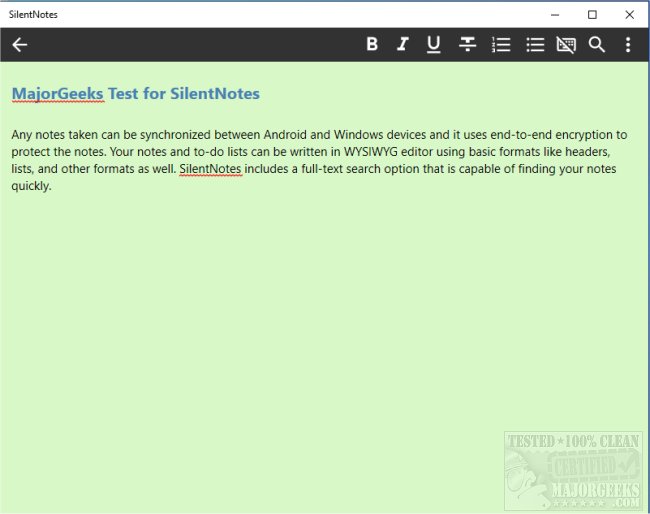
SilentNotes has recently launched version 8.7.1, further enhancing its reputation as a privacy-centric note-taking application. This app facilitates seamless synchronization of notes between Android and Windows devices, employing advanced end-to-end encryption mechanisms, including XChaCha20-Poly1305, AES256-GCM, and Twofish256-GCM, to ensure that users' data remains secure.
Users can create notes and to-do lists using a WYSIWYG (What You See Is What You Get) editor that supports basic formatting options such as headers and lists. SilentNotes also boasts a powerful full-text search feature, enabling users to locate notes quickly by entering just a few letters. Additionally, it provides the capability to protect individual notes with a user-defined password for added security.
Key features of SilentNotes include:
- A full-text search function for fast note retrieval.
- Compatibility with various online storage solutions for synchronization and backup, including FTP, WebDav, Dropbox, Google Drive, and OneDrive.
- End-to-end encryption, ensuring notes remain unreadable outside the user's devices.
- Basic formatting tools to enhance note readability.
- A recycle bin feature allowing users to recover accidentally deleted notes.
- A commitment to user privacy, as SilentNotes does not collect personal information or require unnecessary permissions.
- A dark theme option for ease of use in low-light environments.
- Functionality for creating and managing to-do lists.
For anyone looking for a comprehensive and secure note-taking app, SilentNotes stands out as an excellent choice due to its robust features and emphasis on privacy.
In addition to the features mentioned, the app may continue to evolve with potential additions like collaborative note-taking options, enhanced multimedia support, or integrations with other productivity tools, further positioning itself as a versatile tool for personal and professional use
Users can create notes and to-do lists using a WYSIWYG (What You See Is What You Get) editor that supports basic formatting options such as headers and lists. SilentNotes also boasts a powerful full-text search feature, enabling users to locate notes quickly by entering just a few letters. Additionally, it provides the capability to protect individual notes with a user-defined password for added security.
Key features of SilentNotes include:
- A full-text search function for fast note retrieval.
- Compatibility with various online storage solutions for synchronization and backup, including FTP, WebDav, Dropbox, Google Drive, and OneDrive.
- End-to-end encryption, ensuring notes remain unreadable outside the user's devices.
- Basic formatting tools to enhance note readability.
- A recycle bin feature allowing users to recover accidentally deleted notes.
- A commitment to user privacy, as SilentNotes does not collect personal information or require unnecessary permissions.
- A dark theme option for ease of use in low-light environments.
- Functionality for creating and managing to-do lists.
For anyone looking for a comprehensive and secure note-taking app, SilentNotes stands out as an excellent choice due to its robust features and emphasis on privacy.
In addition to the features mentioned, the app may continue to evolve with potential additions like collaborative note-taking options, enhanced multimedia support, or integrations with other productivity tools, further positioning itself as a versatile tool for personal and professional use
SilentNotes 8.7.1 released
SilentNotes is a note-taking app designed with privacy in mind.