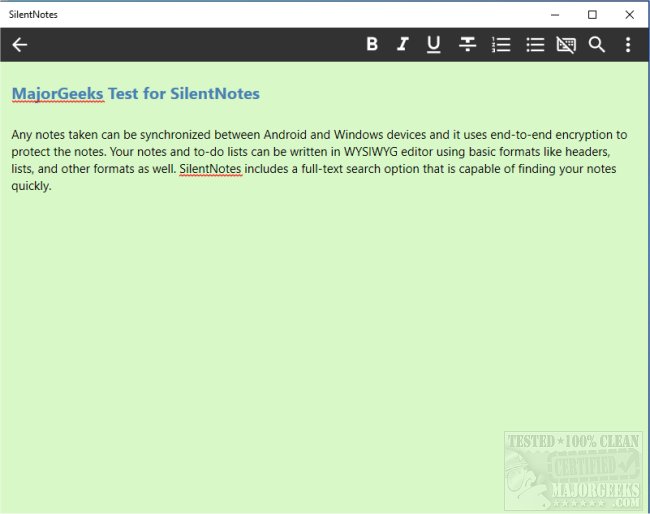
SilentNotes version 8.7.0 has been released, enhancing its reputation as a privacy-focused note-taking application. This app enables users to seamlessly synchronize notes across Android and Windows devices, employing robust end-to-end encryption methods, including XChaCha20-Poly1305, AES256-GCM, and Twofish256-GCM to ensure the security of your data.
Key features of SilentNotes include a user-friendly WYSIWYG editor that supports essential formatting options like headers and lists, allowing users to create structured notes easily. The app is equipped with a powerful full-text search functionality, enabling quick retrieval of notes with just a few keystrokes. Additionally, users can protect specific notes with personalized passwords for extra security.
SilentNotes also facilitates convenient storage options by allowing users to save their notes on various online platforms, including FTP, WebDav, Dropbox, Google Drive, and OneDrive, ensuring easy synchronization and backup. Notably, all notes remain encrypted and can only be accessed on the user's devices, reinforcing the app's commitment to user privacy.
Additional features include a recycle bin for recovering accidentally deleted notes, a dark theme for comfortable usage in low-light environments, and the ability to create to-do lists for better task management. Importantly, SilentNotes does not collect user data and requires minimal permissions, prioritizing user privacy.
In summary, if you are in search of a comprehensive note-taking solution that prioritizes privacy and security while offering a variety of useful features, SilentNotes 8.7.0 is an excellent choice. Its continuous updates and commitment to user privacy make it a standout option in the crowded field of note-taking applications.
Future enhancements could potentially include integration with more cloud services, expanded formatting options, and advanced collaboration tools to make teamwork easier while still maintaining privacy protocols
Key features of SilentNotes include a user-friendly WYSIWYG editor that supports essential formatting options like headers and lists, allowing users to create structured notes easily. The app is equipped with a powerful full-text search functionality, enabling quick retrieval of notes with just a few keystrokes. Additionally, users can protect specific notes with personalized passwords for extra security.
SilentNotes also facilitates convenient storage options by allowing users to save their notes on various online platforms, including FTP, WebDav, Dropbox, Google Drive, and OneDrive, ensuring easy synchronization and backup. Notably, all notes remain encrypted and can only be accessed on the user's devices, reinforcing the app's commitment to user privacy.
Additional features include a recycle bin for recovering accidentally deleted notes, a dark theme for comfortable usage in low-light environments, and the ability to create to-do lists for better task management. Importantly, SilentNotes does not collect user data and requires minimal permissions, prioritizing user privacy.
In summary, if you are in search of a comprehensive note-taking solution that prioritizes privacy and security while offering a variety of useful features, SilentNotes 8.7.0 is an excellent choice. Its continuous updates and commitment to user privacy make it a standout option in the crowded field of note-taking applications.
Future enhancements could potentially include integration with more cloud services, expanded formatting options, and advanced collaboration tools to make teamwork easier while still maintaining privacy protocols
SilentNotes 8.7.0 released
SilentNotes is a note-taking app designed with privacy in mind.