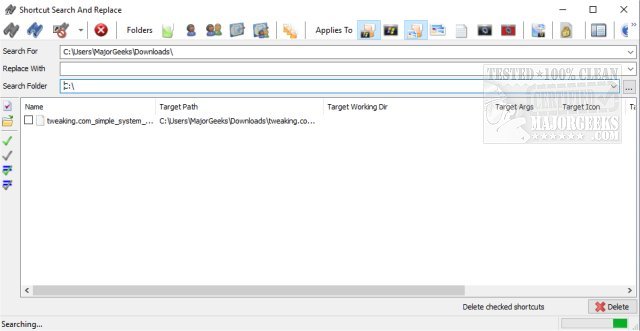
Shortcuts Search And Replace version 2.7.2 has been released, enhancing its functionality as a portable application designed for managing shortcuts effectively. This tool enables users to perform a variety of operations on shortcuts, including searching for and replacing target paths, working directories, arguments, and icon locations. This feature is particularly beneficial for users who need to relocate portable applications to different drives or folders, as it allows for bulk modifications.
The application can also identify and eliminate dead links, providing a streamlined way to manage shortcuts with a single click. Users have the flexibility to copy selected shortcuts to their clipboard or save them in several formats, including XML, TXT, HTML, and CSV. Additionally, Shortcuts Search And Replace supports the management of multiple custom directories. Users can easily specify directories either by entering them directly or by referencing a text file containing a list of directories.
To ensure accuracy during the replacement process, the application automatically flags shortcuts that don't point to existing files, allowing users to easily identify and address potential issues before finalizing changes. For user convenience, the author has included a comprehensive key for all interface buttons on the application's page.
In summary, Shortcuts Search And Replace 2.7.2 is a robust tool that simplifies shortcut management, making it easier for users to maintain organized and functional shortcuts on their systems.
Additionally, users can benefit from exploring related topics, such as creating desktop shortcuts for Google Chrome bookmarks or setting up system protection shortcuts in Windows 10 and 11, to enhance their overall experience with shortcut management
The application can also identify and eliminate dead links, providing a streamlined way to manage shortcuts with a single click. Users have the flexibility to copy selected shortcuts to their clipboard or save them in several formats, including XML, TXT, HTML, and CSV. Additionally, Shortcuts Search And Replace supports the management of multiple custom directories. Users can easily specify directories either by entering them directly or by referencing a text file containing a list of directories.
To ensure accuracy during the replacement process, the application automatically flags shortcuts that don't point to existing files, allowing users to easily identify and address potential issues before finalizing changes. For user convenience, the author has included a comprehensive key for all interface buttons on the application's page.
In summary, Shortcuts Search And Replace 2.7.2 is a robust tool that simplifies shortcut management, making it easier for users to maintain organized and functional shortcuts on their systems.
Additionally, users can benefit from exploring related topics, such as creating desktop shortcuts for Google Chrome bookmarks or setting up system protection shortcuts in Windows 10 and 11, to enhance their overall experience with shortcut management
Shortcuts Search And Replace 2.7.2 released
Shortcuts Search And Replace is a portable app that permits you to perform various operations on shortcuts.