ShareX has recently released a pre-release version 19.0.1 and version 18.0.1 of its popular open-source application. Designed for simplicity and efficiency, ShareX allows users to capture screenshots or screencasts, upload them seamlessly, and copy the URL to their clipboard with a single hotkey.
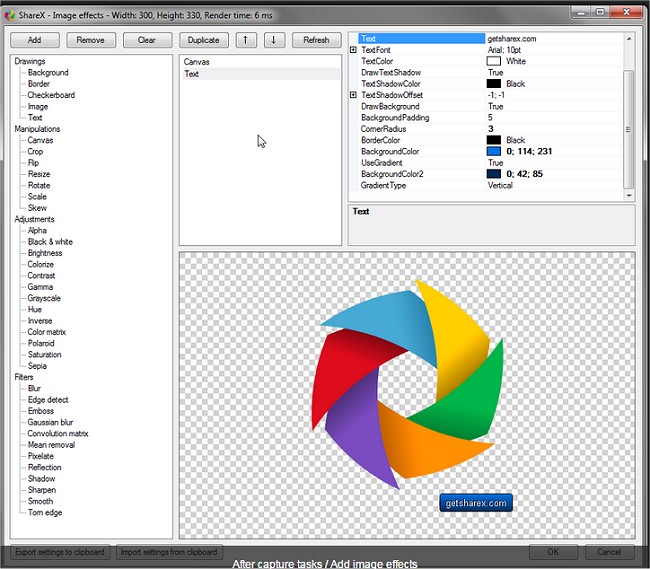
The application boasts an advanced screenshot tool and screen recorder, enabling users to upload files directly from Windows Explorer. Users can customize their after-capture tasks, which include annotating images, applying effects, adding watermarks, and more. ShareX supports uploads to a wide range of hosting services such as Imgur, Dropbox, FTP, and Mega, making file sharing quick and convenient. Additionally, it offers the flexibility to create multiple workflows with hotkey-specific settings, enhancing user productivity.
Beyond capturing and uploading, ShareX provides the ability to save images in various formats, generate GIF animations, record videos, and make adjustments to photos. It is an invaluable tool for anyone looking to streamline their screenshot and screencast processes.
As an extension of this functionality, ShareX continues to evolve, potentially incorporating features that enhance user experience, such as improved collaboration tools, enhanced editing options, and more robust integration with other applications and platforms. The ongoing development of ShareX demonstrates its commitment to meeting the needs of its user base, making it a go-to choice for screen capturing and sharing
The application boasts an advanced screenshot tool and screen recorder, enabling users to upload files directly from Windows Explorer. Users can customize their after-capture tasks, which include annotating images, applying effects, adding watermarks, and more. ShareX supports uploads to a wide range of hosting services such as Imgur, Dropbox, FTP, and Mega, making file sharing quick and convenient. Additionally, it offers the flexibility to create multiple workflows with hotkey-specific settings, enhancing user productivity.
Beyond capturing and uploading, ShareX provides the ability to save images in various formats, generate GIF animations, record videos, and make adjustments to photos. It is an invaluable tool for anyone looking to streamline their screenshot and screencast processes.
As an extension of this functionality, ShareX continues to evolve, potentially incorporating features that enhance user experience, such as improved collaboration tools, enhanced editing options, and more robust integration with other applications and platforms. The ongoing development of ShareX demonstrates its commitment to meeting the needs of its user base, making it a go-to choice for screen capturing and sharing
ShareX 19.0.1 Pre-Release / 18.0.1 released
ShareX is an Open Source app that can take a screenshot or a screencast, upload it, and get the URL copied to your clipboard with a single hotkey.