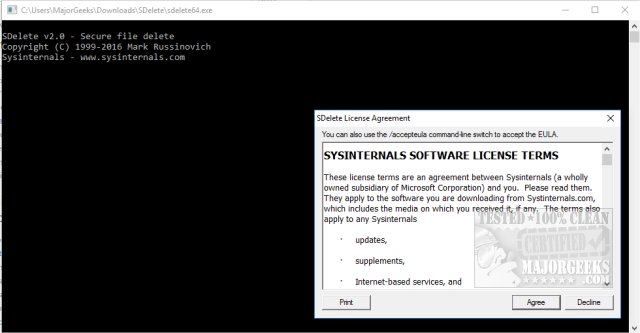
SDelete 2.06 is a command-line utility designed for securely deleting files, directories, and cleansing free space on hard drives. A graphical user interface (GUI) version is also available for ease of use. One of the key features of SDelete is its ability to comply with Windows C2-security standards, which includes object reuse protection. This means that when file space or virtual memory is allocated by an application, it cannot access previously stored data, as Windows NT ensures that memory is zero-filled and disk sectors are cleared before they are allocated to applications.
However, the system does not automatically zero out the data of files before they are deleted, which can leave residual data on the disk. This poses security risks, as raw disk editors and recovery tools can potentially retrieve deleted information. Even with file encryption through the Windows Encrypting File System (EFS), the original unencrypted data may still remain on the disk after encryption occurs.
To address these security concerns, secure delete applications like SDelete overwrite the on-disk data of deleted files, making recovery nearly impossible. SDelete adheres to the Department of Defense's clearing and sanitizing standard (DOD 5220.22-M), ensuring that once files are deleted using this tool, they cannot be retrieved. It's important to note that while SDelete effectively deletes file data, it does not erase the file names that may still reside in unallocated disk space.
SDelete operates using Microsoft PowerShell, allowing users to execute commands for secure deletion. For those looking for additional resources, there are various guides available on how to integrate secure delete functionality into Windows context menus, securely delete files using PowerShell and Cipher, and other methods for erasing disks.
In conclusion, SDelete 2.06 is a vital tool for individuals and organizations concerned about data security and the need to protect sensitive information from unauthorized recovery. By employing secure deletion practices, users can significantly enhance their data privacy and security measures
However, the system does not automatically zero out the data of files before they are deleted, which can leave residual data on the disk. This poses security risks, as raw disk editors and recovery tools can potentially retrieve deleted information. Even with file encryption through the Windows Encrypting File System (EFS), the original unencrypted data may still remain on the disk after encryption occurs.
To address these security concerns, secure delete applications like SDelete overwrite the on-disk data of deleted files, making recovery nearly impossible. SDelete adheres to the Department of Defense's clearing and sanitizing standard (DOD 5220.22-M), ensuring that once files are deleted using this tool, they cannot be retrieved. It's important to note that while SDelete effectively deletes file data, it does not erase the file names that may still reside in unallocated disk space.
SDelete operates using Microsoft PowerShell, allowing users to execute commands for secure deletion. For those looking for additional resources, there are various guides available on how to integrate secure delete functionality into Windows context menus, securely delete files using PowerShell and Cipher, and other methods for erasing disks.
In conclusion, SDelete 2.06 is a vital tool for individuals and organizations concerned about data security and the need to protect sensitive information from unauthorized recovery. By employing secure deletion practices, users can significantly enhance their data privacy and security measures
SDelete 2.06 released
SDelete is a command-line utility that allows you to delete one or more files or directories or cleanse free space on your hard drive. SDelete GUI also available.