ScreenToGif version 2.43 has been released, providing an efficient tool for recording specific areas of your screen and saving them as animated GIFs. This compact Windows application is ideal for creating tutorials, documenting bugs, and showcasing UI designs without the need for lengthy explanations. Its standout feature is the seamless integration of screen capturing and editing, eliminating the hassle of switching between multiple applications.
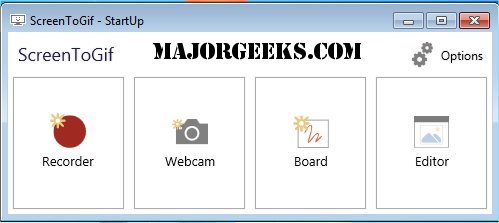
When using ScreenToGif, users can choose from four main modes: Recorder, Webcam, Board, and Editor. The Recorder mode allows for easy screen capture, while Webcam mode is perfect for adding video commentary. The Board function serves as a digital whiteboard for quick sketches or instructional drawings. The Editor is where users refine their recordings, offering tools for trimming, adding text overlays, blurring sensitive information, and even inserting transitions. The software allows for project saving, enabling users to return to edits later.
ScreenToGif is lightweight, open-source, and portable, requiring less than 5MB of storage. It is compatible with recent Windows versions and does not clutter system resources. Users can easily manipulate individual frames and optimize file sizes by detecting unchanged pixels.
In conclusion, ScreenToGif is an essential tool for anyone needing to create visual guides or demonstrate software functionality. Its user-friendly design and powerful editing features make it a valuable addition to any workflow.
Moreover, for professionals in fields such as design, education, and software development, the ability to produce high-quality GIFs and videos quickly can enhance communication and collaboration. The tool's capacity to create engaging content can also be leveraged for marketing and social media, providing a dynamic way to capture audience attention.
As technology continues to evolve, tools like ScreenToGif will likely integrate more advanced features, such as AI-driven editing capabilities or cloud-based storage options, making it even more indispensable for users and professionals alike
When using ScreenToGif, users can choose from four main modes: Recorder, Webcam, Board, and Editor. The Recorder mode allows for easy screen capture, while Webcam mode is perfect for adding video commentary. The Board function serves as a digital whiteboard for quick sketches or instructional drawings. The Editor is where users refine their recordings, offering tools for trimming, adding text overlays, blurring sensitive information, and even inserting transitions. The software allows for project saving, enabling users to return to edits later.
ScreenToGif is lightweight, open-source, and portable, requiring less than 5MB of storage. It is compatible with recent Windows versions and does not clutter system resources. Users can easily manipulate individual frames and optimize file sizes by detecting unchanged pixels.
In conclusion, ScreenToGif is an essential tool for anyone needing to create visual guides or demonstrate software functionality. Its user-friendly design and powerful editing features make it a valuable addition to any workflow.
Extended Overview:
In addition to its primary features, ScreenToGif is also highly customizable, allowing users to adjust settings such as resolution, frame rate, and looping behavior, making it versatile for various projects. The community-driven development of the software ensures regular updates and improvements, fostering a supportive user environment.Moreover, for professionals in fields such as design, education, and software development, the ability to produce high-quality GIFs and videos quickly can enhance communication and collaboration. The tool's capacity to create engaging content can also be leveraged for marketing and social media, providing a dynamic way to capture audience attention.
As technology continues to evolve, tools like ScreenToGif will likely integrate more advanced features, such as AI-driven editing capabilities or cloud-based storage options, making it even more indispensable for users and professionals alike
ScreenToGif 2.43 released
ScreenToGif is a small tool that allows you to record a selected area of your screen and save it as a GIF.