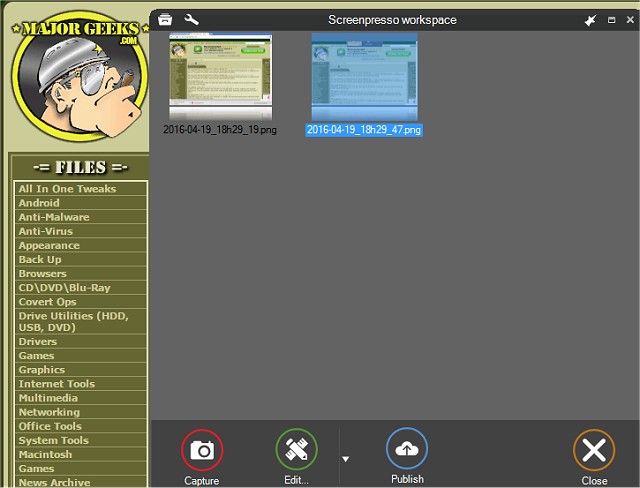
Screenpresso has released version 2.2.8 of its screen capture tool, enhancing users' ability to effortlessly take screenshots and record high-definition videos. This versatile tool is particularly valuable for organizing training documents, collaborative design projects, and reporting IT issues. The intuitive interface allows for a wide range of functionalities, making it an essential tool for both personal and professional use.
The latest version includes a host of features designed to improve the user experience. Users can capture the entire screen, a specific section, or individual windows using customizable shortcuts. The zoom lens feature enhances precision when selecting areas for capture. Additionally, Screenpresso supports capturing scrolling windows through an innovative stitching mechanism, ensuring that no content is left out.
Other notable features include the ability to capture mouse movements and context menus, record in MP4 format for smaller file sizes, and integrate audio from microphones and webcams. The built-in image editor allows for quick modifications before sharing. Screenpresso also offers seamless exporting options, allowing users to publish their captures via PDF, email, or various cloud services without the need for registration.
Users can share their captures easily through platforms like Google Drive, YouTube, and social media such as Facebook and Twitter. The tool is designed to run in the background, enabling quick access to capture functionalities with a single click from the system tray.
In summary, Screenpresso 2.2.8 offers a comprehensive suite of features that cater to a wide range of screen capturing needs. Whether for professional documentation, educational purposes, or personal projects, its user-friendly design and extensive sharing capabilities make it an ideal choice for anyone in need of a robust screen capture solution. As technology evolves, continuous updates and enhancements ensure that Screenpresso remains at the forefront of screen capture tools, adapting to the changing needs of its users
The latest version includes a host of features designed to improve the user experience. Users can capture the entire screen, a specific section, or individual windows using customizable shortcuts. The zoom lens feature enhances precision when selecting areas for capture. Additionally, Screenpresso supports capturing scrolling windows through an innovative stitching mechanism, ensuring that no content is left out.
Other notable features include the ability to capture mouse movements and context menus, record in MP4 format for smaller file sizes, and integrate audio from microphones and webcams. The built-in image editor allows for quick modifications before sharing. Screenpresso also offers seamless exporting options, allowing users to publish their captures via PDF, email, or various cloud services without the need for registration.
Users can share their captures easily through platforms like Google Drive, YouTube, and social media such as Facebook and Twitter. The tool is designed to run in the background, enabling quick access to capture functionalities with a single click from the system tray.
In summary, Screenpresso 2.2.8 offers a comprehensive suite of features that cater to a wide range of screen capturing needs. Whether for professional documentation, educational purposes, or personal projects, its user-friendly design and extensive sharing capabilities make it an ideal choice for anyone in need of a robust screen capture solution. As technology evolves, continuous updates and enhancements ensure that Screenpresso remains at the forefront of screen capture tools, adapting to the changing needs of its users
Screenpresso 2.2.8 released
Screenpresso is a screen capture tool with the ability to allow you to smoothly take screenshots and record HD videos.