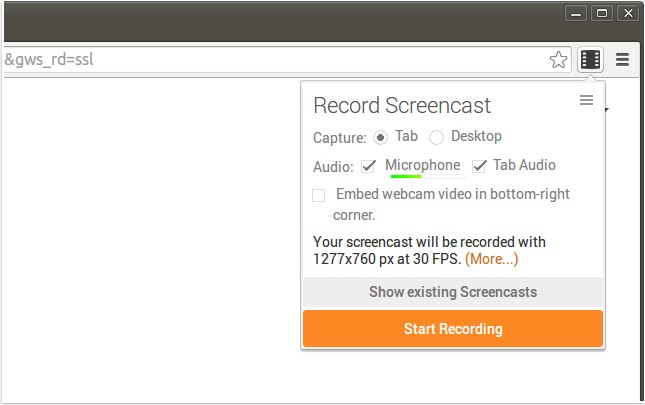
Screencastify for Chrome has released version 4.22.4, enhancing its capabilities for recording screen activity along with audio, making it an ideal tool for creating YouTube tutorials, presentations, and other instructional content. This extension captures videos in the WebM/vp8 format with Ogg Vorbis audio, ensuring high-quality recordings. Users can conveniently save their recordings in various ways, including downloading them directly to their device, uploading them to YouTube, or saving them to Google Drive with just a few clicks.
One of the standout features of Screencastify is its seamless integration with Google Drive, which allows users to store their recordings online, providing easy access from any location while conserving local storage on devices, particularly Chromebooks. The sharing process is straightforward; users can quickly upload their videos to YouTube and receive a sharable link. Furthermore, Screencastify allows users to incorporate a webcam feed to personalize their recordings and offers customizable keyboard shortcuts for efficient operation.
In addition to these features, users can explore related articles on managing tab audio in various browsers and troubleshooting common video playback issues. With its user-friendly interface and powerful functionalities, Screencastify for Chrome remains a go-to tool for educators and content creators alike.
This extension not only simplifies the recording process but also enhances the overall viewing experience by allowing for easy editing and sharing. As digital content creation continues to grow, tools like Screencastify are crucial in helping users produce professional-quality videos with minimal effort
One of the standout features of Screencastify is its seamless integration with Google Drive, which allows users to store their recordings online, providing easy access from any location while conserving local storage on devices, particularly Chromebooks. The sharing process is straightforward; users can quickly upload their videos to YouTube and receive a sharable link. Furthermore, Screencastify allows users to incorporate a webcam feed to personalize their recordings and offers customizable keyboard shortcuts for efficient operation.
In addition to these features, users can explore related articles on managing tab audio in various browsers and troubleshooting common video playback issues. With its user-friendly interface and powerful functionalities, Screencastify for Chrome remains a go-to tool for educators and content creators alike.
This extension not only simplifies the recording process but also enhances the overall viewing experience by allowing for easy editing and sharing. As digital content creation continues to grow, tools like Screencastify are crucial in helping users produce professional-quality videos with minimal effort
Screencastify for Chrome 4.22.4 released
Screencastify for Chrome will record all your screen activity including audio making it perfect for YouTube tutorials, presentations and more.