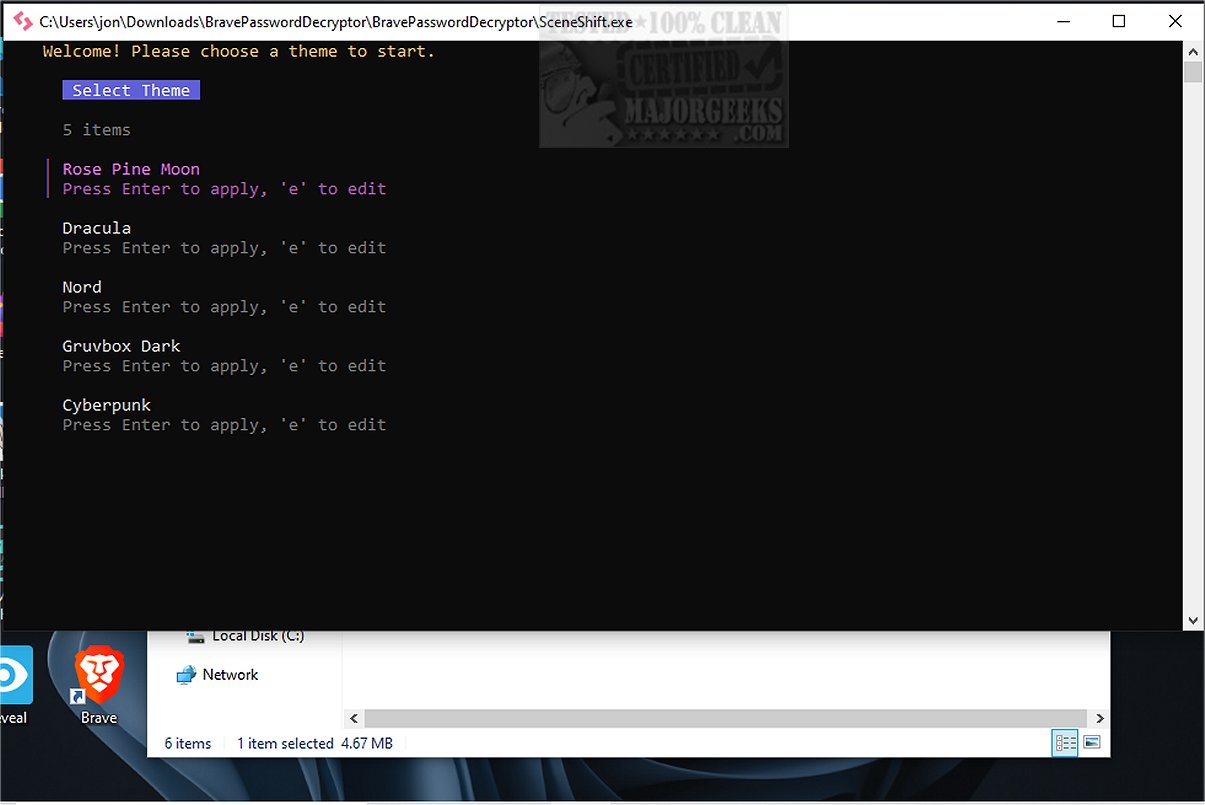
SceneShift 2.2.0 has been released, offering a powerful terminal-focused process optimization tool aimed at users who require top-notch performance from their systems, including gamers, 3D artists, streamers, and professionals working with demanding rendering tasks. The tool simplifies the management of background applications that can drain CPU and RAM resources, allowing users to deactivate or suspend them in bulk to create an "instant performance scene."
Installation of SceneShift is straightforward; users simply need to place the SceneShift.exe file in a designated folder and run it with administrative privileges, which will automatically generate the required configuration files. Despite its ease of installation, users should familiarize themselves with the provided documentation to master the command functionalities.
One of SceneShift's standout features is its lean design that promotes rapid operation without unnecessary bloat. Users can free up significant amounts of memory swiftly before launching resource-heavy applications. The Smart Process Control feature allows suspension of demanding applications like web browsers or music players without fully closing them, ensuring a smoother workflow.
Key features of SceneShift include:
- An in-app editor for real-time modification of applications without needing to edit configuration files.
- A real-time process search function that intelligently scans and filters running applications.
- A visual preset manager that allows users to create and toggle hotkey presets easily.
- A live theme editor for customizing the interface.
- Self-healing configurations that regenerate missing files automatically.
- Smart tab navigation for enhanced workflow efficiency.
- An admin manifest to ensure the tool operates with the necessary privileges upon startup.
In summary, SceneShift is an innovative and user-friendly tool that empowers users to optimize their system performance thoroughly. It provides a sleek interface that makes managing applications and settings accessible, even for those who are not tech-savvy. With SceneShift, users can significantly enhance their computing experience and productivity, making it a vital addition for anyone engaged in resource-intensive tasks.
As an extension, future updates could include more automation features, such as automatic detection of resource-heavy applications and user-defined performance profiles, making it even easier for users to maintain optimal system performance without manual intervention. Additionally, integrating cloud-sync capabilities could allow users to access their presets and settings across multiple devices seamlessly
Installation of SceneShift is straightforward; users simply need to place the SceneShift.exe file in a designated folder and run it with administrative privileges, which will automatically generate the required configuration files. Despite its ease of installation, users should familiarize themselves with the provided documentation to master the command functionalities.
One of SceneShift's standout features is its lean design that promotes rapid operation without unnecessary bloat. Users can free up significant amounts of memory swiftly before launching resource-heavy applications. The Smart Process Control feature allows suspension of demanding applications like web browsers or music players without fully closing them, ensuring a smoother workflow.
Key features of SceneShift include:
- An in-app editor for real-time modification of applications without needing to edit configuration files.
- A real-time process search function that intelligently scans and filters running applications.
- A visual preset manager that allows users to create and toggle hotkey presets easily.
- A live theme editor for customizing the interface.
- Self-healing configurations that regenerate missing files automatically.
- Smart tab navigation for enhanced workflow efficiency.
- An admin manifest to ensure the tool operates with the necessary privileges upon startup.
In summary, SceneShift is an innovative and user-friendly tool that empowers users to optimize their system performance thoroughly. It provides a sleek interface that makes managing applications and settings accessible, even for those who are not tech-savvy. With SceneShift, users can significantly enhance their computing experience and productivity, making it a vital addition for anyone engaged in resource-intensive tasks.
As an extension, future updates could include more automation features, such as automatic detection of resource-heavy applications and user-defined performance profiles, making it even easier for users to maintain optimal system performance without manual intervention. Additionally, integrating cloud-sync capabilities could allow users to access their presets and settings across multiple devices seamlessly
SceneShift 2.2.0 released
SceneShift is a useful, terminal-focused process optimizer engineered for individuals who demand peak performance from their hardware, think gamers, 3D artists, streamers, and professionals handling resource-intensive rendering tasks.