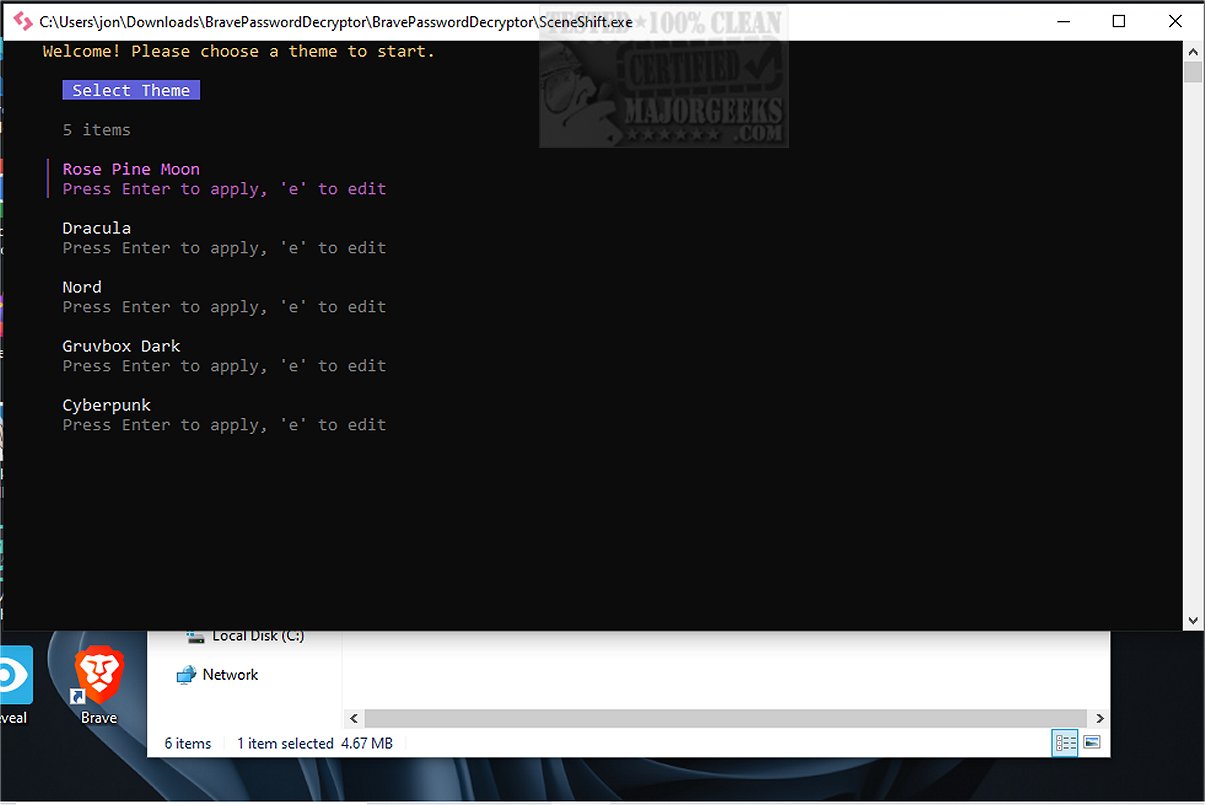
SceneShift 2.0 has been released as a terminal-focused process optimizer aimed at users who seek maximum performance from their hardware, particularly gamers, 3D artists, streamers, and professionals involved in heavy rendering tasks. The application streamlines the process of managing resource consumption by allowing users to deactivate or suspend numerous background applications simultaneously, thus creating an "instant performance scene" for their systems.
Benefits of SceneShift 2.0:
Instead of manually terminating resource-hogging applications, users can utilize SceneShift to quickly optimize system performance. The installation process is simple: users just need to place the SceneShift.exe file in a designated folder and run it with administrative privileges. The program takes care of generating all necessary configuration files. However, users should familiarize themselves with the commands via the provided documentation to fully leverage its capabilities.
Core Features:
- In-App Editor: Users can add, edit, and remove applications easily, with instant saving capabilities.
- Real-Time Process Search: Smart scanning and live filtering allow for efficient management of running applications.
- Visual Preset Manager: Users can create and toggle presets with a visual checklist and hotkeys.
- Live Theme Editor & First-Run Setup: This feature offers customization options without complicated configurations.
- Self-Healing Configurations: Missing files can regenerate automatically to ensure consistent performance.
- Smart Tab Navigation: Facilitates a quicker workflow.
- Admin Manifest: Guarantees appropriate privileges at startup for optimal operation.
Safety Considerations:
While SceneShift is designed to enhance the user experience safely, users are advised to save their work and set restore points before using commands that might terminate processes, as improper use could lead to data loss.
Conclusion:
SceneShift positions itself as an essential tool for individuals demanding high performance from their systems. Its user-friendly interface makes it accessible even for those who may not be tech-savvy, enabling seamless management of applications, presets, and themes. This innovative software not only optimizes performance but also provides a range of features aimed at enhancing workflow efficiency.
Future Prospects:
Looking ahead, SceneShift could expand its functionality by integrating machine learning algorithms to better predict and manage resource usage based on user habits. Additionally, the incorporation of cloud backup features for configurations and user settings may enhance data security and accessibility, making SceneShift an even more indispensable tool for power users across various fields
Benefits of SceneShift 2.0:
Instead of manually terminating resource-hogging applications, users can utilize SceneShift to quickly optimize system performance. The installation process is simple: users just need to place the SceneShift.exe file in a designated folder and run it with administrative privileges. The program takes care of generating all necessary configuration files. However, users should familiarize themselves with the commands via the provided documentation to fully leverage its capabilities.
Core Features:
- In-App Editor: Users can add, edit, and remove applications easily, with instant saving capabilities.
- Real-Time Process Search: Smart scanning and live filtering allow for efficient management of running applications.
- Visual Preset Manager: Users can create and toggle presets with a visual checklist and hotkeys.
- Live Theme Editor & First-Run Setup: This feature offers customization options without complicated configurations.
- Self-Healing Configurations: Missing files can regenerate automatically to ensure consistent performance.
- Smart Tab Navigation: Facilitates a quicker workflow.
- Admin Manifest: Guarantees appropriate privileges at startup for optimal operation.
Safety Considerations:
While SceneShift is designed to enhance the user experience safely, users are advised to save their work and set restore points before using commands that might terminate processes, as improper use could lead to data loss.
Conclusion:
SceneShift positions itself as an essential tool for individuals demanding high performance from their systems. Its user-friendly interface makes it accessible even for those who may not be tech-savvy, enabling seamless management of applications, presets, and themes. This innovative software not only optimizes performance but also provides a range of features aimed at enhancing workflow efficiency.
Future Prospects:
Looking ahead, SceneShift could expand its functionality by integrating machine learning algorithms to better predict and manage resource usage based on user habits. Additionally, the incorporation of cloud backup features for configurations and user settings may enhance data security and accessibility, making SceneShift an even more indispensable tool for power users across various fields
SceneShift 2.0 released
SceneShift is a useful, terminal-focused process optimizer engineered for individuals who demand peak performance from their hardware—think gamers, 3D artists, streamers, and professionals handling resource-intensive rendering tasks.