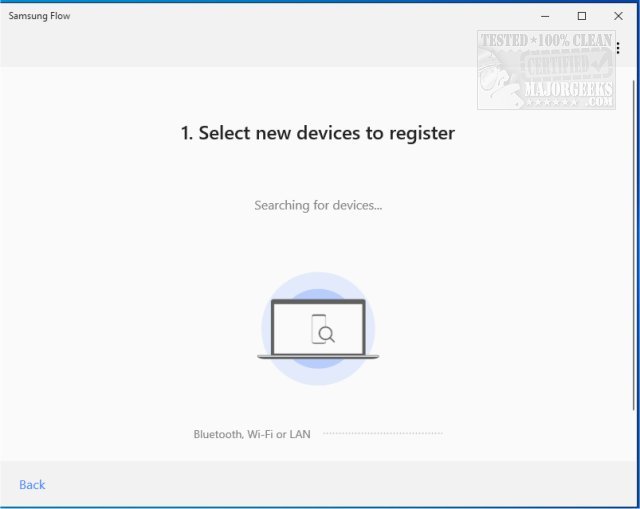
Samsung has just released version 4.9.1803.0 of Samsung Flow, an innovative application that enhances the user experience by allowing seamless sharing of activities and content across various Samsung devices. The core functionality of Samsung Flow revolves around ensuring that the most appropriate hardware is utilized for specific tasks, thereby optimizing performance and convenience.
One of the key features of Samsung Flow is its ability to create a secure and connected ecosystem across supported devices. Users can authenticate their PCs or tablets using their smartphones, enabling features such as content sharing, notification syncing, and viewing smartphone contents directly on PCs or tablets. Furthermore, Samsung Flow enhances connectivity by allowing users to activate their smartphone's Mobile Hotspot, ensuring their PC or tablet remains connected to the internet. Users can also log in to their PCs or tablets using biometric authentication methods, such as iris scanning or fingerprints, provided they have registered through Samsung Pass.
Samsung Flow is particularly beneficial for individuals who frequently need to switch or transfer files and content between devices. The application supports a range of devices, including:
- Windows Tablets/PCs: Running Windows 10 or Windows 11 (such as Galaxy TabPro S, Galaxy Book, Galaxy Book2, Galaxy Book S)
- Android Tablets: Operating on Android N OS or newer (including Galaxy Tab S6, S5e, S4, S3, S2, various Tab A models)
- Android Phones: Devices running Android Marshmallow OS or newer
However, compatibility may vary based on specific smartphone models and their specifications. Additionally, Samsung Flow is designed to work exclusively with official software released by Samsung Electronics, and it requires Bluetooth (with Bluetooth LE as an optional feature) or Wi-Fi/LAN connectivity for operation.
In summary, Samsung Flow 4.9.1803.0 is a robust application that enhances productivity and connectivity across Samsung devices, making it an essential tool for users who require efficient file transfer and device synchronization.
Extension: As technology continues to evolve, Samsung Flow may incorporate more advanced features, such as enhanced AI-driven suggestions for content sharing or integration with third-party applications to broaden its functionality. Future updates could also enhance the user interface, making it even more intuitive, and improve security measures to protect user data while using the app. As Samsung invests in smart home technology and IoT devices, we may see Samsung Flow evolve to interact with these devices, creating a more integrated digital lifestyle for users
One of the key features of Samsung Flow is its ability to create a secure and connected ecosystem across supported devices. Users can authenticate their PCs or tablets using their smartphones, enabling features such as content sharing, notification syncing, and viewing smartphone contents directly on PCs or tablets. Furthermore, Samsung Flow enhances connectivity by allowing users to activate their smartphone's Mobile Hotspot, ensuring their PC or tablet remains connected to the internet. Users can also log in to their PCs or tablets using biometric authentication methods, such as iris scanning or fingerprints, provided they have registered through Samsung Pass.
Samsung Flow is particularly beneficial for individuals who frequently need to switch or transfer files and content between devices. The application supports a range of devices, including:
- Windows Tablets/PCs: Running Windows 10 or Windows 11 (such as Galaxy TabPro S, Galaxy Book, Galaxy Book2, Galaxy Book S)
- Android Tablets: Operating on Android N OS or newer (including Galaxy Tab S6, S5e, S4, S3, S2, various Tab A models)
- Android Phones: Devices running Android Marshmallow OS or newer
However, compatibility may vary based on specific smartphone models and their specifications. Additionally, Samsung Flow is designed to work exclusively with official software released by Samsung Electronics, and it requires Bluetooth (with Bluetooth LE as an optional feature) or Wi-Fi/LAN connectivity for operation.
In summary, Samsung Flow 4.9.1803.0 is a robust application that enhances productivity and connectivity across Samsung devices, making it an essential tool for users who require efficient file transfer and device synchronization.
Extension: As technology continues to evolve, Samsung Flow may incorporate more advanced features, such as enhanced AI-driven suggestions for content sharing or integration with third-party applications to broaden its functionality. Future updates could also enhance the user interface, making it even more intuitive, and improve security measures to protect user data while using the app. As Samsung invests in smart home technology and IoT devices, we may see Samsung Flow evolve to interact with these devices, creating a more integrated digital lifestyle for users
Samsung Flow 4.9.1803.0 released
Samsung Flow seamlessly permits apps to share your activities across your devices; this ensures that the hardware best suited for a particular activity will be the one that does.