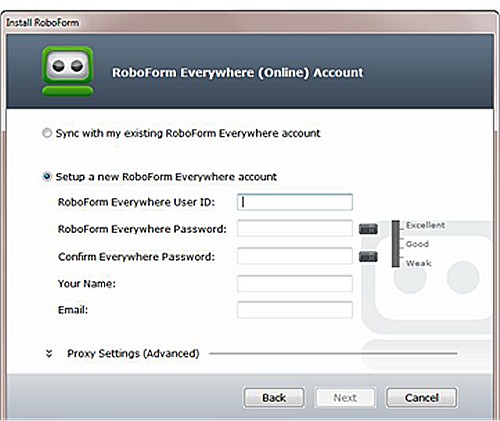
RoboForm has recently released version 9.9.1.1, enhancing its capabilities as a comprehensive password manager available on various platforms including Windows, macOS, iOS, Android, and major web browsers. This tool stands out due to its integration of advanced Artificial Intelligence (AI) that simplifies web form filling while maintaining robust security features.
Platforms: Windows, macOS, iOS, Android, browser extensions
Security Model: Zero-knowledge architecture with AES-256 encryption
Core Features: Password vault, auto-fill, password generator, secure sharing
Phishing Protection: Auto-fill functionality is restricted to exact website URLs
Best For: Users seeking long-term reliability and strong security
Pricing: Free version available; premium subscription unlocks syncing and advanced features
Definition: RoboForm is a well-established password manager that securely manages, generates, and autofills passwords across multiple devices using a zero-knowledge encryption model.
- Password Generator: Creates strong, unique passwords.
- Cross-Platform Sync: Access passwords from multiple devices seamlessly.
- Secure Sharing: Share login credentials securely without revealing passwords.
- Sorting Options: Organize passwords and notes for easy retrieval.
- Two-Factor Authentication (2FA): Adds an extra layer of security.
- Exceptional security due to zero-knowledge architecture
- Intuitive user interface suitable for all users
- Synchronization across devices with hassle-free autofill
- Over 20 years of ongoing improvement and reliability
Cons:
- Premium features require a subscription, although they are deemed valuable
- Users must be cautious with the master password, as forgetting it can lead to data loss
- Guides on managing passwords in Google Chrome
- Tips for revealing hidden or masked passwords
- Insights into effective password management strategies for everyday use.
By adopting RoboForm, users can simplify their digital lives while ensuring their sensitive information remains secure
Overview of RoboForm
Category: Password ManagersPlatforms: Windows, macOS, iOS, Android, browser extensions
Security Model: Zero-knowledge architecture with AES-256 encryption
Core Features: Password vault, auto-fill, password generator, secure sharing
Phishing Protection: Auto-fill functionality is restricted to exact website URLs
Best For: Users seeking long-term reliability and strong security
Pricing: Free version available; premium subscription unlocks syncing and advanced features
Definition: RoboForm is a well-established password manager that securely manages, generates, and autofills passwords across multiple devices using a zero-knowledge encryption model.
Importance of a Password Manager
Managing passwords without a dedicated tool poses significant security risks. Users often reuse passwords or create weak ones, making them susceptible to breaches. Forgotten passwords lead to frustration and poor storage habits, such as writing them down, which RoboForm effectively eliminates. It allows users to generate strong, unique passwords and only requires remembering one master password for access.Security Features
RoboForm provides an essential defense against phishing attacks through its URL recognition feature. If a website's URL differs even slightly from the legitimate one, RoboForm will not autofill credentials, thereby safeguarding users against fraudulent sites.Unique Selling Proposition: Zero-Knowledge Architecture
RoboForm's zero-knowledge architecture ensures that user data remains private. The master password is never shared with RoboForm's servers, and all data is encrypted locally using AES-256, ensuring that even the company cannot access your passwords.Key Features
- One-Click Login: Instant autofill for login details.- Password Generator: Creates strong, unique passwords.
- Cross-Platform Sync: Access passwords from multiple devices seamlessly.
- Secure Sharing: Share login credentials securely without revealing passwords.
- Sorting Options: Organize passwords and notes for easy retrieval.
- Two-Factor Authentication (2FA): Adds an extra layer of security.
Pros and Cons
Pros:- Exceptional security due to zero-knowledge architecture
- Intuitive user interface suitable for all users
- Synchronization across devices with hassle-free autofill
- Over 20 years of ongoing improvement and reliability
Cons:
- Premium features require a subscription, although they are deemed valuable
- Users must be cautious with the master password, as forgetting it can lead to data loss
Conclusion
In conclusion, RoboForm Password Manager combines security, convenience, and reliability, making it a critical tool for anyone concerned about online safety. Its long-standing presence in the market and consistent updates reflect its commitment to user protection. For individuals prioritizing secure password management, RoboForm is a highly recommended option.Additional Resources
For users looking to enhance their password management skills, consider exploring:- Guides on managing passwords in Google Chrome
- Tips for revealing hidden or masked passwords
- Insights into effective password management strategies for everyday use.
By adopting RoboForm, users can simplify their digital lives while ensuring their sensitive information remains secure
Roboform 9.9.1.1 released
Roboform Everywhere for Windows, Chrome, Firefox, Edge, and Android is a push-button web form filler with some serious Artificial Intelligence (AI) inside.