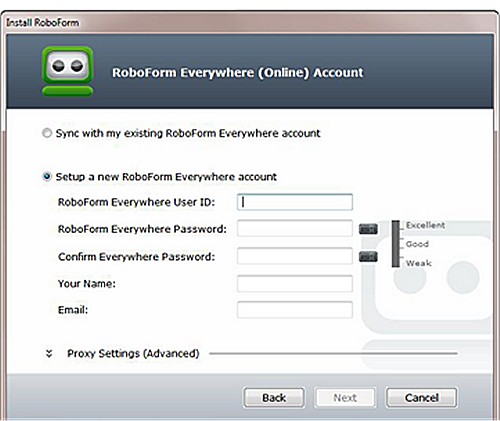
RoboForm has released version 9.9.1, a robust password management tool available across various platforms, including Windows, Chrome, Firefox, Edge, and Android. It leverages advanced Artificial Intelligence (AI) capabilities to streamline web form filling, ultimately enhancing user security and convenience.
Managing passwords without a dedicated password manager poses significant security risks, as individuals often resort to reusing passwords or creating weak ones, making them easy targets for cyberattacks. RoboForm Password Manager addresses these issues by generating strong, unique passwords for each account and securely storing them. Users only need to remember one master password, eliminating the hassle of forgotten logins and the unsafe practice of writing down passwords.
One of the standout features of RoboForm is its protection against phishing attacks. The password manager uses the exact URL of websites to autofill credentials, ensuring that users do not mistakenly enter their information on fraudulent sites. This feature acts as a critical safeguard, enhancing user security beyond just password storage.
RoboForm is built on a zero-knowledge architecture, which ensures that the user's master password is never shared with the company's servers, providing an extra layer of security. Data is encrypted locally before being sent to the servers, using military-grade AES-256 encryption, making it nearly impossible for unauthorized parties, including RoboForm, to access user passwords.
Key features of RoboForm include:
- One-Click Login for quick access to accounts
- A Password Generator for creating strong passwords
- Cross-Platform Sync, allowing users to access passwords across multiple devices
- Secure Sharing options for safely sharing login information
- Extensive sorting options for better organization of passwords
- Two-Factor Authentication (2FA) for added security
While RoboForm boasts numerous advantages, such as its user-friendly interface and years of reliability, some premium features require a subscription. It's crucial for users to remember their master password, as resetting it through the "forgot password" option will result in the loss of all saved data.
At MajorGeeks, RoboForm has been trusted for over two decades due to its reliability and secure functionality. For anyone prioritizing security, convenience, and peace of mind in password management, RoboForm is a highly recommended solution.
In addition to the features highlighted, RoboForm continuously evolves to incorporate user feedback and advanced security protocols. As cyber threats become increasingly sophisticated, the need for reliable password management tools like RoboForm has never been more critical. Future updates may introduce even more intelligent features, such as biometric login options and enhanced AI-driven security alerts, ensuring that users remain one step ahead of potential threats. Furthermore, educational resources and tutorials could be expanded to help users maximize the utility of RoboForm's features, fostering a more secure online experience for everyone
Managing passwords without a dedicated password manager poses significant security risks, as individuals often resort to reusing passwords or creating weak ones, making them easy targets for cyberattacks. RoboForm Password Manager addresses these issues by generating strong, unique passwords for each account and securely storing them. Users only need to remember one master password, eliminating the hassle of forgotten logins and the unsafe practice of writing down passwords.
One of the standout features of RoboForm is its protection against phishing attacks. The password manager uses the exact URL of websites to autofill credentials, ensuring that users do not mistakenly enter their information on fraudulent sites. This feature acts as a critical safeguard, enhancing user security beyond just password storage.
RoboForm is built on a zero-knowledge architecture, which ensures that the user's master password is never shared with the company's servers, providing an extra layer of security. Data is encrypted locally before being sent to the servers, using military-grade AES-256 encryption, making it nearly impossible for unauthorized parties, including RoboForm, to access user passwords.
Key features of RoboForm include:
- One-Click Login for quick access to accounts
- A Password Generator for creating strong passwords
- Cross-Platform Sync, allowing users to access passwords across multiple devices
- Secure Sharing options for safely sharing login information
- Extensive sorting options for better organization of passwords
- Two-Factor Authentication (2FA) for added security
While RoboForm boasts numerous advantages, such as its user-friendly interface and years of reliability, some premium features require a subscription. It's crucial for users to remember their master password, as resetting it through the "forgot password" option will result in the loss of all saved data.
At MajorGeeks, RoboForm has been trusted for over two decades due to its reliability and secure functionality. For anyone prioritizing security, convenience, and peace of mind in password management, RoboForm is a highly recommended solution.
In addition to the features highlighted, RoboForm continuously evolves to incorporate user feedback and advanced security protocols. As cyber threats become increasingly sophisticated, the need for reliable password management tools like RoboForm has never been more critical. Future updates may introduce even more intelligent features, such as biometric login options and enhanced AI-driven security alerts, ensuring that users remain one step ahead of potential threats. Furthermore, educational resources and tutorials could be expanded to help users maximize the utility of RoboForm's features, fostering a more secure online experience for everyone
Roboform 9.9.1 released
Roboform Everywhere for Windows, Chrome, Firefox, Edge, and Android is a push-button web form filler with some serious Artificial Intelligence (AI) inside.