JetBrains Rider is a powerful, cross-platform Integrated Development Environment (IDE) designed specifically for .NET developers. It offers deep code insight, rapid performance, and seamless integration with both modern and legacy tools, making it an excellent alternative for those who find Visual Studio sluggish or cumbersome. Built on the same foundation as other JetBrains products like IntelliJ IDEA and PyCharm, Rider is tailored for .NET and C# development.
Key Features and Benefits
Rider supports a broad spectrum of technologies, including .NET Framework, .NET Core, Mono, Xamarin, ASP.NET, and Unity, as well as front-end tools like JavaScript, TypeScript, and React. Its built-in features make it particularly appealing for freelancers and solo developers, providing tools such as a terminal, templates, version control, and live code snippets.
1. Code Analysis and Refactoring: With over 2200 code inspections and more than 1000 context actions, Rider helps developers detect bugs and streamline their code effectively.
2. Performance: Rider is optimized for speed, maintaining responsiveness even with large projects, unlike Visual Studio with ReSharper, which can feel heavy.
3. Debugger and Test Runner: It offers full support for various testing frameworks, including NUnit, xUnit, and MSTest, enhancing the debugging process.
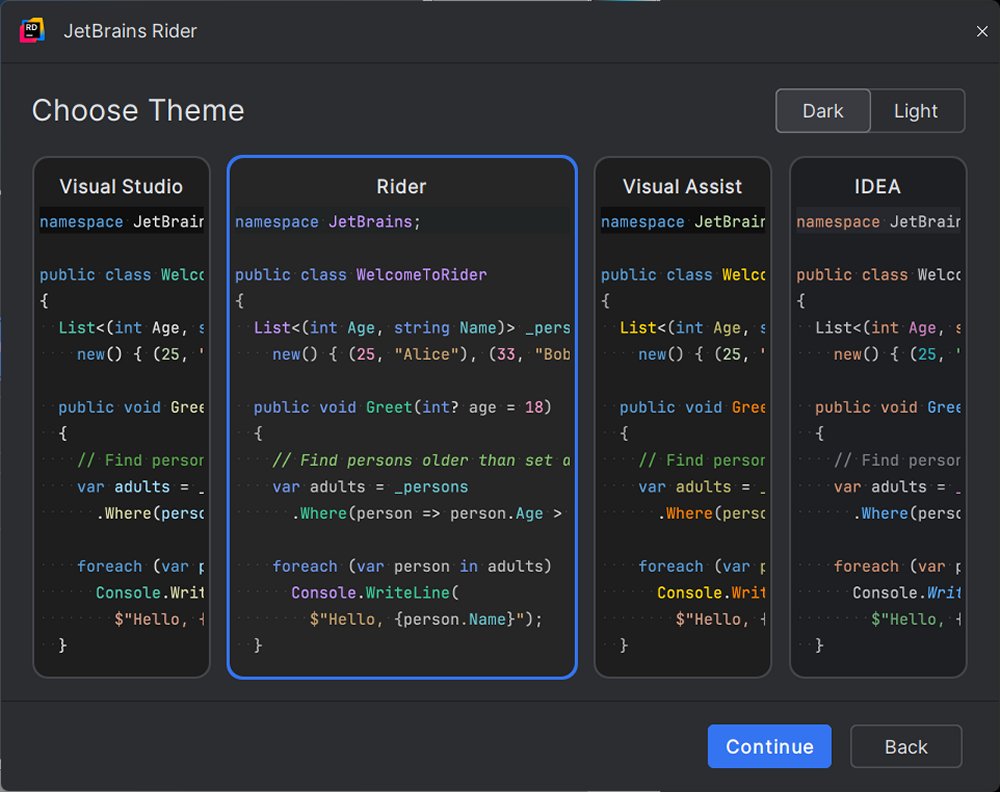
4. User Interface: Featuring smart code suggestions and customizable layouts, Rider includes a proper dark mode for user comfort.
Real-World Applications
Rider is versatile enough to support various development projects:
- Game Development: Unity developers benefit from Rider's seamless integration and efficient navigation through assets and events.
- Web Development: ASP.NET developers can manage both frontend and backend code using Rider's unified interface.
- Enterprise Solutions: Developers working with microservices, Docker, or SQL databases have access to comprehensive tools within the same workspace.
Transitioning from Visual Studio
For those considering a switch from Visual Studio, Rider offers a user-friendly transition. It can directly open existing .sln and .csproj files, preserving most settings, which enables developers to continue their work with minimal disruption. The IDE also includes a Visual Studio keymap to ease the adjustment.
System Requirements and Licensing
Rider is compatible with Windows, macOS, and Linux, and supports .NET Framework 4.6.1 or later, .NET Core, and Mono. It is free for non-commercial use, making it a great choice for education and open-source contributions. A commercial license is available with a 30-day free trial, starting at $149 per year.
Pros and Cons
Pros:
- Fast and responsive performance, even with large projects
- Built-in ReSharper, eliminating the need for separate installation
- First-class support for Unity, ASP.NET Core, and Xamarin
- Consistent cross-platform experience
- Excellent tools for version control, Docker, and databases
Cons:
- Initial indexing can take time with large solutions
- Users may need time to adjust from Visual Studio, but the benefits are significant.
Conclusion
JetBrains Rider is ideal for developers seeking enhanced speed, control, and a lightweight IDE experience. Particularly suited for those working with large .NET solutions or game development in Unity, Rider is modern, customizable, and designed to facilitate a smoother software-building process. As the development landscape continues to evolve, Rider stands out as a robust tool tailored to meet the needs of today's developers.
Future Extensions
As JetBrains continues to innovate, future updates to Rider may include deeper integrations with cloud services, enhanced AI-driven code suggestions, and more extensive support for emerging programming languages and frameworks, further solidifying its position as a leading IDE for .NET development
Key Features and Benefits
Rider supports a broad spectrum of technologies, including .NET Framework, .NET Core, Mono, Xamarin, ASP.NET, and Unity, as well as front-end tools like JavaScript, TypeScript, and React. Its built-in features make it particularly appealing for freelancers and solo developers, providing tools such as a terminal, templates, version control, and live code snippets.
1. Code Analysis and Refactoring: With over 2200 code inspections and more than 1000 context actions, Rider helps developers detect bugs and streamline their code effectively.
2. Performance: Rider is optimized for speed, maintaining responsiveness even with large projects, unlike Visual Studio with ReSharper, which can feel heavy.
3. Debugger and Test Runner: It offers full support for various testing frameworks, including NUnit, xUnit, and MSTest, enhancing the debugging process.
4. User Interface: Featuring smart code suggestions and customizable layouts, Rider includes a proper dark mode for user comfort.
Real-World Applications
Rider is versatile enough to support various development projects:
- Game Development: Unity developers benefit from Rider's seamless integration and efficient navigation through assets and events.
- Web Development: ASP.NET developers can manage both frontend and backend code using Rider's unified interface.
- Enterprise Solutions: Developers working with microservices, Docker, or SQL databases have access to comprehensive tools within the same workspace.
Transitioning from Visual Studio
For those considering a switch from Visual Studio, Rider offers a user-friendly transition. It can directly open existing .sln and .csproj files, preserving most settings, which enables developers to continue their work with minimal disruption. The IDE also includes a Visual Studio keymap to ease the adjustment.
System Requirements and Licensing
Rider is compatible with Windows, macOS, and Linux, and supports .NET Framework 4.6.1 or later, .NET Core, and Mono. It is free for non-commercial use, making it a great choice for education and open-source contributions. A commercial license is available with a 30-day free trial, starting at $149 per year.
Pros and Cons
Pros:
- Fast and responsive performance, even with large projects
- Built-in ReSharper, eliminating the need for separate installation
- First-class support for Unity, ASP.NET Core, and Xamarin
- Consistent cross-platform experience
- Excellent tools for version control, Docker, and databases
Cons:
- Initial indexing can take time with large solutions
- Users may need time to adjust from Visual Studio, but the benefits are significant.
Conclusion
JetBrains Rider is ideal for developers seeking enhanced speed, control, and a lightweight IDE experience. Particularly suited for those working with large .NET solutions or game development in Unity, Rider is modern, customizable, and designed to facilitate a smoother software-building process. As the development landscape continues to evolve, Rider stands out as a robust tool tailored to meet the needs of today's developers.
Future Extensions
As JetBrains continues to innovate, future updates to Rider may include deeper integrations with cloud services, enhanced AI-driven code suggestions, and more extensive support for emerging programming languages and frameworks, further solidifying its position as a leading IDE for .NET development
Rider 2025.3.4 released
JetBrains Rider is a cross-platform .NET IDE built for serious developers who want deep code insight, fast performance, and smooth integration tailored for .NET and C#.