JetBrains Rider version 2025.3.3 has been released, further establishing itself as a robust cross-platform IDE specifically designed for .NET developers. This IDE is ideal for those seeking comprehensive code insights, improved performance, and seamless integration with both modern and legacy tools.
Rider is built on the same framework as popular JetBrains products like IntelliJ IDEA, PyCharm, and WebStorm, making it accessible for those familiar with these environments. It stands out as an alternative for developers who find Visual Studio to be slow or cumbersome, offering a clean, customizable, and plugin-friendly workspace. Features such as a built-in terminal, version control, templates, and live code snippets make it particularly beneficial for freelancers and solo developers.
Out of the box, Rider supports a wide range of technologies including .NET Framework, .NET Core, Mono, Xamarin, ASP.NET, Unity, and also front-end languages like JavaScript, TypeScript, and React. Other integrated features include:
- Extensive code analysis and refactoring capabilities with over 2,200 inspections and 1,000+ context actions to enhance code quality.
- Optimized performance that ensures responsiveness, even with large projects, unlike Visual Studio with ReSharper.
- Comprehensive debugging and testing support for .NET, Mono, Unity, and various testing frameworks.
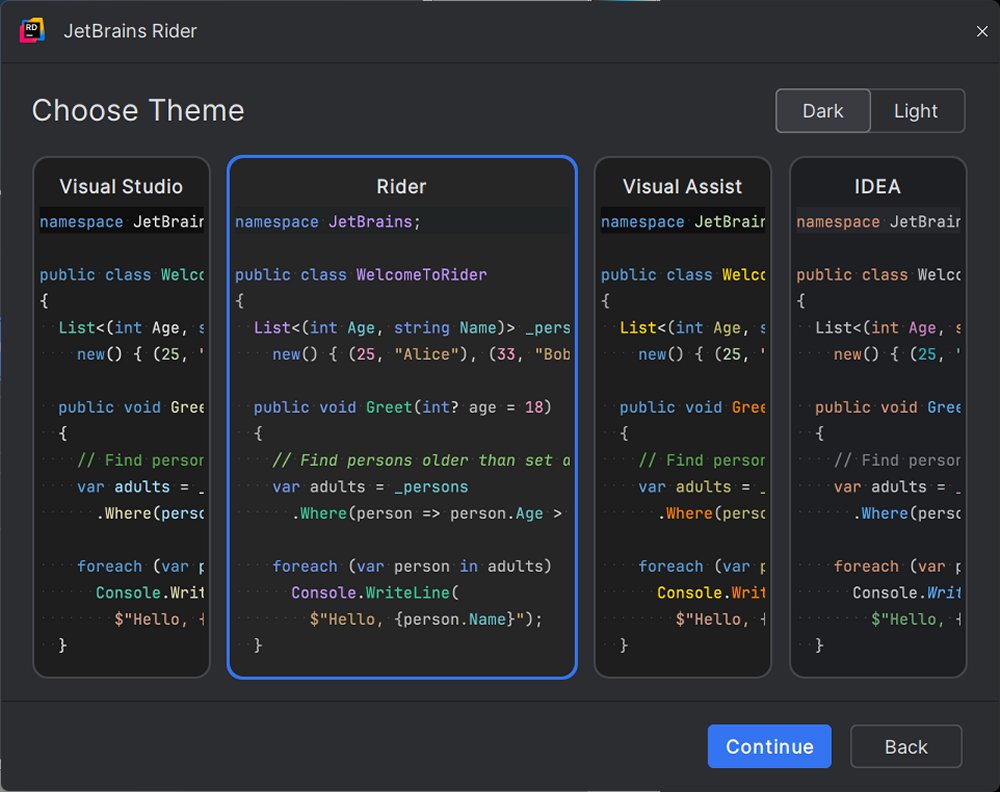
- A user-friendly interface that allows for smart code suggestions, customizable layouts, and themes—complete with a dark mode.
Rider is versatile enough for various development scenarios. For instance, Unity developers appreciate its robust integration and easy navigation. Web developers can manage both front-end and back-end code seamlessly. Additionally, enterprise developers working with microservices or SQL databases can utilize Rider's integrated Docker and database tools effectively.
Transitioning from Visual Studio to Rider is designed to be straightforward. Rider can directly open existing Visual Studio solution (.sln) and project (.csproj) files, minimizing the need for restructuring. Most settings are recognized immediately, and adjustments can be made to match the previous workflow, including a Visual Studio keymap for easier adaptation. For users of ReSharper, the experience feels familiar as it is built into Rider.
Rider is compatible with Windows, macOS, and Linux, supporting .NET Framework 4.6.1 or later, as well as .NET Core and Mono. It is available for free for non-commercial use, catering to educational purposes, open-source contributions, and content creation without commercial profit. A commercial version is also offered, starting with a 30-day free trial and a subscription model beginning at $149 per year.
Pros of JetBrains Rider:
- Fast and responsive for large projects.
- Built-in ReSharper functionality with no additional installation required.
- Strong support for Unity, ASP.NET Core, Xamarin, and other technologies.
- Consistent feature set across operating systems.
- Comprehensive version control, Docker, and database utilities.
Cons:
- Initial indexing can take time for large solutions.
- Some adjustment period required for users transitioning from Visual Studio, but the benefits are generally worth it.
The overall verdict on JetBrains Rider is positive; it is ideal for developers who prioritize speed, control, and a streamlined experience. Whether you are working on intricate .NET solutions, game development with Unity, or looking for an efficient development environment, Rider proves to be a modern and customizable solution that facilitates software development effectively.
In summary, JetBrains Rider continues to evolve, offering developers a powerful toolset that enhances productivity and aligns with modern development needs. As it expands its features and capabilities, it is positioned as a leading choice for .NET development in the coming years
Rider is built on the same framework as popular JetBrains products like IntelliJ IDEA, PyCharm, and WebStorm, making it accessible for those familiar with these environments. It stands out as an alternative for developers who find Visual Studio to be slow or cumbersome, offering a clean, customizable, and plugin-friendly workspace. Features such as a built-in terminal, version control, templates, and live code snippets make it particularly beneficial for freelancers and solo developers.
Out of the box, Rider supports a wide range of technologies including .NET Framework, .NET Core, Mono, Xamarin, ASP.NET, Unity, and also front-end languages like JavaScript, TypeScript, and React. Other integrated features include:
- Extensive code analysis and refactoring capabilities with over 2,200 inspections and 1,000+ context actions to enhance code quality.
- Optimized performance that ensures responsiveness, even with large projects, unlike Visual Studio with ReSharper.
- Comprehensive debugging and testing support for .NET, Mono, Unity, and various testing frameworks.
- A user-friendly interface that allows for smart code suggestions, customizable layouts, and themes—complete with a dark mode.
Rider is versatile enough for various development scenarios. For instance, Unity developers appreciate its robust integration and easy navigation. Web developers can manage both front-end and back-end code seamlessly. Additionally, enterprise developers working with microservices or SQL databases can utilize Rider's integrated Docker and database tools effectively.
Transitioning from Visual Studio to Rider is designed to be straightforward. Rider can directly open existing Visual Studio solution (.sln) and project (.csproj) files, minimizing the need for restructuring. Most settings are recognized immediately, and adjustments can be made to match the previous workflow, including a Visual Studio keymap for easier adaptation. For users of ReSharper, the experience feels familiar as it is built into Rider.
Rider is compatible with Windows, macOS, and Linux, supporting .NET Framework 4.6.1 or later, as well as .NET Core and Mono. It is available for free for non-commercial use, catering to educational purposes, open-source contributions, and content creation without commercial profit. A commercial version is also offered, starting with a 30-day free trial and a subscription model beginning at $149 per year.
Pros of JetBrains Rider:
- Fast and responsive for large projects.
- Built-in ReSharper functionality with no additional installation required.
- Strong support for Unity, ASP.NET Core, Xamarin, and other technologies.
- Consistent feature set across operating systems.
- Comprehensive version control, Docker, and database utilities.
Cons:
- Initial indexing can take time for large solutions.
- Some adjustment period required for users transitioning from Visual Studio, but the benefits are generally worth it.
The overall verdict on JetBrains Rider is positive; it is ideal for developers who prioritize speed, control, and a streamlined experience. Whether you are working on intricate .NET solutions, game development with Unity, or looking for an efficient development environment, Rider proves to be a modern and customizable solution that facilitates software development effectively.
In summary, JetBrains Rider continues to evolve, offering developers a powerful toolset that enhances productivity and aligns with modern development needs. As it expands its features and capabilities, it is positioned as a leading choice for .NET development in the coming years
Rider 2025.3.3 released
JetBrains Rider is a cross-platform .NET IDE built for serious developers who want deep code insight, fast performance, and smooth integration tailored for .NET and C#.