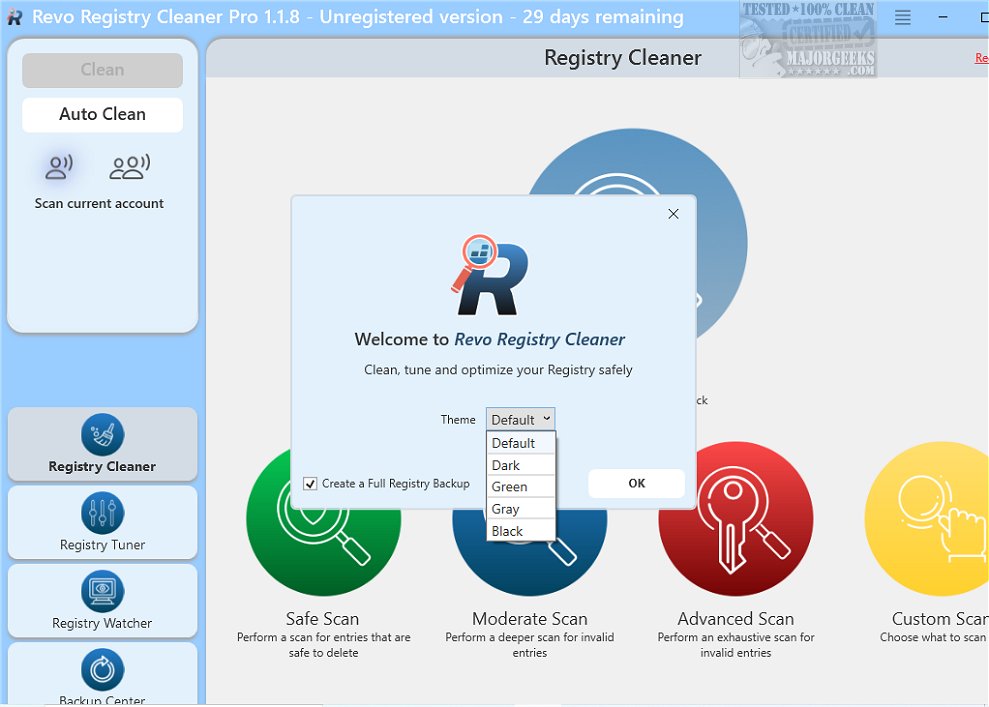
Revo Registry Cleaner version 2.1.0 has been released, offering both Pro and Free versions designed for comprehensive registry cleaning. The software employs over 15 scanning categories to identify and eliminate invalid and redundant registry entries that may hinder system performance. Users can customize the cleaning process by defining specific inclusions and exclusions, which allows for a more personalized maintenance routine.
The cleaner features four scanning modes, ranging from quick scans for minor issues to deep scans for thorough cleaning, ensuring optimal registry function. Notably user-focused, it allows scans of all user accounts or just the current one and includes a Scheduled Auto Clean feature for ongoing maintenance. An appealing Dark Mode option is also available to enhance the visual experience.
In addition, Revo Registry Cleaner includes a Registry Tuner with 50 tweaks to optimize Windows performance, and a Registry Watcher that monitors real-time changes to registry keys and values. This tool allows users to review and manage modifications effectively, providing filters for operation types or data content.
To safeguard data, users can create personalized backups of specific keys, perform complete registry backups, and automate the process with the scheduled Auto Backup feature. This ensures the integrity and security of critical information. The automation capabilities extend to regular cleanups and background updates, keeping the system up-to-date with the latest features and security improvements.
In summary, Revo Registry Cleaner is designed for both novice and experienced users, providing an effective solution for registry management. Its advanced features enhance system stability and performance while ensuring a user-friendly experience. Users are encouraged to explore the benefits of this tool for a smoother computing experience.
For further enhancement of your Windows experience, consider exploring other related topics, such as methods to open the Registry Editor, backup and restore procedures for the Windows Registry, and techniques to reset the Registry Editor to its default state
The cleaner features four scanning modes, ranging from quick scans for minor issues to deep scans for thorough cleaning, ensuring optimal registry function. Notably user-focused, it allows scans of all user accounts or just the current one and includes a Scheduled Auto Clean feature for ongoing maintenance. An appealing Dark Mode option is also available to enhance the visual experience.
In addition, Revo Registry Cleaner includes a Registry Tuner with 50 tweaks to optimize Windows performance, and a Registry Watcher that monitors real-time changes to registry keys and values. This tool allows users to review and manage modifications effectively, providing filters for operation types or data content.
To safeguard data, users can create personalized backups of specific keys, perform complete registry backups, and automate the process with the scheduled Auto Backup feature. This ensures the integrity and security of critical information. The automation capabilities extend to regular cleanups and background updates, keeping the system up-to-date with the latest features and security improvements.
In summary, Revo Registry Cleaner is designed for both novice and experienced users, providing an effective solution for registry management. Its advanced features enhance system stability and performance while ensuring a user-friendly experience. Users are encouraged to explore the benefits of this tool for a smoother computing experience.
For further enhancement of your Windows experience, consider exploring other related topics, such as methods to open the Registry Editor, backup and restore procedures for the Windows Registry, and techniques to reset the Registry Editor to its default state
Revo Registry Cleaner 2.1.0 released
Revo Registry Cleaner, available in both Pro and Free versions, offers a complete solution for advanced registry cleaning. It utilizes over 15 distinct scanning categories to thoroughly identify and remove invalid and redundant registry entries that can slow down your system's performance.