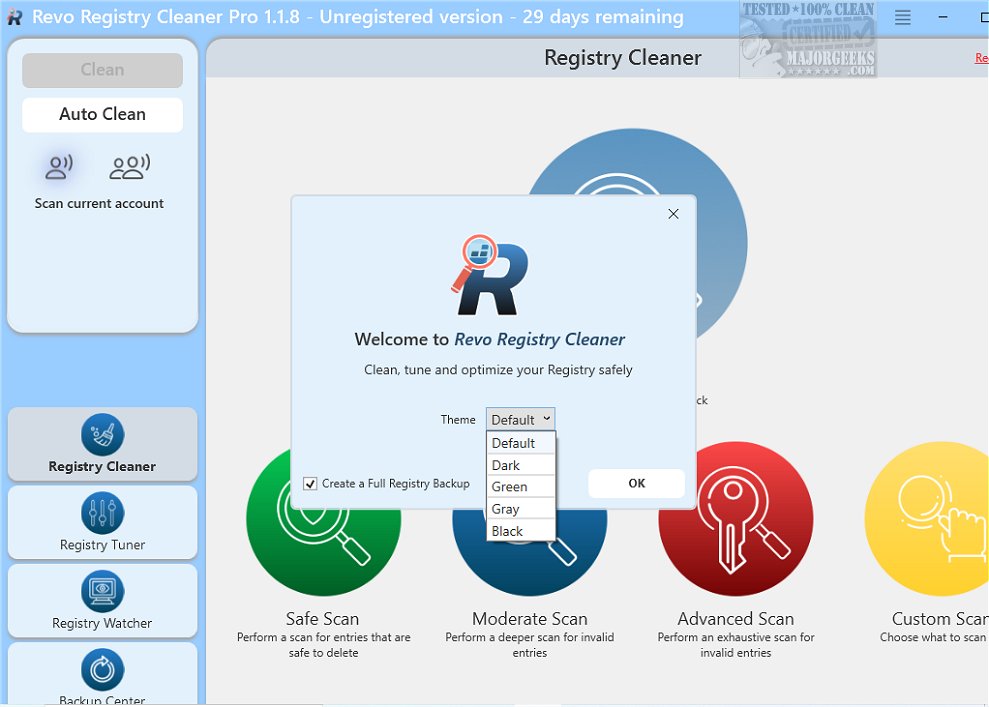
Revo Registry Cleaner is an advanced utility designed to optimize and maintain the Windows registry, available in both Pro and Free versions. The latest release, version 2.0.7, introduces a comprehensive registry cleaning solution that employs over 15 scanning categories to efficiently identify and eliminate invalid or redundant entries, which can impede system performance.
Key Features:
1. Customizable Cleaning Process: Users can tailor their cleaning process by specifying which keys to include or exclude, providing a personalized approach to registry maintenance.
2. Flexible Scan Modes: The software offers four depth scan options, enabling users to select between a quick scan for minor adjustments and a deep scan for thorough cleaning.
3. User-Focused Features: Users can choose to scan all user accounts or focus solely on the current account. The Scheduled Auto Clean feature simplifies ongoing registry maintenance, while Dark Mode enhances the user interface.
4. Registry Tuner: This feature includes 50 registry tweaks that allow users to fine-tune their Windows experience, improving performance and system behavior.
5. Registry Watcher: This tool monitors real-time changes to registry keys and values, providing users with the ability to review, save, and export modifications while applying filters for better management.
6. Backup Solutions: Users can create personalized backups for specific keys or perform complete registry backups, with an automated scheduled backup feature that ensures data integrity.
7. Automation and Updates: The scheduled Auto Clean and Auto Backup features allow users to set routine cleanups and backups, alongside automatic background updates for ongoing software enhancements.
Conclusion:
Revo Registry Cleaner is tailored for both novice and experienced users, offering a user-friendly interface that simplifies the process of conducting in-depth scans and cleanups. By identifying and removing unnecessary entries, the software not only boosts system performance but also enhances overall stability, reducing the likelihood of errors and crashes. Whether you're looking to optimize your system or maintain a clutter-free registry, Revo Registry Cleaner is a valuable tool that promises to provide a smoother and more efficient computing experience.
Additional Resources:
- Learn how to open the Registry Editor in Windows.
- Understand the process of backing up or restoring the Windows Registry.
- Explore ways to reset the Registry Editor to default settings.
- Discover methods to automate registry backups on Windows 10 and 11.
- Find out how to add the Registry Editor to the Control Panel for easier access.
This extended overview highlights the key features and benefits of Revo Registry Cleaner, while also providing users with helpful resources to further enhance their experience with registry management
Key Features:
1. Customizable Cleaning Process: Users can tailor their cleaning process by specifying which keys to include or exclude, providing a personalized approach to registry maintenance.
2. Flexible Scan Modes: The software offers four depth scan options, enabling users to select between a quick scan for minor adjustments and a deep scan for thorough cleaning.
3. User-Focused Features: Users can choose to scan all user accounts or focus solely on the current account. The Scheduled Auto Clean feature simplifies ongoing registry maintenance, while Dark Mode enhances the user interface.
4. Registry Tuner: This feature includes 50 registry tweaks that allow users to fine-tune their Windows experience, improving performance and system behavior.
5. Registry Watcher: This tool monitors real-time changes to registry keys and values, providing users with the ability to review, save, and export modifications while applying filters for better management.
6. Backup Solutions: Users can create personalized backups for specific keys or perform complete registry backups, with an automated scheduled backup feature that ensures data integrity.
7. Automation and Updates: The scheduled Auto Clean and Auto Backup features allow users to set routine cleanups and backups, alongside automatic background updates for ongoing software enhancements.
Conclusion:
Revo Registry Cleaner is tailored for both novice and experienced users, offering a user-friendly interface that simplifies the process of conducting in-depth scans and cleanups. By identifying and removing unnecessary entries, the software not only boosts system performance but also enhances overall stability, reducing the likelihood of errors and crashes. Whether you're looking to optimize your system or maintain a clutter-free registry, Revo Registry Cleaner is a valuable tool that promises to provide a smoother and more efficient computing experience.
Additional Resources:
- Learn how to open the Registry Editor in Windows.
- Understand the process of backing up or restoring the Windows Registry.
- Explore ways to reset the Registry Editor to default settings.
- Discover methods to automate registry backups on Windows 10 and 11.
- Find out how to add the Registry Editor to the Control Panel for easier access.
This extended overview highlights the key features and benefits of Revo Registry Cleaner, while also providing users with helpful resources to further enhance their experience with registry management
Revo Registry Cleaner 2.0.7 released
Revo Registry Cleaner, available in both Pro and Free versions, offers a complete solution for advanced registry cleaning. It utilizes over 15 distinct scanning categories to thoroughly identify and remove invalid and redundant registry entries that can slow down your system's performance.