ReShade has recently released version 6.7.2, an open-source tool designed to enhance the visual quality of older games on contemporary graphics hardware. This application allows users to incorporate modern display technologies into games that do not natively support them. As a post-processing injector, ReShade enhances graphics by adding effects such as deeper shadows, vibrant colors, and nostalgic filters without altering the original game's artwork, thereby enriching the player's immersive experience.
Compatible with a wide array of popular games, including Skyrim, Grand Theft Auto V, The Witcher, Cyberpunk 2077, and Minecraft, ReShade is also applicable to various applications like VLC Media Player and Blender. It offers features like Ambient Occlusion, Anti-Aliasing, HDR, and Depth-of-Field, enabling users to customize visuals to their preferences, making it an essential tool for both gaming and other visual applications.
ReShade is versatile, allowing users to sharpen images for clearer visuals, introduce depth with Ambient Occlusion and Depth-of-Field effects, and create a cinematic feel with filters like Technicolor and Cross Processing. Additionally, it provides advanced color correction tools, such as Color Grading and Bloom, to adjust brightness, saturation, and tones for a more balanced and engaging visual experience.
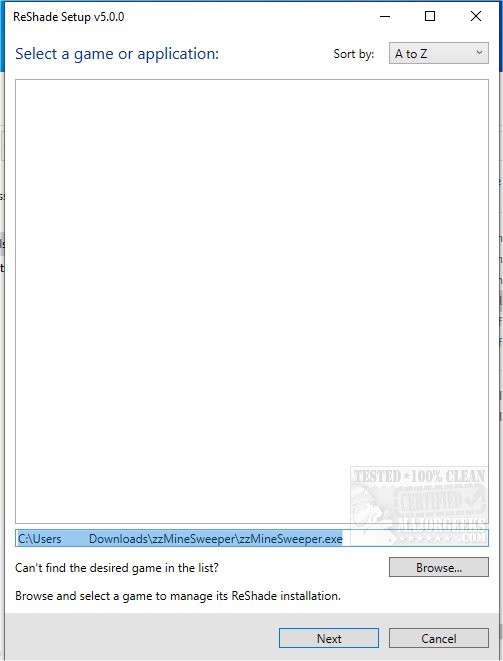
To get started with ReShade, users need to download and run the application, select the game or application they wish to enhance, and choose the appropriate rendering API (Direct3D, OpenGL, or Vulkan), which is often auto-detected. Users should refer to documentation or resources like PC GameWiki for specific API options. During setup, there’s an opportunity to select desired effects, whether sticking with basic options or exploring the community library for additional filters. The real-time preview feature allows users to make adjustments on-the-fly, fine-tuning the effects until achieving their ideal look.
For those passionate about gaming visuals, ReShade offers a powerful means of enhancing both classic and contemporary titles. Users should note common API choices based on game types: older games typically use Direct3D 9 or OpenGL, modern games often utilize Direct3D 11 or Vulkan, while the latest titles and multi-platform games frequently employ Direct3D 12 or Vulkan. Understanding the proper API ensures that ReShade's effects function correctly, maximizing the visual enhancements for an enriched gaming experience.
In conclusion, ReShade 6.7.2 stands as a vital tool for gamers and content creators alike, empowering them to elevate the aesthetic quality of both games and applications, and allowing for a personalized visual journey that reflects their artistic vision
Compatible with a wide array of popular games, including Skyrim, Grand Theft Auto V, The Witcher, Cyberpunk 2077, and Minecraft, ReShade is also applicable to various applications like VLC Media Player and Blender. It offers features like Ambient Occlusion, Anti-Aliasing, HDR, and Depth-of-Field, enabling users to customize visuals to their preferences, making it an essential tool for both gaming and other visual applications.
ReShade is versatile, allowing users to sharpen images for clearer visuals, introduce depth with Ambient Occlusion and Depth-of-Field effects, and create a cinematic feel with filters like Technicolor and Cross Processing. Additionally, it provides advanced color correction tools, such as Color Grading and Bloom, to adjust brightness, saturation, and tones for a more balanced and engaging visual experience.
To get started with ReShade, users need to download and run the application, select the game or application they wish to enhance, and choose the appropriate rendering API (Direct3D, OpenGL, or Vulkan), which is often auto-detected. Users should refer to documentation or resources like PC GameWiki for specific API options. During setup, there’s an opportunity to select desired effects, whether sticking with basic options or exploring the community library for additional filters. The real-time preview feature allows users to make adjustments on-the-fly, fine-tuning the effects until achieving their ideal look.
For those passionate about gaming visuals, ReShade offers a powerful means of enhancing both classic and contemporary titles. Users should note common API choices based on game types: older games typically use Direct3D 9 or OpenGL, modern games often utilize Direct3D 11 or Vulkan, while the latest titles and multi-platform games frequently employ Direct3D 12 or Vulkan. Understanding the proper API ensures that ReShade's effects function correctly, maximizing the visual enhancements for an enriched gaming experience.
In conclusion, ReShade 6.7.2 stands as a vital tool for gamers and content creators alike, empowering them to elevate the aesthetic quality of both games and applications, and allowing for a personalized visual journey that reflects their artistic vision
ReShade 6.7.2 released
ReShade is an Open Source tool that helps improve the look of older games on modern video cards and allows the addition of newer display/video technologies to older games that do not support those technologies.