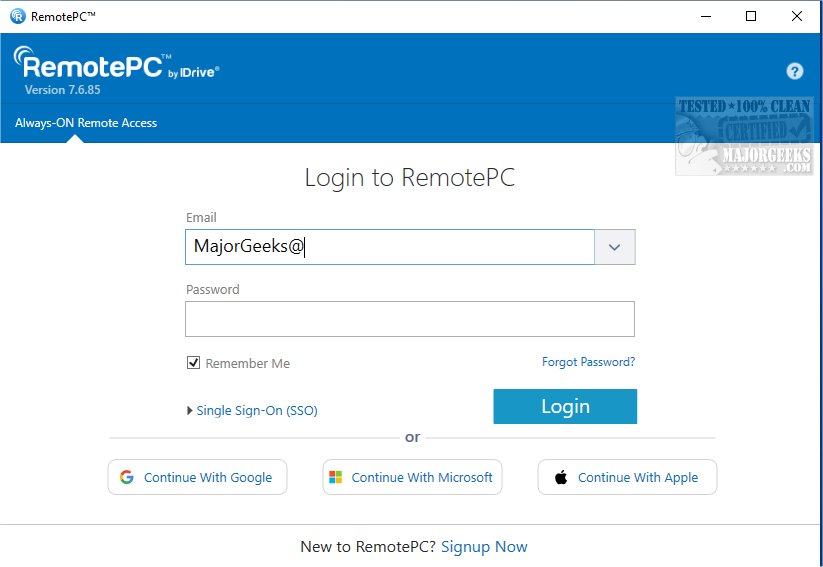
RemotePC has recently released version 7.6.96, enhancing its capabilities for secure remote desktop access. With RemotePC, users can connect to their computers from any location at any time, promoting flexible work arrangements and productivity. As a versatile tool, RemotePC enables real-time connections to remote computers, provided they have an active internet connection and the application installed. This makes it ideal for working from home, cafes, or while traveling.
One of the key features is the Always-ON Remote Access, allowing users to work on documents, emails, and applications seamlessly. RemotePC also includes functionality for managing locked or logged-off PCs, letting users handle urgent tasks remotely. Users can customize their connection settings, optimizing for either visual quality or response speed based on their internet connection.
Collaboration is facilitated through features that allow users to invite others to access their computers for joint projects, presentations, or file sharing. The extended keyboard functionality for mobile users and the ability to lock the remote computer for security at the end of a session further enhance usability. The inclusion of a Whiteboard feature allows for interactive brainstorming directly on the remote screen, while privacy options ensure confidentiality during remote work.
RemotePC is adaptable to various workflows, enabling users to change screen resolutions and print documents from their remote systems to local printers. Real-time messaging capabilities also enhance communication during collaborative efforts.
Security is a priority for RemotePC, which includes a 'Trusted Devices' feature that restricts access to recognized devices only. Users can also remotely restart their Windows computers in safe mode, which is beneficial for troubleshooting.
In summary, RemotePC stands out with its exceptional file transfer capabilities, making data sharing and collaboration more efficient. With its robust features, RemotePC is an excellent choice for individuals and teams seeking reliable remote work solutions.
To further extend its offerings, RemotePC could consider integrating advanced AI support tools for troubleshooting and user assistance, along with enhanced collaboration features like video conferencing capabilities directly within the application, thereby making it even more comprehensive for remote teams
One of the key features is the Always-ON Remote Access, allowing users to work on documents, emails, and applications seamlessly. RemotePC also includes functionality for managing locked or logged-off PCs, letting users handle urgent tasks remotely. Users can customize their connection settings, optimizing for either visual quality or response speed based on their internet connection.
Collaboration is facilitated through features that allow users to invite others to access their computers for joint projects, presentations, or file sharing. The extended keyboard functionality for mobile users and the ability to lock the remote computer for security at the end of a session further enhance usability. The inclusion of a Whiteboard feature allows for interactive brainstorming directly on the remote screen, while privacy options ensure confidentiality during remote work.
RemotePC is adaptable to various workflows, enabling users to change screen resolutions and print documents from their remote systems to local printers. Real-time messaging capabilities also enhance communication during collaborative efforts.
Security is a priority for RemotePC, which includes a 'Trusted Devices' feature that restricts access to recognized devices only. Users can also remotely restart their Windows computers in safe mode, which is beneficial for troubleshooting.
In summary, RemotePC stands out with its exceptional file transfer capabilities, making data sharing and collaboration more efficient. With its robust features, RemotePC is an excellent choice for individuals and teams seeking reliable remote work solutions.
To further extend its offerings, RemotePC could consider integrating advanced AI support tools for troubleshooting and user assistance, along with enhanced collaboration features like video conferencing capabilities directly within the application, thereby making it even more comprehensive for remote teams
RemotePC 7.6.96 released
RemotePC offers secure remote desktop access, enabling users to connect to their computers anytime, anywhere, day or night. It allows for flexible work arrangements and enhances productivity by providing reliable access to your remote devices.