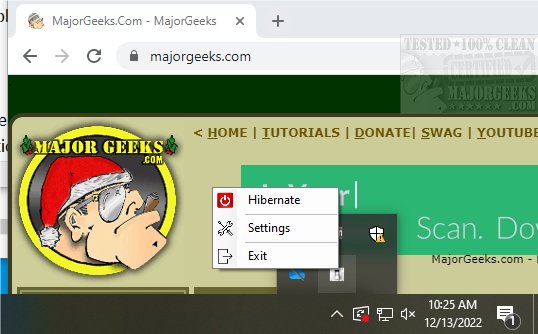
The Remote Shutdown Controller 1.3.1 has been released, offering users the ability to manage their computer's power state remotely via HTTP GET requests. This open-source application is designed to be user-friendly, operating from the system tray and allowing users to easily shut down, suspend, hibernate, or turn off their screen with a simple action. For more advanced users, it also provides the option to execute custom shutdown commands.
Key features of the Remote Shutdown Controller include the ability to load at startup, customize the systray menu, select a specific port number, and set a security code for added protection. Furthermore, it can be integrated with automation tools like IFTTT or AutoVoice, enabling remote shutdown functionality through various triggers.
For those interested in practical applications, the software documentation includes examples of remote requests that users can utilize to streamline their experience.
In addition to these features, users might also find value in exploring related resources, such as guides on restarting or shutting down Windows 10 & 11, understanding the implications of fast startup, and differentiating between sleep, hibernate, and shutdown options.
As technology continues to evolve, applications like the Remote Shutdown Controller can enhance productivity and convenience, especially for users who prefer managing their devices from a distance. Future updates may include expanded functionality and improved integration with other smart home systems, potentially making remote management even more seamless
Key features of the Remote Shutdown Controller include the ability to load at startup, customize the systray menu, select a specific port number, and set a security code for added protection. Furthermore, it can be integrated with automation tools like IFTTT or AutoVoice, enabling remote shutdown functionality through various triggers.
For those interested in practical applications, the software documentation includes examples of remote requests that users can utilize to streamline their experience.
In addition to these features, users might also find value in exploring related resources, such as guides on restarting or shutting down Windows 10 & 11, understanding the implications of fast startup, and differentiating between sleep, hibernate, and shutdown options.
As technology continues to evolve, applications like the Remote Shutdown Controller can enhance productivity and convenience, especially for users who prefer managing their devices from a distance. Future updates may include expanded functionality and improved integration with other smart home systems, potentially making remote management even more seamless
Remote Shutdown Controller 1.3.1 released
Remote Shutdown Controller allows you to shut down, suspend, hibernate or turn your screen off via HTTP GET request.