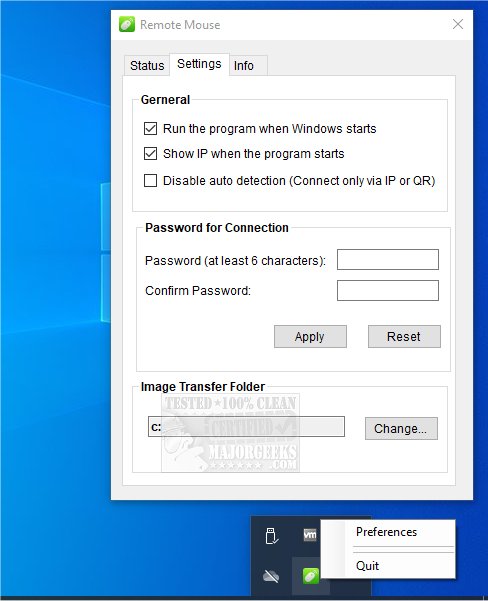
Remote Mouse 4.700 has been released, enhancing the functionality of this versatile multiplatform application that allows users to turn their smartphones or tablets into Wi-Fi-connected mice, touchpads, and keyboards. The app consists of two components: one for mobile devices (compatible with Android, iPhone, and iPad) and a server application for PCs (supporting Windows, Mac, and Linux). Users are recommended to download the mobile app first, followed by the server software.
Remote Mouse effectively simulates the features of a wireless mouse, keyboard, and touchpad, and includes specialized control panels such as Media Remote, Application Switcher, and Web Browsing Remote to streamline various tasks. The app is designed to be user-friendly, allowing for one-handed operation and intuitive control through its streamlined features.
Connection options are flexible, with three methods available: auto-connect, connecting via IP address or QR code, and using connection history. It functions seamlessly over Wi-Fi or 3G/4G networks, making it ideal for scenarios such as presentations, streaming movies, or remotely shutting down a computer.
Key features of Remote Mouse include:
- Mouse Functions: Fully simulated mouse capabilities, gyro mouse functionality for cursor control via motion, and a left-handed mode.
- Keyboard Features: Supports integrated system and third-party keyboards, multi-language typing, voice-typing (if supported), and the ability to send keyboard shortcuts (available as an in-app purchase).
- Touchpad Capabilities: Mimics the Apple Magic Trackpad with support for multi-touch gestures.
- Specialized Control Panels: Includes a Media Remote (in-app purchase) compatible with various media applications, a Web Remote for browsers like Chrome and Firefox, an Application Switcher for quick program access, and Power Options for remote machine management (shutdown, sleep, restart, logoff).
- Additional Features: Users can utilize their mobile device's physical volume buttons for control, set connection passwords, and customize the app's wallpaper.
In conclusion, Remote Mouse 4.700 provides a comprehensive solution for users looking to enhance their productivity and convenience in managing their computers from a distance, whether for work or leisure activities. As technology continues to evolve, future updates may introduce even more features and improved functionality, making it an invaluable tool for remote management
Remote Mouse effectively simulates the features of a wireless mouse, keyboard, and touchpad, and includes specialized control panels such as Media Remote, Application Switcher, and Web Browsing Remote to streamline various tasks. The app is designed to be user-friendly, allowing for one-handed operation and intuitive control through its streamlined features.
Connection options are flexible, with three methods available: auto-connect, connecting via IP address or QR code, and using connection history. It functions seamlessly over Wi-Fi or 3G/4G networks, making it ideal for scenarios such as presentations, streaming movies, or remotely shutting down a computer.
Key features of Remote Mouse include:
- Mouse Functions: Fully simulated mouse capabilities, gyro mouse functionality for cursor control via motion, and a left-handed mode.
- Keyboard Features: Supports integrated system and third-party keyboards, multi-language typing, voice-typing (if supported), and the ability to send keyboard shortcuts (available as an in-app purchase).
- Touchpad Capabilities: Mimics the Apple Magic Trackpad with support for multi-touch gestures.
- Specialized Control Panels: Includes a Media Remote (in-app purchase) compatible with various media applications, a Web Remote for browsers like Chrome and Firefox, an Application Switcher for quick program access, and Power Options for remote machine management (shutdown, sleep, restart, logoff).
- Additional Features: Users can utilize their mobile device's physical volume buttons for control, set connection passwords, and customize the app's wallpaper.
In conclusion, Remote Mouse 4.700 provides a comprehensive solution for users looking to enhance their productivity and convenience in managing their computers from a distance, whether for work or leisure activities. As technology continues to evolve, future updates may introduce even more features and improved functionality, making it an invaluable tool for remote management
Remote Mouse 4.700 released
Remote Mouse is a multiplatform app that transforms your smartphone or tablet into a Wi-Fi-connected mouse, touchpad, and keyboard.