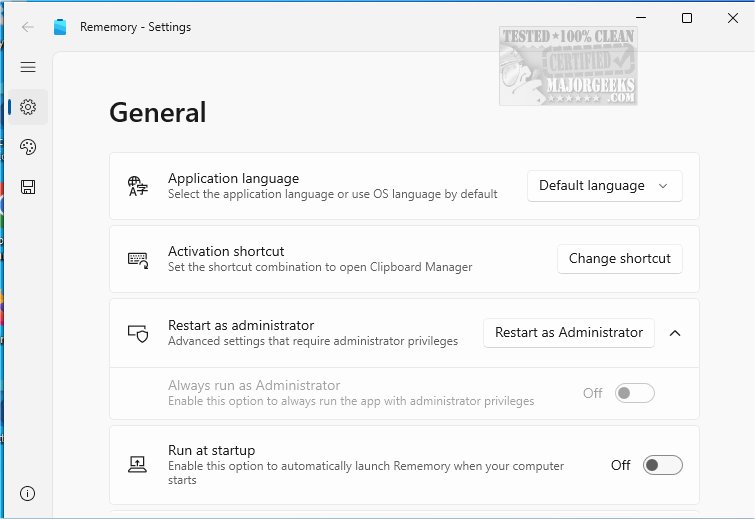
Rememory is a cutting-edge clipboard management tool aimed at boosting productivity by efficiently storing and organizing copied content. With its latest version, Rememory 1.3.4.0, users can effectively manage important text, images, links, and even entire web pages without the fear of losing valuable information.
Key Features and Functionalities
Rememory captures a complete history of clipboard activities, allowing users to retrieve and manage their copied items effortlessly. This tool is particularly beneficial for researchers, creatives seeking inspiration, or anyone needing to recall essential information quickly. The advanced search and filtering capabilities enable users to locate specific content swiftly, while real-time editing ensures that notes remain up-to-date.
The application also offers a user-friendly drag-and-drop feature for transferring items to other applications, although this functionality may be limited when running as administrator. Additionally, Rememory allows users to customize their experience with app filtering, enabling them to monitor only the applications of interest. The organized data grouping feature ensures that information is categorized, making retrieval intuitive and efficient.
Enhanced User Experience
Rememory provides additional tools such as handy links and data previews, allowing users to assess the relevance of content at a glance. For the best experience, running the application with administrator privileges is recommended, as it unlocks all features and settings, maximizing productivity.
Conclusion and Call to Action
In summary, Rememory is an essential tool for anyone looking to enhance their workflow and manage copied information effectively. By organizing and simplifying the retrieval process, Rememory helps users maintain focus, elevating their overall productivity. Discover the advantages of Rememory today and transform the way you handle your digital notes and resources.
Related Resources
For more tips on clipboard management, check out articles on how to copy file paths, clear clipboard history, and disable clipboard history on Windows 10 and 11
Key Features and Functionalities
Rememory captures a complete history of clipboard activities, allowing users to retrieve and manage their copied items effortlessly. This tool is particularly beneficial for researchers, creatives seeking inspiration, or anyone needing to recall essential information quickly. The advanced search and filtering capabilities enable users to locate specific content swiftly, while real-time editing ensures that notes remain up-to-date.
The application also offers a user-friendly drag-and-drop feature for transferring items to other applications, although this functionality may be limited when running as administrator. Additionally, Rememory allows users to customize their experience with app filtering, enabling them to monitor only the applications of interest. The organized data grouping feature ensures that information is categorized, making retrieval intuitive and efficient.
Enhanced User Experience
Rememory provides additional tools such as handy links and data previews, allowing users to assess the relevance of content at a glance. For the best experience, running the application with administrator privileges is recommended, as it unlocks all features and settings, maximizing productivity.
Conclusion and Call to Action
In summary, Rememory is an essential tool for anyone looking to enhance their workflow and manage copied information effectively. By organizing and simplifying the retrieval process, Rememory helps users maintain focus, elevating their overall productivity. Discover the advantages of Rememory today and transform the way you handle your digital notes and resources.
Related Resources
For more tips on clipboard management, check out articles on how to copy file paths, clear clipboard history, and disable clipboard history on Windows 10 and 11
Rememory 1.3.4.0 released
Rememory is an advanced clipboard manager designed to enhance your productivity.