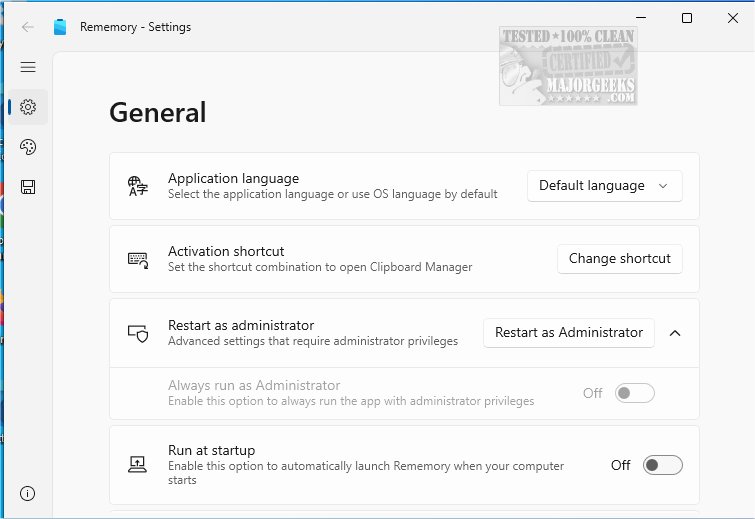
Rememory is a sophisticated clipboard manager designed to significantly boost your productivity by efficiently storing all copied content. This tool allows users to easily retrieve and manage their copied items, ensuring that nothing important—be it text, images, links, or entire web pages—is ever lost.
Key Features and Benefits:
With Rememory, users can maintain a meticulous history of clipboard activities, making sure that everything they copy is well-organized and readily accessible. This is particularly beneficial for those engaged in research or creative projects, as it simplifies the process of retrieving past clips. The frustration of lost content is a thing of the past, allowing for a smoother workflow.
Rememory boasts several powerful features that enhance productivity:
- Unlimited Clipboard History Storage: Keep an extensive record of all your copied items.
- Support for Various Data Types: Store formatted text, images, and HTML seamlessly.
- Quick Search and Filtering: Efficiently locate information through robust search capabilities.
- Organized Data Grouping: Categorize your information for intuitive retrieval.
- Drag-and-Drop Functionality: Easily transfer items to other applications (note: this feature may not work if Rememory is run as an administrator).
- Window Pinning and Clipboard Content Editing: Keep important items visible and modify copied content in real-time.
- Owner App Filters: Customize which applications are monitored based on personal preferences.
Additionally, Rememory provides handy links and data previews, enabling users to quickly assess the relevance of their content at a glance. For optimal performance, it's recommended to run Rememory with administrator privileges, unlocking full access to all features and settings.
The Verdict:
Rememory is an essential tool for anyone looking to streamline their digital note management and enhance their workflow. By allowing users to organize and effortlessly retrieve their copied content, it ensures that crucial information is never misplaced again. Embrace a more efficient way of working with Rememory and experience the productivity boost it offers.
Explore More:
For additional tips on clipboard management, you can also learn how to copy file paths, clear clipboard history, or disable clipboard history in Windows 10 and 11. Rememory is not just a tool but a game-changer in the way you manage your digital information
Key Features and Benefits:
With Rememory, users can maintain a meticulous history of clipboard activities, making sure that everything they copy is well-organized and readily accessible. This is particularly beneficial for those engaged in research or creative projects, as it simplifies the process of retrieving past clips. The frustration of lost content is a thing of the past, allowing for a smoother workflow.
Rememory boasts several powerful features that enhance productivity:
- Unlimited Clipboard History Storage: Keep an extensive record of all your copied items.
- Support for Various Data Types: Store formatted text, images, and HTML seamlessly.
- Quick Search and Filtering: Efficiently locate information through robust search capabilities.
- Organized Data Grouping: Categorize your information for intuitive retrieval.
- Drag-and-Drop Functionality: Easily transfer items to other applications (note: this feature may not work if Rememory is run as an administrator).
- Window Pinning and Clipboard Content Editing: Keep important items visible and modify copied content in real-time.
- Owner App Filters: Customize which applications are monitored based on personal preferences.
Additionally, Rememory provides handy links and data previews, enabling users to quickly assess the relevance of their content at a glance. For optimal performance, it's recommended to run Rememory with administrator privileges, unlocking full access to all features and settings.
The Verdict:
Rememory is an essential tool for anyone looking to streamline their digital note management and enhance their workflow. By allowing users to organize and effortlessly retrieve their copied content, it ensures that crucial information is never misplaced again. Embrace a more efficient way of working with Rememory and experience the productivity boost it offers.
Explore More:
For additional tips on clipboard management, you can also learn how to copy file paths, clear clipboard history, or disable clipboard history in Windows 10 and 11. Rememory is not just a tool but a game-changer in the way you manage your digital information
Rememory 1.3.3.0 released
Rememory is an advanced clipboard manager designed to enhance your productivity.