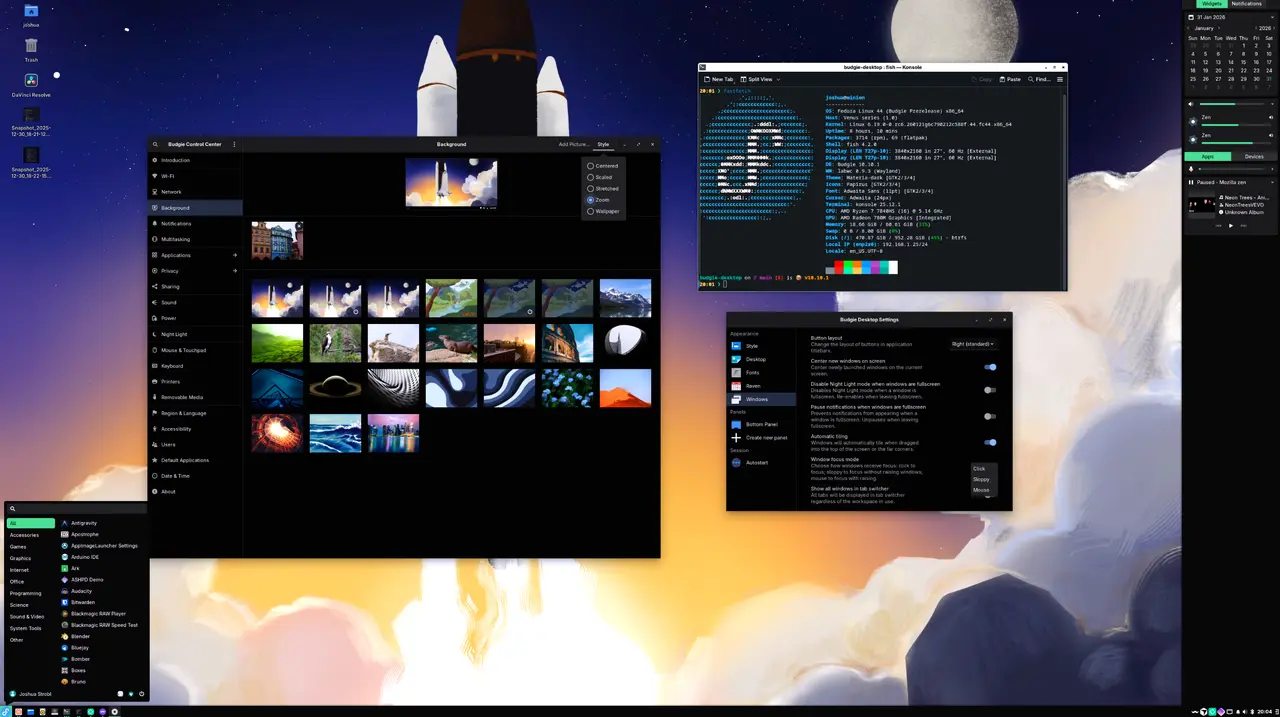
Budgie 10.10.1 has been released, introducing several important under-the-hood changes and practical solutions for common post-upgrade issues. This release features improvements such as a new brightness control system, focus behavior options, and fixes for unreliable panel hiding. Users may encounter problems like non-functional brightness keys, which can be resolved by deleting an outdated configuration file (rc.xml) to ensure the new budgie-brightness-helper is utilized. The update also introduces a "Sloppy" focus mode that allows windows to be focused without being raised, enhancing the user experience, especially in multi-monitor setups.
Additionally, graphical applications launched via pkexec now correctly inherit Wayland environment variables, although an updated libgnome-volume-control may be required if issues persist. A concise checklist provided at the end of the article summarizes steps to ensure a smooth transition to this new release, including refreshing the rc.xml file, selecting a suitable focus mode, testing panel visibility, and confirming that pkexec tools function correctly.
The emphasis on correcting post-upgrade issues highlights the developers' commitment to user satisfaction, ensuring that common problems do not hinder productivity. The fix for the brightness key functionality illustrates a proactive approach to maintaining compatibility with new system components. Furthermore, by ensuring that graphical tools launched via pkexec function smoothly in a Wayland environment, the update acknowledges the growing importance of Wayland as a display server protocol.
Overall, Budgie 10.10.1 not only fixes critical bugs but also lays the groundwork for future enhancements, with developers actively seeking user feedback to refine the experience further. Users are encouraged to explore the new features and share their insights to contribute to the ongoing development of the Budgie desktop environment. To access the source code or learn more about the release, users can visit the official GitHub page
Additionally, graphical applications launched via pkexec now correctly inherit Wayland environment variables, although an updated libgnome-volume-control may be required if issues persist. A concise checklist provided at the end of the article summarizes steps to ensure a smooth transition to this new release, including refreshing the rc.xml file, selecting a suitable focus mode, testing panel visibility, and confirming that pkexec tools function correctly.
Extended Summary:
Budgie 10.10.1 represents a significant step in improving the Budgie desktop environment, focusing on user experience and stability. The changes aim to streamline operations and enhance usability, particularly for those who rely on keyboard shortcuts and multitasking across multiple screens. The introduction of the "Sloppy" focus mode caters to users looking for a more fluid interaction with their desktop, minimizing distractions while allowing for easy access to various applications.The emphasis on correcting post-upgrade issues highlights the developers' commitment to user satisfaction, ensuring that common problems do not hinder productivity. The fix for the brightness key functionality illustrates a proactive approach to maintaining compatibility with new system components. Furthermore, by ensuring that graphical tools launched via pkexec function smoothly in a Wayland environment, the update acknowledges the growing importance of Wayland as a display server protocol.
Overall, Budgie 10.10.1 not only fixes critical bugs but also lays the groundwork for future enhancements, with developers actively seeking user feedback to refine the experience further. Users are encouraged to explore the new features and share their insights to contribute to the ongoing development of the Budgie desktop environment. To access the source code or learn more about the release, users can visit the official GitHub page
Budgie 10.10.1 released
The article outlines the key under‑the‑hood changes introduced in Budgie 10.10.1 and provides practical fixes for common post‑upgrade problems such as non‑functional brightness keys (solved by deleting an outdated rc.xml file so the new budgie‑brightness‑helper is used), new focus‑behaviour options including a “Sloppy” mode, and unreliable panel hiding that can be corrected by toggling with Super or disabling intelligent hiding. It also notes that graphical tools launched via pkexec now correctly inherit Wayland environment variables, requiring an updated libgnome‑volume‑control if issues persist. A concise checklist at the end summarizes these steps to ensure a smooth transition to the new release.