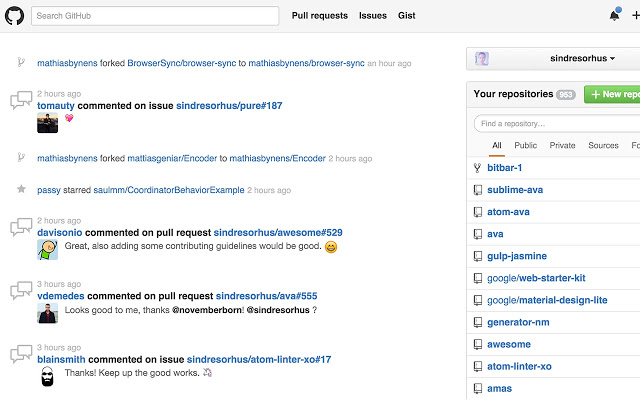
Refined GitHub has released version 26.1.6 for Chrome, Firefox, and Edge, enhancing the user experience on the GitHub platform. This open-source extension is designed to streamline navigation and improve functionality within GitHub repositories by incorporating a variety of productivity-focused features.
Key features of Refined GitHub include:
- The ability to mark issues and pull requests as unread, which allows them to reappear in notifications.
- Automatic linking of branch and issue/PR references, as well as URLs within code.
- Enhanced navigation options with newly added 'Releases' and 'Compare' tabs.
- User interface improvements, such as displaying user avatars in reactions and adding a quick edit button for README files.
- Functional enhancements like showing the current filename in sticky pull request headers, improving code readability, and providing quick copy buttons for file paths and gist files.
- Usability tweaks, such as moving destructive buttons away from primary actions, adding a search filter for user comments, and supporting indentation in text areas.
In addition to these features, Refined GitHub also focuses on removing unnecessary elements, such as tooltips, hover effects that disrupt usability, and the "Projects" tab when no projects are available.
This latest update continues to build upon the extension's goal of making GitHub more manageable and user-friendly, allowing users to focus on their projects without the distraction of cumbersome navigation and interface elements.
As the development of Refined GitHub progresses, users can anticipate even more features that will enhance productivity and usability, potentially including integrations with other tools and platforms, further customization options, and enhanced support for collaborative features.
For users looking to improve their GitHub experience, Refined GitHub remains a valuable tool, and keeping an eye on future updates could yield even more advancements to streamline workflows in software development
Key features of Refined GitHub include:
- The ability to mark issues and pull requests as unread, which allows them to reappear in notifications.
- Automatic linking of branch and issue/PR references, as well as URLs within code.
- Enhanced navigation options with newly added 'Releases' and 'Compare' tabs.
- User interface improvements, such as displaying user avatars in reactions and adding a quick edit button for README files.
- Functional enhancements like showing the current filename in sticky pull request headers, improving code readability, and providing quick copy buttons for file paths and gist files.
- Usability tweaks, such as moving destructive buttons away from primary actions, adding a search filter for user comments, and supporting indentation in text areas.
In addition to these features, Refined GitHub also focuses on removing unnecessary elements, such as tooltips, hover effects that disrupt usability, and the "Projects" tab when no projects are available.
This latest update continues to build upon the extension's goal of making GitHub more manageable and user-friendly, allowing users to focus on their projects without the distraction of cumbersome navigation and interface elements.
As the development of Refined GitHub progresses, users can anticipate even more features that will enhance productivity and usability, potentially including integrations with other tools and platforms, further customization options, and enhanced support for collaborative features.
For users looking to improve their GitHub experience, Refined GitHub remains a valuable tool, and keeping an eye on future updates could yield even more advancements to streamline workflows in software development
Refined GitHub for Chrome, Firefox, and Edge 26.1.6 released
Refined GitHub is an Open Source extension/add-on that simplifies navigating and utilizing the GitHub repository.
Refined GitHub for Chrome, Firefox, and Edge 26.1.6 released @ MajorGeeks