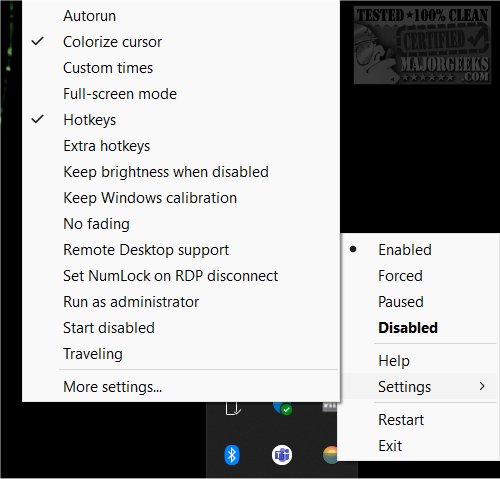
Redshift Tray version 3.1.0 has been released, providing users with a user-friendly graphical interface (GUI) to operate Redshift directly from the system tray. This application is particularly useful for those who may find Redshift's command-line interface daunting. However, users should be aware that since Redshift utilizes AutoHotKey, it may be flagged as a virus by some antivirus programs. For those who prefer not to navigate these potential issues, alternatives such as Windows Night Light or F.lux are recommended.
To get started with Redshift Tray, users simply need to extract the application files to their preferred location and run the executable file (rstray.exe). It is advisable to right-click the tray icon to access and adjust settings before using the application. Advanced users can also modify the configuration file using a text editor for more personalized adjustments.
While Redshift Tray simplifies the process of using Redshift and is accessible to users of all skill levels, it may not necessarily outperform established alternatives like F.lux or Windows Night Light. Nevertheless, its free and portable nature makes it a risk-free option to explore.
In addition to its core functionalities, users can benefit from features such as adjusting the color temperature to reduce eye strain, especially during nighttime use. Furthermore, discussions around the importance of managing screen brightness and color temperature have become increasingly relevant in today's digital age, where prolonged exposure to screens can negatively impact eye health. Overall, Redshift Tray serves as a convenient tool for users seeking to alleviate eye strain while enjoying a seamless interface
To get started with Redshift Tray, users simply need to extract the application files to their preferred location and run the executable file (rstray.exe). It is advisable to right-click the tray icon to access and adjust settings before using the application. Advanced users can also modify the configuration file using a text editor for more personalized adjustments.
While Redshift Tray simplifies the process of using Redshift and is accessible to users of all skill levels, it may not necessarily outperform established alternatives like F.lux or Windows Night Light. Nevertheless, its free and portable nature makes it a risk-free option to explore.
In addition to its core functionalities, users can benefit from features such as adjusting the color temperature to reduce eye strain, especially during nighttime use. Furthermore, discussions around the importance of managing screen brightness and color temperature have become increasingly relevant in today's digital age, where prolonged exposure to screens can negatively impact eye health. Overall, Redshift Tray serves as a convenient tool for users seeking to alleviate eye strain while enjoying a seamless interface
Redshift Tray 3.1.0 released
Redshift Tray lets you run Redshift with a graphical user interface (GUI) from the system tray.