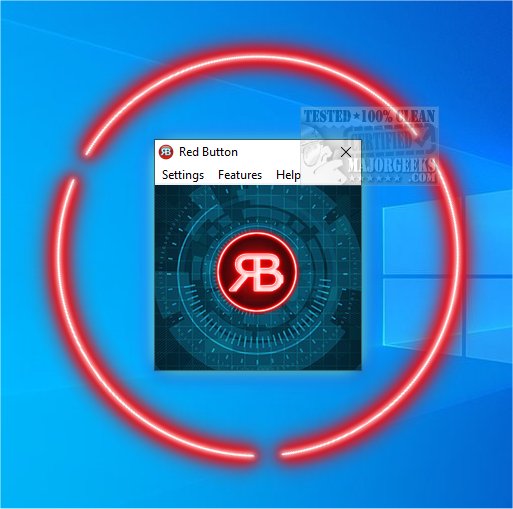
Red Button 6.8 has been released as a comprehensive system optimization tool that simplifies the process of enhancing computer performance with just one click. This innovative software allows users to clean their hard drives, optimize the registry, implement performance tweaks, and manage data through a user-friendly interface that revolves around the concept of a single red button. The tool is designed for ease of use; after an initial configuration, users can quickly execute their preferred cleaning and optimization tasks with a single press.
Upon the first use, it is recommended that users customize their settings by accessing the Features link, which allows for tailored configurations that can be saved for future use. The tool is organized into distinct categories, including:
- Disk Cleaner: Users can select specific files for deletion and utilize tools like CHKDSK and Scandisk.
- Registry Cleaner: Options are available to clean up file associations, obsolete software, and more.
- OS Components: This section enables the removal of Windows 10 apps, logs, wallpapers, and screensavers.
- Performance Tweaks: Users can optimize various aspects of their operating system.
- Data Eraser & Free Space: The tool offers options for overwriting free space or securely deleting files.
While Red Button 6.8 is robust, it does have areas for improvement. Users have expressed a desire for a startup manager and a portable version of the software. Additionally, implementing "Select all" and "Deselect all" features for sections with multiple options would enhance user experience, allowing easier selection and deselection of files.
Overall, Red Button provides an effective solution for any user looking to clean and speed up their computer, regardless of their technical expertise. It stands out among similar tools, such as CCleaner, Wise Disk Cleaner, and PrivaZer, by combining accessibility with comprehensive functionality.
In future updates, the development team may consider incorporating user feedback to enhance the tool's capabilities further, ensuring it meets the evolving needs of its users. Adding features like real-time monitoring, more extensive customization options, and enhanced user support could significantly increase its value in the competitive landscape of system optimization tools
Upon the first use, it is recommended that users customize their settings by accessing the Features link, which allows for tailored configurations that can be saved for future use. The tool is organized into distinct categories, including:
- Disk Cleaner: Users can select specific files for deletion and utilize tools like CHKDSK and Scandisk.
- Registry Cleaner: Options are available to clean up file associations, obsolete software, and more.
- OS Components: This section enables the removal of Windows 10 apps, logs, wallpapers, and screensavers.
- Performance Tweaks: Users can optimize various aspects of their operating system.
- Data Eraser & Free Space: The tool offers options for overwriting free space or securely deleting files.
While Red Button 6.8 is robust, it does have areas for improvement. Users have expressed a desire for a startup manager and a portable version of the software. Additionally, implementing "Select all" and "Deselect all" features for sections with multiple options would enhance user experience, allowing easier selection and deselection of files.
Overall, Red Button provides an effective solution for any user looking to clean and speed up their computer, regardless of their technical expertise. It stands out among similar tools, such as CCleaner, Wise Disk Cleaner, and PrivaZer, by combining accessibility with comprehensive functionality.
In future updates, the development team may consider incorporating user feedback to enhance the tool's capabilities further, ensuring it meets the evolving needs of its users. Adding features like real-time monitoring, more extensive customization options, and enhanced user support could significantly increase its value in the competitive landscape of system optimization tools
Red Button 6.8 released
Red Button is a one-click system optimization tool that, once configured, can clean your hard drive and registry and apply performance tweaks, wipe data, clear memory, remove apps, and more.