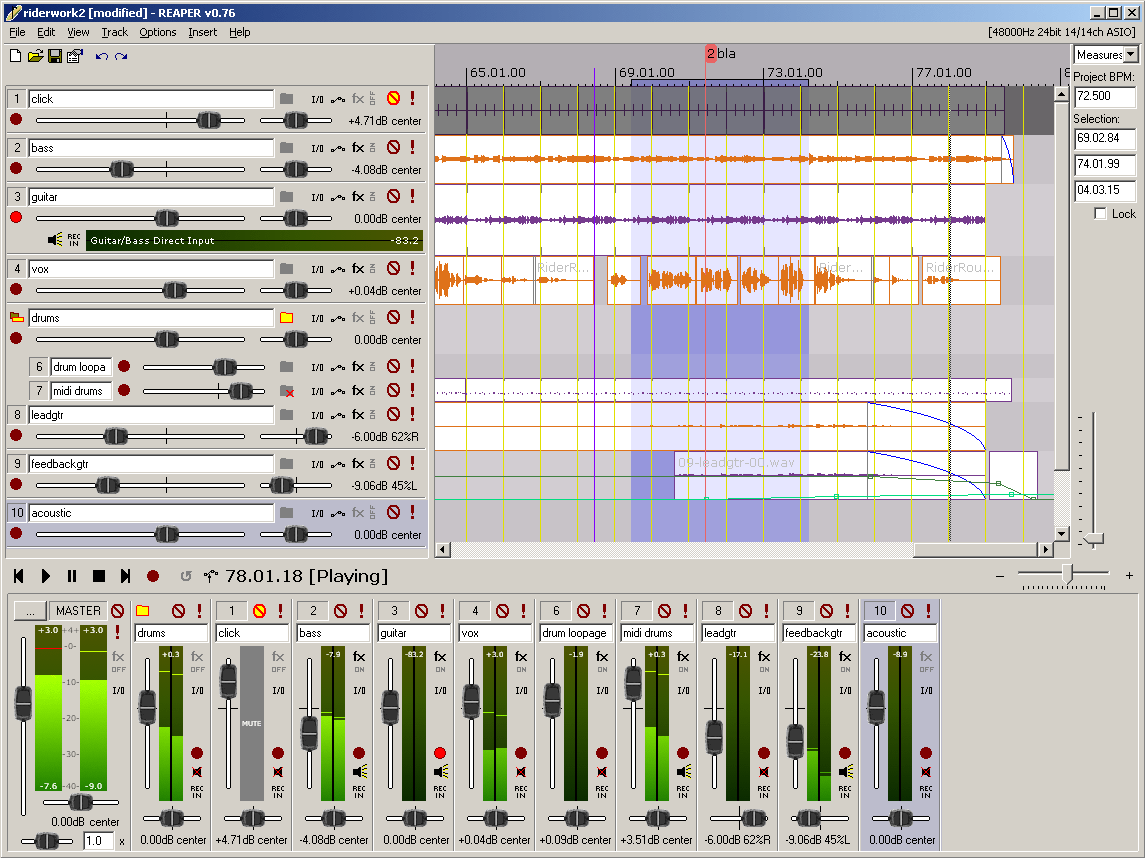
Reaper 7.60 has been released, enhancing its reputation as a versatile digital audio workstation (DAW) that allows users to record, arrange, edit, and render multi-track waveform audio. This latest version remains available as freeware, continuing to appeal to a wide range of audio professionals and enthusiasts.
Reaper stands out for its rapid boot time, efficient performance, and minimal storage requirements compared to larger DAWs like Studio One. Its lightweight design ensures it runs smoothly on various systems, including older machines, while maintaining stability even during intensive projects. Users appreciate the lack of tiered features that often come with additional costs in other software, allowing for a more straightforward and user-friendly experience.
- File Compatibility: It supports standard audio formats like WAV, OGG, MP3, and MIDI, focusing on practical usage without unnecessary frills.
- Unlimited Tracks: Users can arrange unlimited tracks and items, accommodating extensive vocal stacks or complex arrangements without performance issues.
- Extensive Plugin Support: Reaper is compatible with a wide range of plugins, including DirectX, VST, and Jesusonic, all of which are fully automatable.
- User-Friendly Automation: Its automation features are reliable and intuitive, allowing for consistent control over volume, pan, and envelopes.
- Customizable Interface: Though the default UI is somewhat dated, it offers extensive customization options through community themes, enabling users to tailor their workspace.
- Prefer a lightweight and stable audio workstation.
- Favor a straightforward interface over excessive built-in features.
- Enjoy customizing their software to meet specific needs.
It may not appeal to users who:
- Expect a plethora of built-in instruments and sound loops.
- Want a polished software experience right out of the box.
- Dislike extensive customization options.
As the audio production landscape continues to evolve, Reaper remains a strong contender, catering to users seeking a comprehensive yet uncomplicated digital audio workstation experience
Reaper stands out for its rapid boot time, efficient performance, and minimal storage requirements compared to larger DAWs like Studio One. Its lightweight design ensures it runs smoothly on various systems, including older machines, while maintaining stability even during intensive projects. Users appreciate the lack of tiered features that often come with additional costs in other software, allowing for a more straightforward and user-friendly experience.
Key Features of Reaper:
- Driver Support: Reaper supports multiple audio drivers (ASIO, Kernel Streaming, WaveOut, DirectSound), providing flexibility if one driver fails, ensuring uninterrupted workflow.- File Compatibility: It supports standard audio formats like WAV, OGG, MP3, and MIDI, focusing on practical usage without unnecessary frills.
- Unlimited Tracks: Users can arrange unlimited tracks and items, accommodating extensive vocal stacks or complex arrangements without performance issues.
- Extensive Plugin Support: Reaper is compatible with a wide range of plugins, including DirectX, VST, and Jesusonic, all of which are fully automatable.
- User-Friendly Automation: Its automation features are reliable and intuitive, allowing for consistent control over volume, pan, and envelopes.
- Customizable Interface: Though the default UI is somewhat dated, it offers extensive customization options through community themes, enabling users to tailor their workspace.
Ideal User Base:
Reaper is particularly suited for those who:- Prefer a lightweight and stable audio workstation.
- Favor a straightforward interface over excessive built-in features.
- Enjoy customizing their software to meet specific needs.
It may not appeal to users who:
- Expect a plethora of built-in instruments and sound loops.
- Want a polished software experience right out of the box.
- Dislike extensive customization options.
Beginner-Friendly:
Despite its depth, Reaper is accessible to beginners, as its logical workflow and efficient performance make it easier to manage even for those new to audio production. The software's design minimizes lag and crashes, making it an ideal starting point for aspiring audio engineers.Conclusion:
Overall, Reaper 7.60 is a powerful, efficient, and customizable DAW that prioritizes speed and stability. While its default interface may need some personal touches to feel modern, its extensive features and community support make it a reliable choice for both amateurs and professionals in the audio field. For those needing assistance, resources such as the MajorGeeks forums are available for troubleshooting and advice.As the audio production landscape continues to evolve, Reaper remains a strong contender, catering to users seeking a comprehensive yet uncomplicated digital audio workstation experience
Reaper 7.60 released
REAPER is an application that lets you record, arrange, edit, and render multi-track waveform audio. The last freeware version also available.