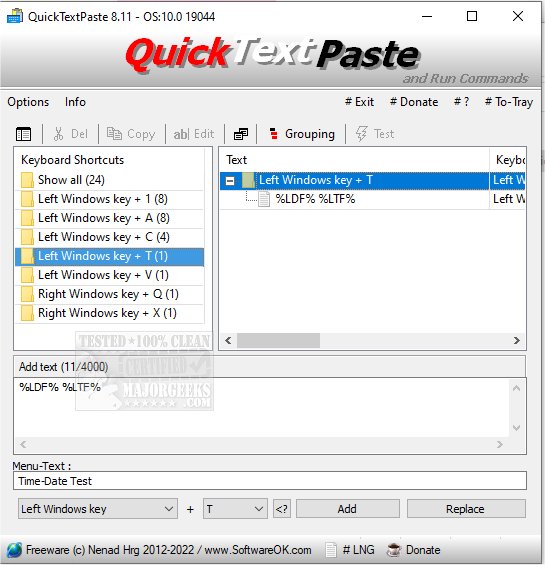
QuickTextPaste 9.41 has been released, offering users a convenient and efficient way to insert pre-defined text into any Windows application using keyboard shortcuts. This portable program enhances productivity by allowing users to not only paste commonly used text but also execute commands and launch programs, all through customizable hotkeys.
Key features of QuickTextPaste include:
- The ability to select text fields with a single hotkey.
- The option to execute multiple commands or start programs using a single shortcut.
- Support for arbitrary Windows shortcuts.
- The capability to insert multi-line text.
- Launching programs directly from the command line via keyboard shortcuts.
- A function to paste frequently used text snippets.
- Minimal CPU usage, ensuring smooth operation.
- Multilingual support, catering to a diverse user base.
In addition to its core functionality, QuickTextPaste can significantly reduce the chances of spelling errors and save users valuable time. This tool is particularly useful for individuals who frequently work with repetitive text or commands, making it an essential addition to any Windows desktop setup.
For users looking for further clipboard management options, related guides are available, such as copying the path of a file or folder to the clipboard, clearing clipboard history with shortcuts, and disabling clipboard history in Windows 10 and 11. With QuickTextPaste, users can enhance their workflow and streamline their daily tasks
Key features of QuickTextPaste include:
- The ability to select text fields with a single hotkey.
- The option to execute multiple commands or start programs using a single shortcut.
- Support for arbitrary Windows shortcuts.
- The capability to insert multi-line text.
- Launching programs directly from the command line via keyboard shortcuts.
- A function to paste frequently used text snippets.
- Minimal CPU usage, ensuring smooth operation.
- Multilingual support, catering to a diverse user base.
In addition to its core functionality, QuickTextPaste can significantly reduce the chances of spelling errors and save users valuable time. This tool is particularly useful for individuals who frequently work with repetitive text or commands, making it an essential addition to any Windows desktop setup.
For users looking for further clipboard management options, related guides are available, such as copying the path of a file or folder to the clipboard, clearing clipboard history with shortcuts, and disabling clipboard history in Windows 10 and 11. With QuickTextPaste, users can enhance their workflow and streamline their daily tasks
QuickTextPaste 9.41 released
QuickTextPaste is a small, portable program that allows you to insert (paste) pre-defined text in any Windows application via keyboard shortcuts.