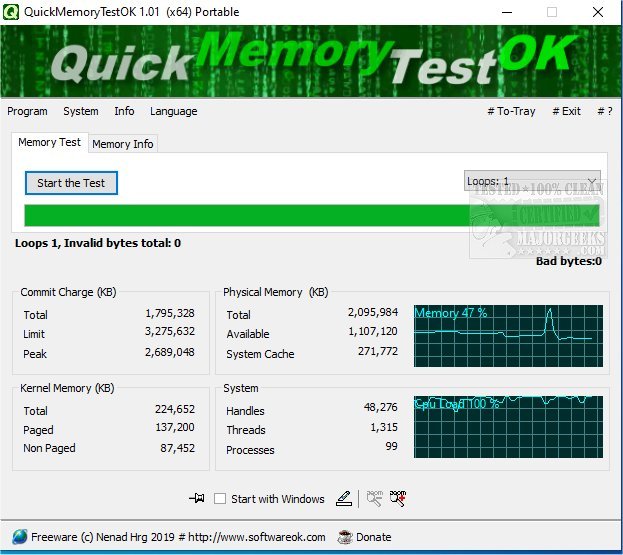
QuickMemoryTestOK version 5.41 has been released as a free tool designed for efficiently testing the RAM of your PC. This utility is particularly beneficial for users with large amounts of RAM, such as 16GB, 32GB, 64GB, or even 128GB, as it helps identify any defective areas within the main memory that may not be regularly utilized. Running QuickMemoryTestOK can help ensure that your system's RAM is functioning properly, preventing potential serious errors related to high memory usage.
Key features of QuickMemoryTestOK include:
- A quick memory testing option
- The ability to pause tests for monitoring RAM-intensive applications
- Customizable test runs to suit user preferences
- A clear display that shows the status of memory usage
- Consideration of CPU behavior during tests
- Access to essential memory and system functions
- A zoom feature that caters to visually impaired users
- A lightweight application that consumes minimal CPU resources
- Multilingual support for a broader user base
In addition to QuickMemoryTestOK, users may find other helpful resources such as the Windows Memory Diagnostic Tool, guides on checking memory speed and available slots, fixing low memory errors during file transfers on Windows 10, and managing SysMain (previously known as Superfetch).
For those looking to maintain optimal performance of their systems, using QuickMemoryTestOK alongside these resources can be an effective strategy to ensure that RAM operates efficiently and any issues are promptly addressed
Key features of QuickMemoryTestOK include:
- A quick memory testing option
- The ability to pause tests for monitoring RAM-intensive applications
- Customizable test runs to suit user preferences
- A clear display that shows the status of memory usage
- Consideration of CPU behavior during tests
- Access to essential memory and system functions
- A zoom feature that caters to visually impaired users
- A lightweight application that consumes minimal CPU resources
- Multilingual support for a broader user base
In addition to QuickMemoryTestOK, users may find other helpful resources such as the Windows Memory Diagnostic Tool, guides on checking memory speed and available slots, fixing low memory errors during file transfers on Windows 10, and managing SysMain (previously known as Superfetch).
For those looking to maintain optimal performance of their systems, using QuickMemoryTestOK alongside these resources can be an effective strategy to ensure that RAM operates efficiently and any issues are promptly addressed
QuickMemoryTestOK 5.41 released
QuickMemoryTestOK is a free utility for quickly testing your PC's RAM.