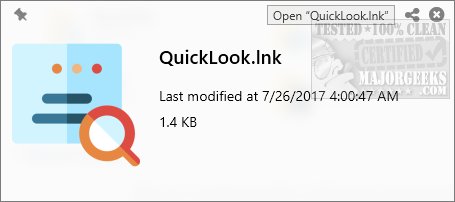
QuickLook is a utility that enhances the Windows experience by bringing the instant file preview feature, similar to macOS, to users. By simply pressing the Spacebar, users can preview various file types without the need to open them in full applications. This is particularly beneficial for those who often find themselves opening files just to glance at their contents, only to close them moments later.
Why You Need QuickLook:
Windows Explorer is functional, but it lacks the speed and efficiency of previewing files. QuickLook addresses this gap, allowing users to effortlessly preview images, PDFs, Office documents, archives, and media files without launching cumbersome applications.
Ideal Use Cases:
- File Organization: Quickly view contents before renaming, moving, or deleting files.
- Photography & Design: Preview images and design files without needing Photoshop.
- Office Work: Access Word, Excel, and PowerPoint files without opening Office applications.
- Coding & Development: Check scripts and code files like JSON and HTML on the fly.
- Email Attachments: View contents of ZIP and RAR files without extraction.
How It Works:
Using QuickLook is simple. Highlight a file and press the Spacebar for an instant preview. Users can navigate through multiple files using arrow keys, zoom in, scroll, copy text, and even play media files directly from the preview interface.
Supported File Types:
- Images: PNG, JPG, GIF, BMP, PSD
- Documents: PDF, DOCX, XLSX, PPTX, TXT, RTF
- Archives: ZIP, RAR, 7z, TAR
- Code & Scripts: JSON, XML, HTML, JS, PY, PHP
- Media Files: MP4, MP3, MKV, AVI, FLAC
Extra Features:
- Drag & Drop Support: Move files directly from the preview window.
- Copy & Paste: Easily copy text from documents and PDFs.
- Quick Actions: Options to open in the default application, share, or delete files.
- Plugin Support: Extend compatibility with additional file types.
Geek Verdict:
QuickLook is an essential tool that greatly enhances file management on Windows. It streamlines navigation and improves efficiency, making it invaluable for users handling a range of documents, media, or code. Fast, free, and user-friendly, QuickLook is a utility you didn't know you needed until you try it. Download QuickLook today to experience macOS-style file previews on your Windows system!
Extension:
With the recent update to version 4.4.0, QuickLook continues to evolve, improving its performance and adding more robust support for additional file formats. The developers are committed to user feedback, ensuring that the application meets the growing needs of its user base. As more professionals across various fields adopt QuickLook, its potential for integration with cloud services and collaborative tools could further enhance its utility. The future may hold even more features, such as enhanced multimedia playback options or integration with task management tools, making QuickLook an indispensable part of any Windows user's toolkit
Why You Need QuickLook:
Windows Explorer is functional, but it lacks the speed and efficiency of previewing files. QuickLook addresses this gap, allowing users to effortlessly preview images, PDFs, Office documents, archives, and media files without launching cumbersome applications.
Ideal Use Cases:
- File Organization: Quickly view contents before renaming, moving, or deleting files.
- Photography & Design: Preview images and design files without needing Photoshop.
- Office Work: Access Word, Excel, and PowerPoint files without opening Office applications.
- Coding & Development: Check scripts and code files like JSON and HTML on the fly.
- Email Attachments: View contents of ZIP and RAR files without extraction.
How It Works:
Using QuickLook is simple. Highlight a file and press the Spacebar for an instant preview. Users can navigate through multiple files using arrow keys, zoom in, scroll, copy text, and even play media files directly from the preview interface.
Supported File Types:
- Images: PNG, JPG, GIF, BMP, PSD
- Documents: PDF, DOCX, XLSX, PPTX, TXT, RTF
- Archives: ZIP, RAR, 7z, TAR
- Code & Scripts: JSON, XML, HTML, JS, PY, PHP
- Media Files: MP4, MP3, MKV, AVI, FLAC
Extra Features:
- Drag & Drop Support: Move files directly from the preview window.
- Copy & Paste: Easily copy text from documents and PDFs.
- Quick Actions: Options to open in the default application, share, or delete files.
- Plugin Support: Extend compatibility with additional file types.
Geek Verdict:
QuickLook is an essential tool that greatly enhances file management on Windows. It streamlines navigation and improves efficiency, making it invaluable for users handling a range of documents, media, or code. Fast, free, and user-friendly, QuickLook is a utility you didn't know you needed until you try it. Download QuickLook today to experience macOS-style file previews on your Windows system!
Extension:
With the recent update to version 4.4.0, QuickLook continues to evolve, improving its performance and adding more robust support for additional file formats. The developers are committed to user feedback, ensuring that the application meets the growing needs of its user base. As more professionals across various fields adopt QuickLook, its potential for integration with cloud services and collaborative tools could further enhance its utility. The future may hold even more features, such as enhanced multimedia playback options or integration with task management tools, making QuickLook an indispensable part of any Windows user's toolkit
QuickLook 4.4.0 released
QuickLook is an app that runs in the background and brings the MacOS "quick look" feature to Windows anytime you press the space bar.