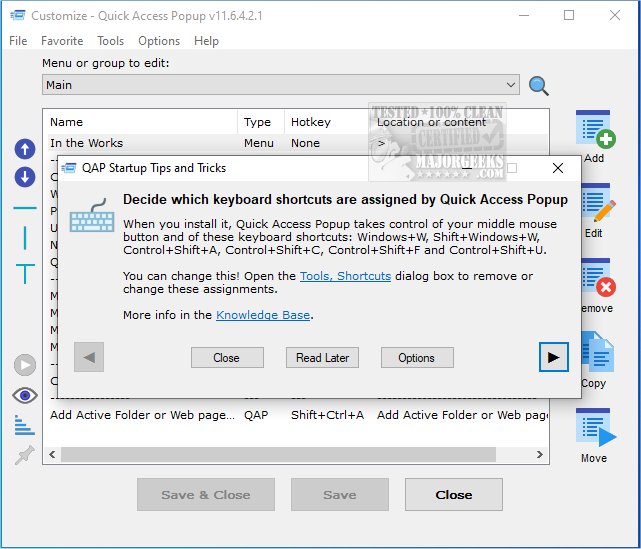
Quick Access Popup version 12.1.1 has been released, providing users with an efficient tool for managing their files and folders. Designed to streamline access to frequently used locations, Quick Access Popup helps eliminate the clutter of numerous shortcuts on your desktop.
This intuitive application allows users to create a personalized menu featuring shortcuts to their favorite folders, documents, applications, and websites, making navigation more efficient without the hassle of searching through Windows Explorer. The user interface is straightforward and well-marked, ensuring easy setup and operation. Users have reported a responsive experience with no noticeable lag, making it a practical alternative to maintaining a chaotic desktop filled with shortcuts.
In addition to these features, Quick Access Popup can significantly enhance productivity by allowing quick access to essential files and folders, thus improving workflow and organization. The latest version is a testament to the developers' commitment to providing a smooth user experience.
For those looking for similar tools, resources are available on how to manage shortcut name extensions in Windows, utilize Storage Sense for automatic junk file deletion, and remove unwanted applications using PowerShell. Overall, Quick Access Popup 12.1.1 is a valuable addition for anyone seeking to optimize their desktop environment and improve file management
This intuitive application allows users to create a personalized menu featuring shortcuts to their favorite folders, documents, applications, and websites, making navigation more efficient without the hassle of searching through Windows Explorer. The user interface is straightforward and well-marked, ensuring easy setup and operation. Users have reported a responsive experience with no noticeable lag, making it a practical alternative to maintaining a chaotic desktop filled with shortcuts.
In addition to these features, Quick Access Popup can significantly enhance productivity by allowing quick access to essential files and folders, thus improving workflow and organization. The latest version is a testament to the developers' commitment to providing a smooth user experience.
For those looking for similar tools, resources are available on how to manage shortcut name extensions in Windows, utilize Storage Sense for automatic junk file deletion, and remove unwanted applications using PowerShell. Overall, Quick Access Popup 12.1.1 is a valuable addition for anyone seeking to optimize their desktop environment and improve file management
Quick Access Popup 12.1.1 released
Quick Access Popup is a small tool for managing your files and folders. As a result, it will clear up the numerous shortcuts you have cluttering up your desktop.