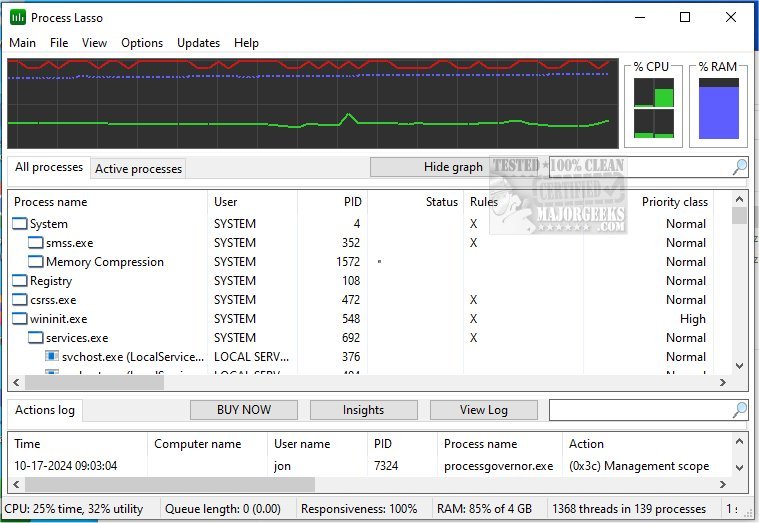
Process Lasso has recently released version 17.2.0.9 Beta, alongside 17.1.0.50, introducing enhancements to this free tool that helps users manage and optimize process and service operation on their computers. The software is equipped with a wide range of functionalities designed to improve system performance and responsiveness.
Key features of Process Lasso include:
- ProBalance: A dynamic priority optimization feature that adjusts process priorities to enhance responsiveness.
- Persistent Priorities and CPU Affinities: Allows users to set default priorities and CPU affinities for specific processes, ensuring they receive the necessary resources.
- Instance Count Limits: Users can limit the number of instances of a process to avoid resource overload.
- Disallowed Processes: The tool can terminate processes that are deemed undesirable or unnecessary.
- Auto-Restart Functionality: Selected processes can be kept running automatically, even if they crash.
- System Responsiveness Graph: Provides a visual representation of system performance.
- Prevent Sleep for Designated Processes: Certain processes can be allowed to run without the system entering sleep mode.
- Differentiation of svchost.exe Instances: Helps users manage different instances of the common svchost.exe process.
- Low Resource Use: Operates with minimal resource consumption, using as little as 1MB of RAM.
- Stand-Alone Process Management Engine: Ensures efficient management without heavy system load.
- Event Logging: Keeps track of process activities for better monitoring and assessment.
In addition to these features, users may find helpful resources such as guides on identifying processes or services, saving a text file of running processes, customizing process information in Task Manager, and managing startup applications in Windows 10 and 11.
As Process Lasso continues to evolve, users can expect ongoing improvements and new features that enhance its ability to optimize system performance and user experience. With each update, the tool aims to provide even more control over how processes and services function, making it a valuable asset for optimizing computer resources
Key features of Process Lasso include:
- ProBalance: A dynamic priority optimization feature that adjusts process priorities to enhance responsiveness.
- Persistent Priorities and CPU Affinities: Allows users to set default priorities and CPU affinities for specific processes, ensuring they receive the necessary resources.
- Instance Count Limits: Users can limit the number of instances of a process to avoid resource overload.
- Disallowed Processes: The tool can terminate processes that are deemed undesirable or unnecessary.
- Auto-Restart Functionality: Selected processes can be kept running automatically, even if they crash.
- System Responsiveness Graph: Provides a visual representation of system performance.
- Prevent Sleep for Designated Processes: Certain processes can be allowed to run without the system entering sleep mode.
- Differentiation of svchost.exe Instances: Helps users manage different instances of the common svchost.exe process.
- Low Resource Use: Operates with minimal resource consumption, using as little as 1MB of RAM.
- Stand-Alone Process Management Engine: Ensures efficient management without heavy system load.
- Event Logging: Keeps track of process activities for better monitoring and assessment.
In addition to these features, users may find helpful resources such as guides on identifying processes or services, saving a text file of running processes, customizing process information in Task Manager, and managing startup applications in Windows 10 and 11.
As Process Lasso continues to evolve, users can expect ongoing improvements and new features that enhance its ability to optimize system performance and user experience. With each update, the tool aims to provide even more control over how processes and services function, making it a valuable asset for optimizing computer resources
Process Lasso 17.2.0.9 Beta / 17.1.0.50 released
Process Lasso is a free tool designed to manage and edit how your processes and services run.
Process Lasso 17.2.0.9 Beta / 17.1.0.50 released @ MajorGeeks