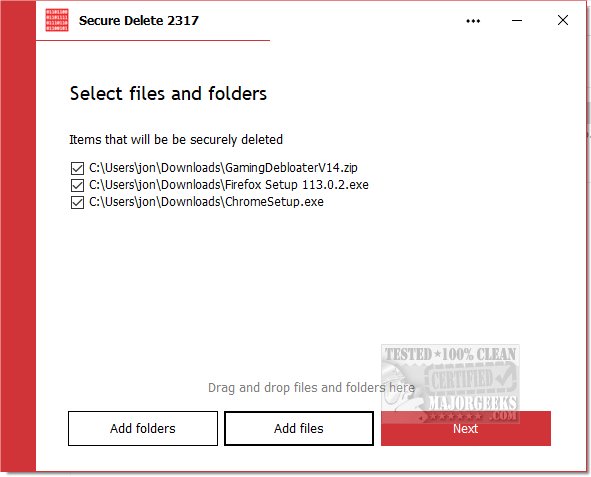
PrivacyRoot Secure Delete 218 has been released, providing users with a reliable method to permanently erase files and folders from their computers without utilizing the recycle bin. This tool offers multiple security levels for the deletion process, allowing users to customize the depth of security according to their needs. Notably, the higher the security level selected, the longer the deletion process will take.
Users can operate Secure Delete in three convenient ways: by dragging and dropping files or folders into the main interface, using the "Add Files" button to select necessary items, or by right-clicking any file in Windows Explorer, choosing the "Send To" option, and selecting Secure Deleter. The application guides users through a step-by-step deletion process, ensuring they have the opportunity to cancel the operation if needed. Once initiated, the files are permanently deleted, so it's advisable to have backups ready.
PrivacyRoot Secure Delete's interface is user-friendly, making it accessible for beginners while maintaining robust functionality through advanced algorithms designed for secure data destruction. This balance of simplicity and effectiveness empowers new users to achieve maximum security with ease.
In addition to this, users seeking to manage their digital footprint may also explore related tools and features, such as Storage Sense for automatic junk file deletion in Windows, PowerShell methods for secure file deletion, and solutions for common file deletion errors. Moreover, learning how to disable activity history on Windows 10 and 11 can further enhance user privacy.
Overall, PrivacyRoot Secure Delete 218 stands out as a vital tool for anyone serious about data security and privacy management in today's digital landscape
Users can operate Secure Delete in three convenient ways: by dragging and dropping files or folders into the main interface, using the "Add Files" button to select necessary items, or by right-clicking any file in Windows Explorer, choosing the "Send To" option, and selecting Secure Deleter. The application guides users through a step-by-step deletion process, ensuring they have the opportunity to cancel the operation if needed. Once initiated, the files are permanently deleted, so it's advisable to have backups ready.
PrivacyRoot Secure Delete's interface is user-friendly, making it accessible for beginners while maintaining robust functionality through advanced algorithms designed for secure data destruction. This balance of simplicity and effectiveness empowers new users to achieve maximum security with ease.
In addition to this, users seeking to manage their digital footprint may also explore related tools and features, such as Storage Sense for automatic junk file deletion in Windows, PowerShell methods for secure file deletion, and solutions for common file deletion errors. Moreover, learning how to disable activity history on Windows 10 and 11 can further enhance user privacy.
Overall, PrivacyRoot Secure Delete 218 stands out as a vital tool for anyone serious about data security and privacy management in today's digital landscape
PrivacyRoot Secure Delete 218 released
PrivacyRoot Secure Delete lets you securely erase files and folders permanently from your machine without going to the recycle bin.