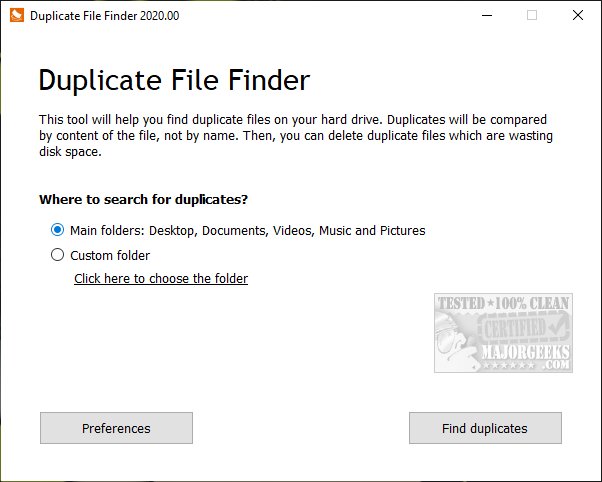
PrivacyRoot has released version 411 of its Duplicate Finder tool, which is specifically designed to help users identify and eliminate duplicate files on their devices, thereby freeing up valuable disk space. The software defaults to scanning essential directories such as Documents, Desktop, Video, Music, and Pictures, but it also allows for custom scans of any specified drive or folder. Users are advised to exercise caution when scanning entire drives, as Windows systems often contain multiple default duplicate files.
The application offers several features, including options for professional users, and allows users to select specific files for deletion or opt to remove all duplicates at once. Users can also mark files to exclude them from future scans and can organize results based on file size, location, or number of duplicates. After testing the software's capability on a complete drive scan, the results were found to be satisfactory.
In addition to its primary function, the tool provides related resources for effective disk management, such as tips on utilizing Windows cleanup recommendations, comparisons of popular drive cleaning tools, and methods for freeing up storage space in Windows 10 and 11, as well as guidance on managing locked or undeletable files.
To extend the functionality of PrivacyRoot Duplicate Finder, future updates could include enhanced algorithms for detecting duplicates with greater accuracy, integration with cloud storage services for comprehensive file management, and user-friendly tutorials for beginners. Additionally, offering a mobile version of the application could expand its reach, allowing users to manage duplicates across various devices seamlessly
The application offers several features, including options for professional users, and allows users to select specific files for deletion or opt to remove all duplicates at once. Users can also mark files to exclude them from future scans and can organize results based on file size, location, or number of duplicates. After testing the software's capability on a complete drive scan, the results were found to be satisfactory.
In addition to its primary function, the tool provides related resources for effective disk management, such as tips on utilizing Windows cleanup recommendations, comparisons of popular drive cleaning tools, and methods for freeing up storage space in Windows 10 and 11, as well as guidance on managing locked or undeletable files.
To extend the functionality of PrivacyRoot Duplicate Finder, future updates could include enhanced algorithms for detecting duplicates with greater accuracy, integration with cloud storage services for comprehensive file management, and user-friendly tutorials for beginners. Additionally, offering a mobile version of the application could expand its reach, allowing users to manage duplicates across various devices seamlessly
PrivacyRoot Duplicate Finder 411 released
PrivacyRoot Duplicate Finder is designed to scan your machine, searching out duplicate files so that you can remove them, freeing up some disk space.