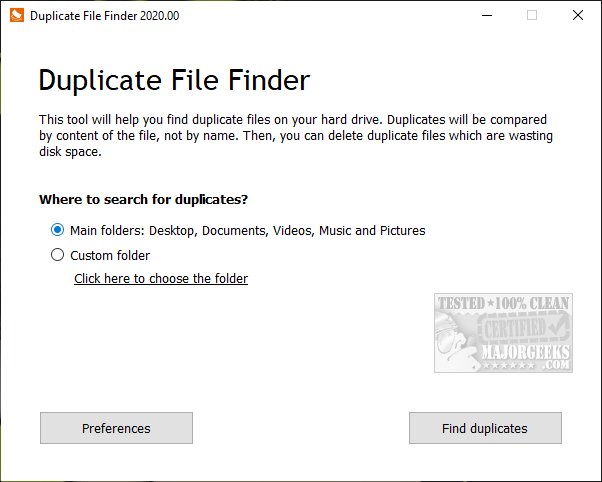
PrivacyRoot has released version 410 of its Duplicate Finder tool, aimed at helping users identify and eliminate duplicate files from their computers to reclaim valuable disk space. The software is pre-configured to scan primary directories such as Documents, Desktop, Videos, Music, and Pictures, but it also allows for customized scans across any selected drives or folders. Users should be cautious when scanning entire drives, as the Windows operating system inherently contains many duplicate files.
The application offers several options, including professional features (details available in the limitations section). After a scan is completed, users have the flexibility to choose specific files to remove or opt for bulk deletion. Additionally, users can mark files to be excluded from future scans and can sort duplicates by size, file path, or the number of copies found. The program also includes a feature to restart the scanning process if needed.
Following extensive testing of the tool's performance on an entire drive, users reported satisfactory outcomes regarding its efficiency in identifying duplicates.
For those interested in optimizing their computer's storage further, related articles discuss cleanup recommendations in Windows 11, comparisons of popular drive cleaner software, and guides on how to analyze disk space and delete locked or undeletable files.
Moving forward, it would be beneficial for PrivacyRoot to consider implementing advanced algorithms that could enhance the duplication detection process, such as recognizing similar file names or content even if they are in different formats. Additionally, offering a feature for cloud storage scanning could further elevate the utility of the Duplicate Finder, catering to users who store data across multiple platforms
The application offers several options, including professional features (details available in the limitations section). After a scan is completed, users have the flexibility to choose specific files to remove or opt for bulk deletion. Additionally, users can mark files to be excluded from future scans and can sort duplicates by size, file path, or the number of copies found. The program also includes a feature to restart the scanning process if needed.
Following extensive testing of the tool's performance on an entire drive, users reported satisfactory outcomes regarding its efficiency in identifying duplicates.
For those interested in optimizing their computer's storage further, related articles discuss cleanup recommendations in Windows 11, comparisons of popular drive cleaner software, and guides on how to analyze disk space and delete locked or undeletable files.
Moving forward, it would be beneficial for PrivacyRoot to consider implementing advanced algorithms that could enhance the duplication detection process, such as recognizing similar file names or content even if they are in different formats. Additionally, offering a feature for cloud storage scanning could further elevate the utility of the Duplicate Finder, catering to users who store data across multiple platforms
PrivacyRoot Duplicate Finder 410 released
PrivacyRoot Duplicate Finder is designed to scan your machine, searching out duplicate files so that you can remove them, freeing up some disk space.