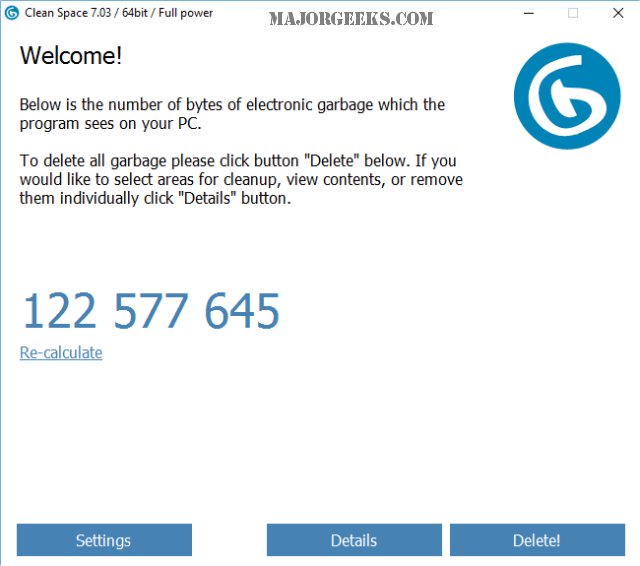
PrivacyRoot Clean Space 717 has been released as a tool designed to enhance both storage efficiency and privacy by eliminating unnecessary files from your drive and making deleted files unrecoverable. The software is user-friendly and initiates a scan upon startup, quickly identifying files that can be removed. Users can run the program in Administrator mode, which is set automatically on the first launch if chosen.
The interface presents a detailed breakdown of files categorized by various applications such as Windows 10, Media Player, Chrome, and more. Users can selectively preserve certain files, like cookies or address history, by unchecking them from the removal list, ensuring a safe cleaning process with default settings.
When compared to other popular cleaning tools such as CCleaner and Wise Disk Cleaner, Clean Space offers a competitive alternative without the additional features that some users may find unnecessary. For instance, while CCleaner identified 139.6 MB of junk files, Clean Space found 139.8 MB. Unlike Wise Disk Cleaner, which has a more aggressive approach, Clean Space focuses on simplicity and efficiency, making it an appealing option for those who prefer a straightforward cleaning experience.
Overall, PrivacyRoot Clean Space is an excellent choice for users looking to efficiently clear out junk files while maintaining a simple interface, making it ideal for those who wish to avoid the complexities of more feature-heavy programs.
In extending this discussion, it's worth noting that as digital storage continues to grow, the importance of maintaining clean drives becomes increasingly significant. Users should regularly review their storage solutions to enhance performance and privacy. Additionally, as data protection regulations evolve, tools like Clean Space may play a crucial role in ensuring compliance with privacy standards, making it essential for users to stay informed about their data management practices
The interface presents a detailed breakdown of files categorized by various applications such as Windows 10, Media Player, Chrome, and more. Users can selectively preserve certain files, like cookies or address history, by unchecking them from the removal list, ensuring a safe cleaning process with default settings.
When compared to other popular cleaning tools such as CCleaner and Wise Disk Cleaner, Clean Space offers a competitive alternative without the additional features that some users may find unnecessary. For instance, while CCleaner identified 139.6 MB of junk files, Clean Space found 139.8 MB. Unlike Wise Disk Cleaner, which has a more aggressive approach, Clean Space focuses on simplicity and efficiency, making it an appealing option for those who prefer a straightforward cleaning experience.
Overall, PrivacyRoot Clean Space is an excellent choice for users looking to efficiently clear out junk files while maintaining a simple interface, making it ideal for those who wish to avoid the complexities of more feature-heavy programs.
In extending this discussion, it's worth noting that as digital storage continues to grow, the importance of maintaining clean drives becomes increasingly significant. Users should regularly review their storage solutions to enhance performance and privacy. Additionally, as data protection regulations evolve, tools like Clean Space may play a crucial role in ensuring compliance with privacy standards, making it essential for users to stay informed about their data management practices
PrivacyRoot Clean Space 717 released
PrivacyRoot Clean Space can remove unneeded files that waste space on your drive and protect your privacy by making deleted files unrecoverable.