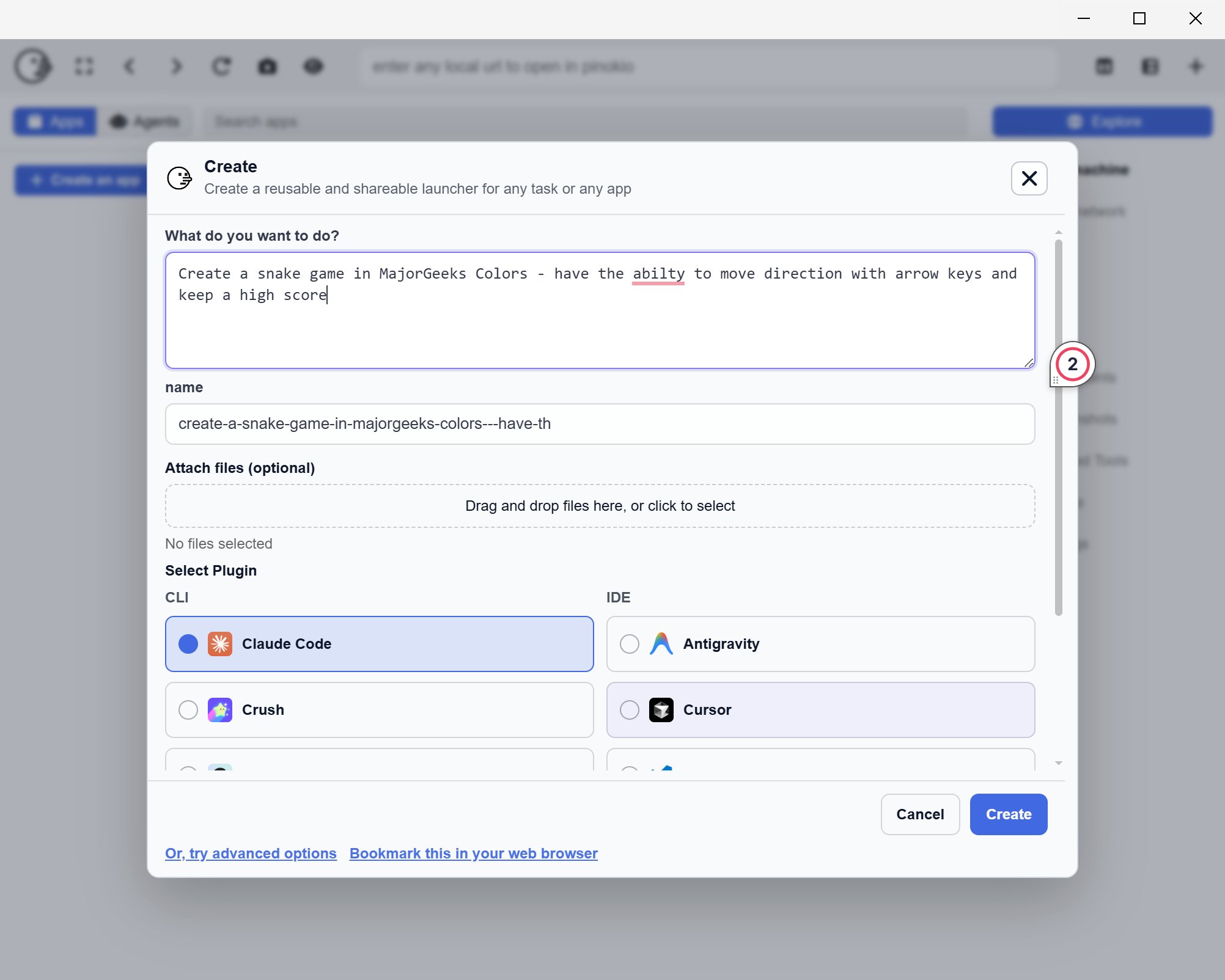
Pinokio 7.1.12 has been released, enhancing the capabilities of this free, cross-platform desktop tool designed to transform your PC into a “personal cloud.” Pinokio simplifies the installation, running, and management of AI applications and server-style software locally, all with just one click. It is tailored for users who wish to operate local tools without the hassle of manually configuring dependencies like Python, Git, or Node, which can often be time-consuming and frustrating.
The primary function of Pinokio is to encapsulate software that typically operates through a terminal interface into a more user-friendly, browsable format. This approach eliminates the need for cloning repositories, entering commands, and dealing with potentially outdated instructions, thereby making the local software experience more streamlined and less chaotic.
Users are drawn to Pinokio for several reasons, including ease of testing local tools, enhanced privacy, and the ability to avoid recurring costs associated with API usage. The application is designed for fully local operation, allowing users to run AI tools directly on their computers via localhost, which is a significant advantage over relying on external servers.
Pinokio boasts several useful features:
- A centralized location for installing and launching local applications.
- Automation of setup processes running in the background.
- Simplified testing of localhost tools without frequent terminal navigation.
- A system of verified scripts that have been reviewed and approved by the application’s admin to enhance security, although caution is still advised when running any scripts.
It’s important to clarify that Pinokio is not an app development environment; users still need to build their applications using editors like VS Code or Cursor. However, Pinokio excels in managing the backend setup for applications, allowing users to focus on development. For instance, if you wanted to create a note-taking app with AI search functionality, you could use Pinokio to install and launch the necessary local model, develop the app in your preferred editor, and connect it to the localhost service initiated by Pinokio, all while avoiding reliance on paid APIs.
Despite its advantages, Pinokio does have limitations. While it can facilitate project initiation, it also introduces an additional layer between the user and the software, which can complicate troubleshooting when issues arise. Users must remain cautious, particularly when utilizing automated scripts, and should prioritize verified options whenever possible to mitigate risks.
In summary, Pinokio is a valuable tool for those looking to simplify the setup of local AI applications and other localhost utilities, reducing the command-line complexity typically associated with such tasks. It is an effective solution for managing the infrastructure surrounding app development, even though users should remain vigilant and informed about the potential risks involved with running automated installations
The primary function of Pinokio is to encapsulate software that typically operates through a terminal interface into a more user-friendly, browsable format. This approach eliminates the need for cloning repositories, entering commands, and dealing with potentially outdated instructions, thereby making the local software experience more streamlined and less chaotic.
Users are drawn to Pinokio for several reasons, including ease of testing local tools, enhanced privacy, and the ability to avoid recurring costs associated with API usage. The application is designed for fully local operation, allowing users to run AI tools directly on their computers via localhost, which is a significant advantage over relying on external servers.
Pinokio boasts several useful features:
- A centralized location for installing and launching local applications.
- Automation of setup processes running in the background.
- Simplified testing of localhost tools without frequent terminal navigation.
- A system of verified scripts that have been reviewed and approved by the application’s admin to enhance security, although caution is still advised when running any scripts.
It’s important to clarify that Pinokio is not an app development environment; users still need to build their applications using editors like VS Code or Cursor. However, Pinokio excels in managing the backend setup for applications, allowing users to focus on development. For instance, if you wanted to create a note-taking app with AI search functionality, you could use Pinokio to install and launch the necessary local model, develop the app in your preferred editor, and connect it to the localhost service initiated by Pinokio, all while avoiding reliance on paid APIs.
Despite its advantages, Pinokio does have limitations. While it can facilitate project initiation, it also introduces an additional layer between the user and the software, which can complicate troubleshooting when issues arise. Users must remain cautious, particularly when utilizing automated scripts, and should prioritize verified options whenever possible to mitigate risks.
In summary, Pinokio is a valuable tool for those looking to simplify the setup of local AI applications and other localhost utilities, reducing the command-line complexity typically associated with such tasks. It is an effective solution for managing the infrastructure surrounding app development, even though users should remain vigilant and informed about the potential risks involved with running automated installations
Pinokio 7.1.12 released
Pinokio is a free, cross-platform desktop tool that turns your PC into a “personal cloud,” letting you install, run, and manage AI apps and server-style software locally with one click.