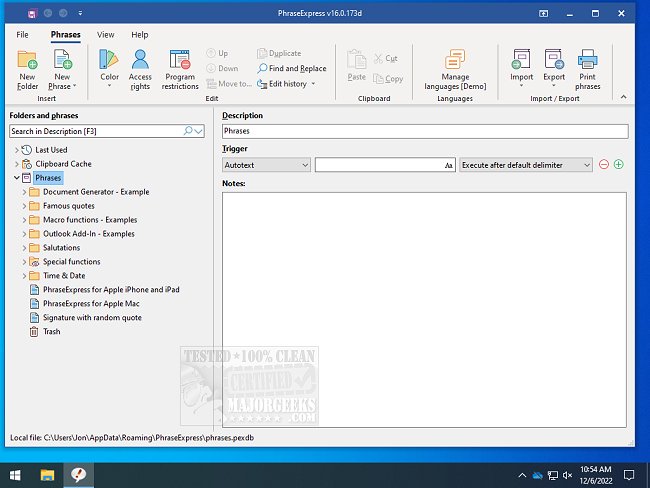
PhraseExpress 18.0.66 has been released, enhancing productivity through the efficient organization of frequently used text phrases and snippets. This powerful tool not only allows users to expand abbreviations into full-text snippets but also enables the launching of programs via text shortcuts, significantly streamlining daily tasks.
For instance, a user can type "sig" to automatically insert their email signature, or set a keyboard shortcut so that typing "DCT" expands to "Dear Customer, Thank you for contacting us." This functionality can drastically reduce the time spent on repetitive actions, making it an invaluable asset for anyone who frequently types similar messages or uses the same commands.
In addition to its abbreviation expansion capabilities, PhraseExpress offers features such as auto-completion of repetitive phrases, access to the Windows clipboard history, and spelling correction across applications. The tool is designed to enhance efficiency, providing users with quick access to their most commonly used snippets and ensuring a smoother workflow.
Beyond these features, users can benefit from tips and tricks related to clipboard management, such as how to copy the path of files or folders, clear clipboard history using shortcuts, and disable clipboard history in Windows 10 and 11. Overall, PhraseExpress is a versatile tool that caters to anyone looking to optimize their typing and organization processes.
With the release of Version 18.0.66, PhraseExpress continues to evolve, promising even more enhancements and features that cater to the needs of its users, making it an essential tool for professionals and everyday users alike
For instance, a user can type "sig" to automatically insert their email signature, or set a keyboard shortcut so that typing "DCT" expands to "Dear Customer, Thank you for contacting us." This functionality can drastically reduce the time spent on repetitive actions, making it an invaluable asset for anyone who frequently types similar messages or uses the same commands.
In addition to its abbreviation expansion capabilities, PhraseExpress offers features such as auto-completion of repetitive phrases, access to the Windows clipboard history, and spelling correction across applications. The tool is designed to enhance efficiency, providing users with quick access to their most commonly used snippets and ensuring a smoother workflow.
Beyond these features, users can benefit from tips and tricks related to clipboard management, such as how to copy the path of files or folders, clear clipboard history using shortcuts, and disable clipboard history in Windows 10 and 11. Overall, PhraseExpress is a versatile tool that caters to anyone looking to optimize their typing and organization processes.
With the release of Version 18.0.66, PhraseExpress continues to evolve, promising even more enhancements and features that cater to the needs of its users, making it an essential tool for professionals and everyday users alike
PhraseExpress 18.0.66 released
PhraseExpress is for the organization of frequently used text phrases or snippets, expanding abbreviations, launching programs with text shortcuts, and more.