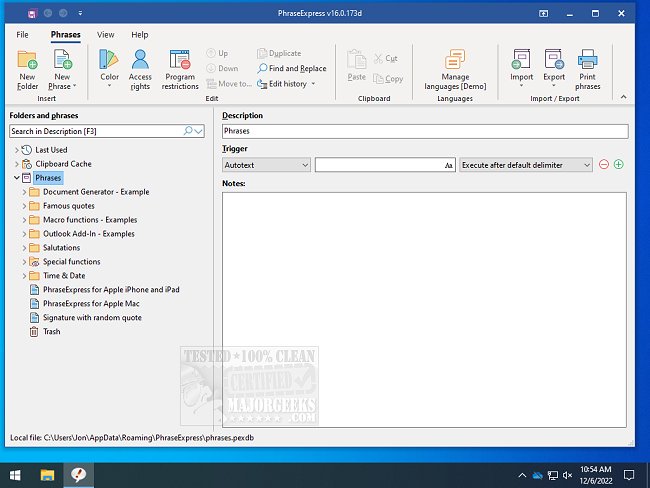
PhraseExpress has released two versions: the Beta version 18.0.59 and the stable version 17.0.134. This software is designed to enhance productivity by organizing frequently used text phrases or snippets, expanding text abbreviations, and enabling users to launch programs through text shortcuts.
One of the key features of PhraseExpress is its ability to save keystrokes by converting abbreviations into full text snippets. For instance, by typing "sig," the program can automatically insert a pre-defined signature into any application. Similarly, typing "DCT" could automatically expand to a complete greeting, such as "Dear Customer, Thank you for contacting us," significantly reducing the time spent on repetitive tasks.
In addition to these functionalities, PhraseExpress offers tools for auto-completing repetitive phrases, quick access to Windows Clipboard history, and correcting spelling errors across various applications. This makes it an invaluable tool for anyone looking to streamline their workflow and improve efficiency.
Furthermore, users can take advantage of additional resources, such as guides on how to copy file paths to the clipboard, clear clipboard history using shortcuts, and disable clipboard history in Windows 10 and 11, enhancing their overall experience with the software.
As PhraseExpress continues to evolve, users can look forward to more features and improvements that will further simplify text management and enhance productivity in daily tasks
One of the key features of PhraseExpress is its ability to save keystrokes by converting abbreviations into full text snippets. For instance, by typing "sig," the program can automatically insert a pre-defined signature into any application. Similarly, typing "DCT" could automatically expand to a complete greeting, such as "Dear Customer, Thank you for contacting us," significantly reducing the time spent on repetitive tasks.
In addition to these functionalities, PhraseExpress offers tools for auto-completing repetitive phrases, quick access to Windows Clipboard history, and correcting spelling errors across various applications. This makes it an invaluable tool for anyone looking to streamline their workflow and improve efficiency.
Furthermore, users can take advantage of additional resources, such as guides on how to copy file paths to the clipboard, clear clipboard history using shortcuts, and disable clipboard history in Windows 10 and 11, enhancing their overall experience with the software.
As PhraseExpress continues to evolve, users can look forward to more features and improvements that will further simplify text management and enhance productivity in daily tasks
PhraseExpress 18.0.59 Beta / 17.0.134 released
PhraseExpress is for the organization of frequently used text phrases or snippets, expanding abbreviations, launching programs with text shortcuts, and more.