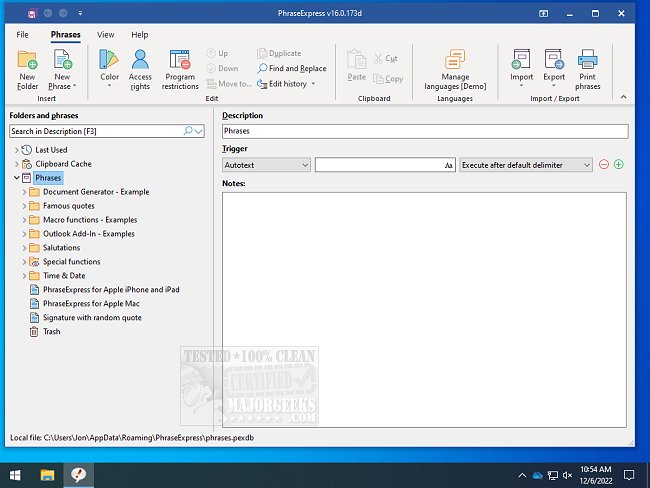
PhraseExpress has recently released versions 17.0.134 and 18.0.53 Beta. This powerful software is designed to help users efficiently manage frequently used text phrases, snippets, and shortcuts, making it an invaluable tool for anyone who frequently types similar content.
With PhraseExpress, users can create text abbreviations that automatically expand into full-text snippets. For instance, typing "sig" could instantly insert a pre-defined signature into any document or email. Similarly, a simple input like "DCT" can be programmed to expand to a complete greeting message, such as "Dear Customer, Thank you for contacting us." This functionality significantly reduces the time spent on repetitive typing tasks, enhancing productivity in day-to-day activities.
In addition to text expansion, PhraseExpress offers features such as organizing text snippets, launching applications with keyboard shortcuts, auto-completing repetitive phrases, accessing Windows Clipboard History, and correcting spelling errors across all applications. This makes it a versatile tool for improving efficiency in both personal and professional contexts.
Extended capabilities of PhraseExpress may include the integration of advanced machine learning algorithms to better predict user preferences, the potential for cloud synchronization for seamless access across devices, and enhanced customization options for users to tailor the software to their specific needs. Furthermore, the introduction of user-friendly templates for common business communications could facilitate even faster workflows. Overall, PhraseExpress continues to evolve as a comprehensive solution for streamlining text-based tasks
With PhraseExpress, users can create text abbreviations that automatically expand into full-text snippets. For instance, typing "sig" could instantly insert a pre-defined signature into any document or email. Similarly, a simple input like "DCT" can be programmed to expand to a complete greeting message, such as "Dear Customer, Thank you for contacting us." This functionality significantly reduces the time spent on repetitive typing tasks, enhancing productivity in day-to-day activities.
In addition to text expansion, PhraseExpress offers features such as organizing text snippets, launching applications with keyboard shortcuts, auto-completing repetitive phrases, accessing Windows Clipboard History, and correcting spelling errors across all applications. This makes it a versatile tool for improving efficiency in both personal and professional contexts.
Extended capabilities of PhraseExpress may include the integration of advanced machine learning algorithms to better predict user preferences, the potential for cloud synchronization for seamless access across devices, and enhanced customization options for users to tailor the software to their specific needs. Furthermore, the introduction of user-friendly templates for common business communications could facilitate even faster workflows. Overall, PhraseExpress continues to evolve as a comprehensive solution for streamlining text-based tasks
PhraseExpress 17.0.134 / 18.0.53 Beta released
PhraseExpress is for the organization of frequently used text phrases or snippets, expanding abbreviations, launching programs with text shortcuts, and more.