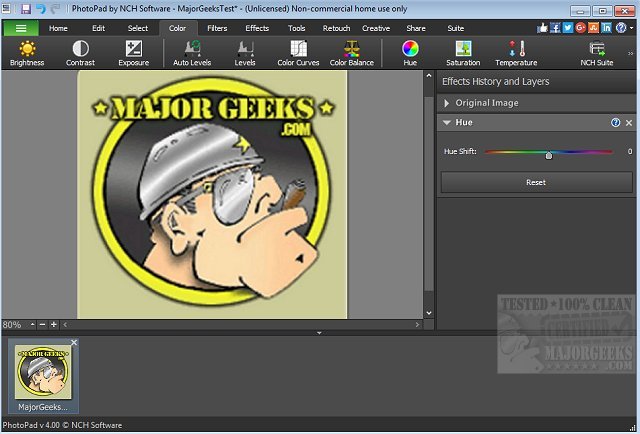
PhotoPad 15.04 Beta has been launched as a versatile photo editing tool that enables users to easily manipulate a variety of aspects of their images. With its user-friendly interface, PhotoPad requires no lengthy installation or setup processes, allowing users to dive straight into editing their photos. It supports all popular image formats and offers convenient drag-and-drop functionality for a seamless workflow.
Key features of PhotoPad include the ability to quickly crop, rotate, resize, and flip images, making it especially useful for those with tight deadlines. Users can enhance their photos by removing red-eye and blemishes, applying a range of effects such as oil paint or sepia, and improving overall image quality with tools for sharpening and noise reduction. Additionally, users can adjust color settings like hue, saturation, brightness, and contrast, as well as create collages, photo mosaics, and even convert images into cross-stitch patterns or paint-by-numbers designs.
PhotoPad also supports photo stitching for panoramic images, allows users to add text and captions, insert clipart from an included library, and frame their photographs. Its liquid resize effect lets users change the aspect ratio of images without distorting important features. The software’s non-destructive editing capability means users can easily modify individual effects without losing original image data. Finally, edited photos can be directly uploaded to platforms like Facebook or Flickr for easy sharing.
In summary, PhotoPad 15.04 Beta offers a comprehensive suite of editing tools suitable for both casual users and professionals, making photo enhancement quick and efficient. With its continued development, users can expect improved features and functionalities in future releases. Whether for personal use or professional projects, PhotoPad stands out as a powerful yet accessible option for photo editing enthusiasts
Key features of PhotoPad include the ability to quickly crop, rotate, resize, and flip images, making it especially useful for those with tight deadlines. Users can enhance their photos by removing red-eye and blemishes, applying a range of effects such as oil paint or sepia, and improving overall image quality with tools for sharpening and noise reduction. Additionally, users can adjust color settings like hue, saturation, brightness, and contrast, as well as create collages, photo mosaics, and even convert images into cross-stitch patterns or paint-by-numbers designs.
PhotoPad also supports photo stitching for panoramic images, allows users to add text and captions, insert clipart from an included library, and frame their photographs. Its liquid resize effect lets users change the aspect ratio of images without distorting important features. The software’s non-destructive editing capability means users can easily modify individual effects without losing original image data. Finally, edited photos can be directly uploaded to platforms like Facebook or Flickr for easy sharing.
In summary, PhotoPad 15.04 Beta offers a comprehensive suite of editing tools suitable for both casual users and professionals, making photo enhancement quick and efficient. With its continued development, users can expect improved features and functionalities in future releases. Whether for personal use or professional projects, PhotoPad stands out as a powerful yet accessible option for photo editing enthusiasts
PhotoPad 15.04 Beta released
PhotoPad is a slick photo editor that permits you to manipulate most aspects of your photo images.