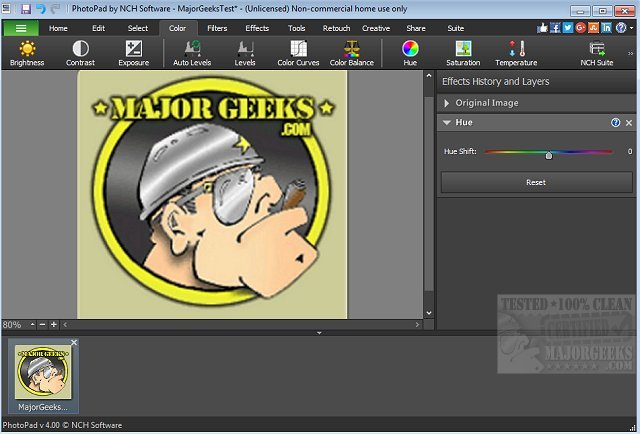
PhotoPad 15.00 Beta has been released, introducing a user-friendly photo editing software that allows for extensive manipulation of images. Designed for quick access and ease of use, PhotoPad requires no complicated installation procedures, enabling users to jump right into editing their photos upon launching the application. The software supports a variety of popular image formats and features a simple drag-and-drop functionality, making it ideal for users who need to enhance their images swiftly, whether for personal or professional use.
Key features of PhotoPad include:
- Photo Touch-Up: Easily remove red-eye and blemishes from images.
- Photo Effects: Apply a variety of effects such as oil paint, cartoon, vignette, and sepia.
- Quality Enhancement: Tools for improving photo quality through sharpening, noise reduction, and focus adjustments.
- Color Adjustments: Modify image properties such as color, hue, saturation, brightness, and contrast.
- Collage Creation: Create stunning collages and photo mosaics from personal photographs.
- Art Conversion: Transform photos into cross-stitch patterns, paint-by-numbers, or apply an oil painting effect.
- Photo Stitching: Combine images to create panoramic views.
- Text and Clipart: Add captions and insert clipart from an included library.
- Framing Options: Enhance images with frames and borders.
- Liquid Resize: Change the aspect ratio of images without distorting key features.
- Non-Destructive Editing: Allows for easy modifications of individual effects on distinct layers.
- Direct Upload: Share edited images directly to platforms like Facebook or Flickr.
In addition to its robust editing capabilities, PhotoPad is an excellent choice for those looking for a fast and efficient way to enhance their photos. As the software continues to develop, users can expect even more features and improvements that cater to both novice and experienced photographers alike. Whether for personal projects or professional editing, PhotoPad stands out as a versatile tool in the realm of digital photography
Key features of PhotoPad include:
- Photo Touch-Up: Easily remove red-eye and blemishes from images.
- Photo Effects: Apply a variety of effects such as oil paint, cartoon, vignette, and sepia.
- Quality Enhancement: Tools for improving photo quality through sharpening, noise reduction, and focus adjustments.
- Color Adjustments: Modify image properties such as color, hue, saturation, brightness, and contrast.
- Collage Creation: Create stunning collages and photo mosaics from personal photographs.
- Art Conversion: Transform photos into cross-stitch patterns, paint-by-numbers, or apply an oil painting effect.
- Photo Stitching: Combine images to create panoramic views.
- Text and Clipart: Add captions and insert clipart from an included library.
- Framing Options: Enhance images with frames and borders.
- Liquid Resize: Change the aspect ratio of images without distorting key features.
- Non-Destructive Editing: Allows for easy modifications of individual effects on distinct layers.
- Direct Upload: Share edited images directly to platforms like Facebook or Flickr.
In addition to its robust editing capabilities, PhotoPad is an excellent choice for those looking for a fast and efficient way to enhance their photos. As the software continues to develop, users can expect even more features and improvements that cater to both novice and experienced photographers alike. Whether for personal projects or professional editing, PhotoPad stands out as a versatile tool in the realm of digital photography
PhotoPad 15.00 Beta released
PhotoPad is a slick photo editor that permits you to manipulate most aspects of your photo images.