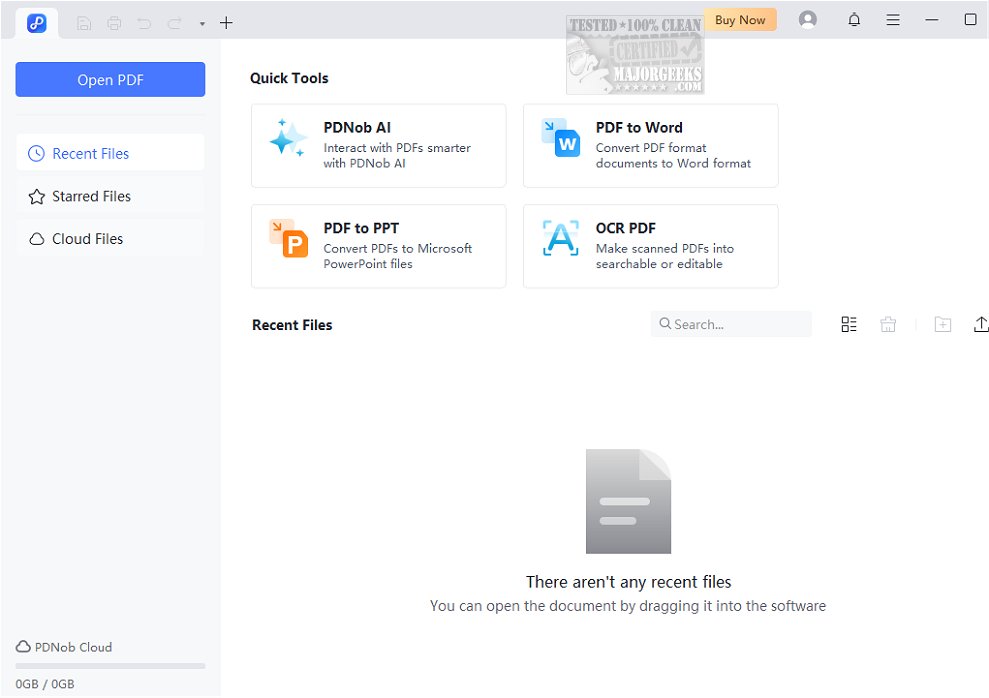
PDNob PDF Editor version 2.11.1 has been released, providing an AI-driven solution for both Windows and Mac users to effortlessly manage their PDF documents. This versatile editor allows users to view, edit, annotate, organize, merge, split, and convert PDF files with ease. Key features include the ability to convert PDFs into various formats such as Word, Excel, and PowerPoint, as well as compressing files and adding watermarks for security.
The user-friendly interface is designed to offer a balance between simplicity and functionality, making it particularly appealing for those who favor an intuitive experience without clutter. PDNob PDF Editor is equipped with robust editing capabilities, supporting both basic tasks and advanced features like Optical Character Recognition (OCR) for converting scanned documents into editable text. Users can also customize documents by inserting images, shapes, and annotations, allowing for a personalized touch.
The tool is suitable for a wide range of users, from casual individuals to professionals, thanks to its comprehensive feature set. It adapts to various needs, whether for simple conversions or detailed editing, making it a practical choice for anyone looking to enhance their PDF management experience.
In summary, PDNob PDF Editor stands out as a powerful and user-friendly solution for PDF editing, combining essential and advanced features to cater to diverse editing requirements.
- Enhanced OCR capabilities for better accuracy in text recognition.
- More output formats available for conversion, expanding compatibility options.
- Improved user experience with faster processing times and smoother navigation.
Whether you are a student, a business professional, or someone who frequently works with PDFs, PDNob PDF Editor is designed to streamline your workflow and make PDF management a hassle-free experience
The user-friendly interface is designed to offer a balance between simplicity and functionality, making it particularly appealing for those who favor an intuitive experience without clutter. PDNob PDF Editor is equipped with robust editing capabilities, supporting both basic tasks and advanced features like Optical Character Recognition (OCR) for converting scanned documents into editable text. Users can also customize documents by inserting images, shapes, and annotations, allowing for a personalized touch.
The tool is suitable for a wide range of users, from casual individuals to professionals, thanks to its comprehensive feature set. It adapts to various needs, whether for simple conversions or detailed editing, making it a practical choice for anyone looking to enhance their PDF management experience.
In summary, PDNob PDF Editor stands out as a powerful and user-friendly solution for PDF editing, combining essential and advanced features to cater to diverse editing requirements.
New Features and Improvements
With the latest update, users can also expect improved performance and additional functionalities:- Enhanced OCR capabilities for better accuracy in text recognition.
- More output formats available for conversion, expanding compatibility options.
- Improved user experience with faster processing times and smoother navigation.
Whether you are a student, a business professional, or someone who frequently works with PDFs, PDNob PDF Editor is designed to streamline your workflow and make PDF management a hassle-free experience
PDNob PDF Editor 2.11.1 released
PDNob PDF Editor is an AI-powered solution for Windows and Mac that allows you to view, edit, annotate, organize, merge, split, and convert PDF files seamlessly.